
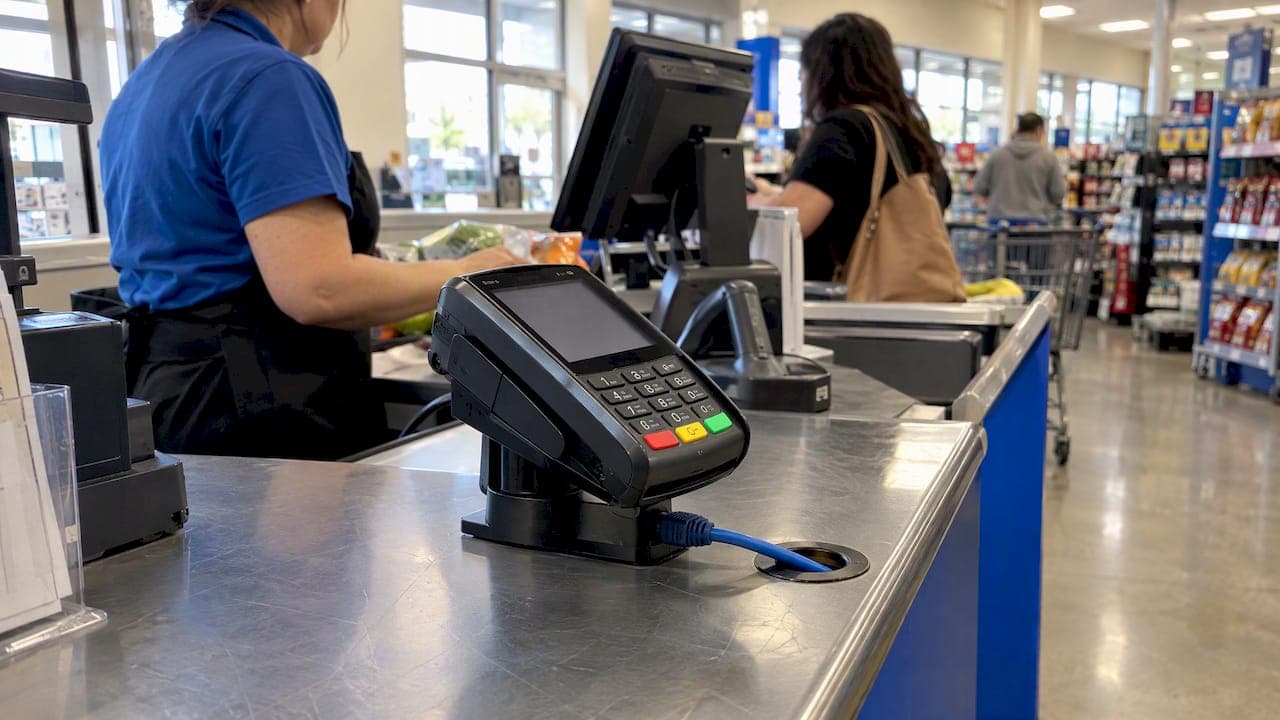
Retail POS Network Requirements: A Multi-Store ChecklistA retail POS network needs five things at every store: enough bandwidth for your busiest hour, wired connections for the registers, a payment network that is segmented from everything else, a second internet path that takes over when the first fails, and monitoring that tells you about a problem before a cashier does. Vendors publish a bandwidth minimum. That is the easy part. At 5, 50 or 500 stores, the harder part is making the same design work everywhere without a truck roll for every fault.
This guide is written for IT directors and operations leaders running multiple locations. It covers what to specify, what auditors and federal guidance expect, and where multi-site networks usually break.
TL;DR
- Bandwidth minimums from POS vendors are low. Shopify, for example, lists 5 Mbps download as the minimum. Size for your busiest hour, including card auth, inventory sync, guest WiFi and cameras, not for one register.
- Put registers and card terminals on wired Ethernet, and treat WiFi as a convenience layer for handhelds.
- Segment the payment network with real firewall rules, not only VLAN labels, and keep guest WiFi fully apart.
- Plan a second path (4G/5G or another carrier) at every store, with automatic failover, so a fiber cut does not stop sales.
- Standardize and monitor centrally. One template for all stores beats 50 hand-built ones.
Table of Contents
- What a POS actually needs from the network
- Bandwidth: size for the busiest hour, not the minimum
- Wired first, WiFi second
- Segmentation: keep card data away from everything else
- Treat the POS as a fixed-purpose device
- Encryption and tokenization reduce what the network can lose
- Remote access: no permanent doors
- Redundancy: assume the primary circuit will fail
- Voice and the other systems on the same line
- Monitoring and operations across many stores
- Our perspective
- How we help multi-location retailers
- A store-by-store checklist
- FAQ
- Sources
What a POS actually needs from the network
A POS terminal sends small packets, but it sends them at the moment a customer is standing at the counter. The traffic is light. The tolerance for failure is close to zero.
In a typical store, the network carries:
- Payment authorization from card readers to your processor.
- Inventory, pricing and loyalty sync between the register and a cloud or headquarters system.
- Receipt printers, scanners and customer displays, often on the local network.
- Everything else: staff devices, cameras, digital signage, guest WiFi, VoIP phones.
The first two are why the POS fails when the circuit is down. The last one is why the POS slows when the circuit is up. That is the planning problem: protecting a small, critical flow from a large, noisy one.
Bandwidth: size for the busiest hour, not the minimum
POS vendors publish minimums to get a single register working. Shopify's help center, for instance, lists the 5 Mbps figure above and adds that larger catalogs or multiple registers call for more. It also recommends a backup connection, such as a cellular hotspot or a secondary line, especially at launch.
Those numbers are a floor for one vendor's app. They do not account for the rest of the store. A simple way to size a site:
- List every simultaneous consumer at peak: registers, handhelds, printers, cameras that upload to the cloud, VoIP calls, music or signage streams, guest WiFi.
- Assign each a realistic peak. Use your vendors' published figures and your own measurements, not guesses.
- Add headroom for software updates and growth. Retail stores rarely get smaller in their network demands.
- Check upload, not only download. Cloud POS, cameras and VoIP are upload-heavy, and many cable plans are asymmetric.
- Test during a real busy period, such as a Saturday afternoon or a promotion, not on an empty Tuesday.
For stores where this list is long, dedicated circuits make sense. A dedicated fiber internet line gives symmetric capacity that does not depend on how busy the neighborhood is. For smaller formats, business fiber is often enough. Our overview of retail connectivity types compares the options.
Latency and jitter matter more than raw speed
A card authorization is a short round trip. If a line has high latency or drops packets, the customer sees a spinning screen even when a speed test looks fine. When you evaluate circuits, ask for latency and packet-loss targets in the SLA, not just megabits. Our retail network performance guide goes deeper on what to measure.
Wired first, WiFi second
POS stations, card terminals, receipt printers and any fixed kiosk should be on Ethernet. A cable has no interference, no roaming and no signal to drop when someone stacks pallets near a wall. Shopify's own guidance says wired connections are more reliable than WiFi for POS hardware, and that matches what we see in the field.
WiFi still has a place: mobile checkout, inventory handhelds, tablets on the floor. When you deploy it:
- Run a site survey before you place access points. Stockrooms, metal shelving and refrigeration change coverage in ways a floor plan does not show.
- Use enterprise access points with centralized management, so a policy change reaches every store at once.
- Put the handhelds that touch card data on the secure network, and put customers on a separate guest network.
Our managed WiFi service covers design, deployment and management, and our WiFi site survey work comes before any hardware goes on the wall.
Segmentation: keep card data away from everything else
This is the requirement that changes the cost of compliance the most.
The PCI Security Standards Council's scoping guidance explains that segmentation is not a formal mandate, but it is the main way to reduce assessment scope. On a flat network, every device that can reach the payment systems is in scope. On a segmented one, only the payment environment is.
What PCI DSS v4.0.1 expects around that boundary, per the Council's materials, includes documenting and diagramming network connections to the cardholder data environment, including wireless, and denying all traffic not needed for payment processing. In plain terms: you should be able to draw where card data flows, and your firewall rules should allow only those flows.

VLANs alone are not segmentation
A VLAN is a label. A firewall rule is a control. The scoping guidance describes segmentation as stateful, purpose-built controls that prevent communication between the payment environment and out-of-scope networks, even if an attacker controls a device outside it. Testing that is part of an annual penetration test, which is where many teams find rules that exist on paper only.
A workable store layout looks like this:
| Network segment | What lives there | Rule of thumb |
|---|---|---|
| Payment (CDE) | Registers, card readers, POS servers or hubs | Allow only the processor and required back-end destinations; deny the rest |
| Corporate | Back-office PCs, managers' laptops, VoIP | Separate from payment; no inbound path to it |
| Guest WiFi | Customer devices | Internet only; isolated from every internal network |
| IoT / building | Cameras, signage, HVAC, sensors | Isolated; no route to payment |
Guest WiFi is the segment most often misconfigured. We wrote a six-step guest WiFi security checklist for retail, and a step-by-step approach to shrinking PCI scope with segmentation.
For the firewall itself, FortiGate firewall services from us give each store a consistent, centrally managed policy.
Treat the POS as a fixed-purpose device
Federal guidance on connected devices is consistent: a POS terminal is not a general-purpose PC. CISA's material on connected devices points to outdated, unpatched software or firmware as a way attackers disable POS systems and cost venues revenue. Practical consequences:
- Block web browsing and email on registers. CISA warned that POS systems with internet and email access are exposed to malicious links and attachments.
- Disable unused physical and logical ports, such as USB and unneeded TCP/IP services.
- Patch firmware on a schedule, and track it per store.
- Change every default credential on routers, switches, access points and terminals before they go live. Default passwords are the cheapest way into a retail payment network.
- Inspect peripherals and cabling for tampering. Encryption does nothing if the device reading the card was altered before the tunnel starts.
Encryption and tokenization reduce what the network can lose
Network design and payment design work together. NIST's practice guide on hospitality systems recommends point-to-point encryption and tokenization to reduce the sensitive data that moves through or sits on the network, alongside role-based access control and monitoring of user and network behavior. Ask your processor whether your terminals use P2PE. If they do, a compromised store network exposes far less.
Remote access: no permanent doors
Multi-location IT teams manage stores remotely, which means remote access is an attack path. CISA's analysis of the Backoff malware advises against persistent remote access and calls for multi-factor authentication on remote sessions to payment networks, even when a VPN is used.
In practice:
- No always-on RDP to registers.
- Time-limited, MFA-protected sessions for vendors and support staff.
- Access granted per person and per task, then logged.
The model behind this is zero trust remote access: verify every user and device on every connection rather than trusting anyone inside a VPN tunnel.
Redundancy: assume the primary circuit will fail
A store with one circuit is a store that closes its registers when a contractor cuts a line. Shopify's guidance recommends a backup connection such as a cellular hotspot or secondary internet. At scale, a hotspot someone must remember to turn on is not a plan. What works:
- A second path on a different medium: wired primary plus 4G/5G, or two carriers on different physical routes.
- Automatic failover at the edge device, with no staff action and no new IP addresses breaking card traffic.
- Policy at failover. Payment traffic gets priority on the backup, and guest WiFi and streaming get throttled or dropped.
- Failover tests on a schedule, because untested backups fail.
This is where SD-WAN earns its place. A managed SD-WAN edge steers traffic across circuits, prioritizes payment flows and fails over in seconds. See how enterprise retail uses SD-WAN across locations for deployment patterns. Backup can come from 4G/5G internet, which does not share the physical route of your fiber.
Voice and the other systems on the same line
Store phones, fax and alarm lines often share the circuit. Legacy analog lines are being retired in many markets, so it is worth planning POTS replacement alongside your POS upgrade, and moving store voice to UCaaS with QoS so that calls and card traffic do not compete. Set priority rules at the edge so a long call never delays an authorization.
Monitoring and operations across many stores
The most common failure in multi-location networks is not a technical flaw. It is that nobody sees the problem until a store calls. Requirements to put in place:
- Per-store visibility: circuit status, latency, packet loss, device health.
- Alerting that reaches an engineer, not a shared inbox.
- Remote diagnostics, so most faults are resolved without dispatching a technician.
- Configuration standards: one template per store format, changes pushed centrally and logged.
- Regular review of firewall rules and device inventories.
Our piece on why multi-location retailers need centralized networking explains the operational case, and the network-as-a-service model shows how to buy it as a service instead of owning every box.
Our perspective
When we design a store network, we start from the failure, not the feature list. What happens to checkout if the circuit goes down at 5 p.m. on a Friday? Who sees it first? Can an engineer diagnose it without driving to the site?

That is why we built around a few commitments. We source from 50+ carriers, so the best circuit for each address is not limited to one provider's footprint. Our own engineers design and deploy each site, and a 24/7 U.S.-based NOC backs the service with a 99.99% uptime SLA on data. We focus on network infrastructure, not general IT support, so the person you reach works on networks for a living.
The pattern we see in multi-store retail is the same: teams inherit a patchwork of carriers, routers and WiFi vendors, each store slightly different. The fix is rarely more hardware. It is one standard design, one monitoring view and one accountable provider. A POS network is small in bandwidth and large in consequence, and it should be boring to run.
— Jim
How we help multi-location retailers
California Telecom delivers managed connectivity, SD-WAN, firewalls, WiFi, voice and 24/7 monitoring for multi-location businesses, with one provider and one bill. If you are planning a rollout or fixing an inconsistent estate, start with our managed services or talk to us through californiatelecom.com. We can review your store design against the checklist below.
A store-by-store checklist
- Peak-hour bandwidth calculated, upload included, with headroom.
- Registers, terminals and printers on Ethernet.
- Payment network on its own segment, enforced by firewall rules, with data flows diagrammed.
- Guest WiFi and IoT isolated from payment and corporate.
- Default credentials changed, unused ports disabled, no browsing on registers.
- Firmware patched on a schedule; peripherals inspected for tampering.
- Remote access time-limited and MFA-protected.
- Second internet path with automatic failover, tested.
- Payment traffic prioritized, voice on its own QoS class.
- Central monitoring with alerts to an engineer and a standard config template.
FAQ
How much internet bandwidth does a retail POS need?
Vendor minimums are modest: Shopify lists 5 Mbps download as the minimum, with more for multiple registers or large catalogs. Your real number depends on everything else on the line. Add up peak use from registers, cameras, VoIP and guest WiFi, then add headroom.
Should a POS use WiFi or Ethernet?
Use Ethernet for fixed registers, card terminals and printers. It is more stable and easier to secure. Keep WiFi for mobile devices, and put any that handle card data on the secure segment.
Is network segmentation required for PCI compliance?
The PCI Council says it is not a formal requirement, but it is the most effective way to reduce scope. Without it, your whole network falls under assessment. Confirm your obligations with your acquirer and a qualified security assessor.
Do I need a backup internet connection at every store?
If a store cannot take payments offline, yes. A backup on a different medium or carrier, with automatic failover, keeps card payments flowing through an outage. Test it regularly.
Sources
- Shopify Help Center: Setting up your network for Shopify POS
- PCI SSC: Guidance for PCI DSS Scoping and Network Segmentation
- CISA: Stadium Spotlight, Connected Devices and Integrated Security Considerations
- CISA: Malware Targeting Point of Sale Systems
- CISA: Backoff Point-of-Sale Malware
- NIST SP 1800-27: Securing Property Management Systems