
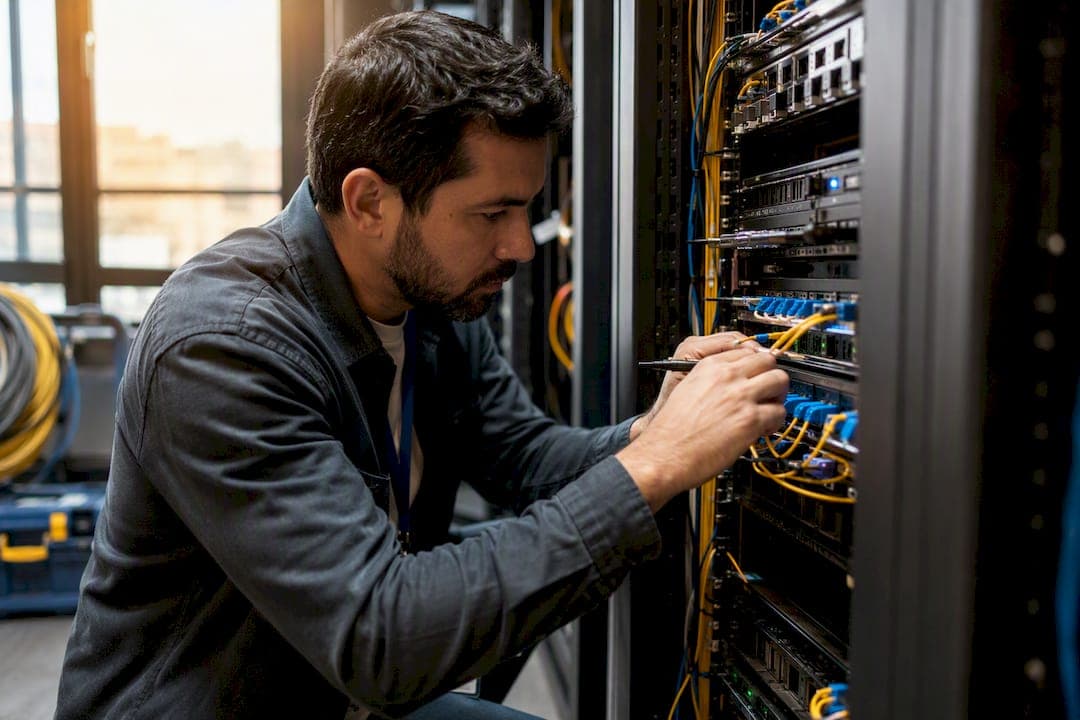
Jitter vs. Latency: What Each One Breaks and How to Fix ItLatency is the average delay a packet takes to travel from source to destination. Jitter is the variation in that delay from one packet to the next. If an application feels sluggish overall, latency is your suspect. If a voice call or video feed cuts in and out while the connection otherwise seems fine, jitter is almost always the culprit.
Here's the quick triage:
- Slow page loads, laggy remote desktop, delayed API responses → check latency first with ping and traceroute.
- Choppy audio, robotic voices, video that freezes then catches up → check jitter using RTCP stats or an endpoint's jitter buffer report.
- Both at once → look for congestion or bufferbloat upstream, since it drives both metrics simultaneously.
Run a baseline ping to get round-trip time, then pull jitter stats directly from your VoIP endpoint or SBC. That single comparison tells you which fix to prioritize before you touch a QoS policy or call your carrier.
Key Takeaways
Latency and jitter break different applications in different ways, and fixing the wrong one wastes engineering time while the real problem keeps degrading call quality or app responsiveness.
| Point | Details |
|---|---|
| Diagnose by symptom | Sluggish apps point to latency; choppy calls and frozen video point to jitter. |
| Measure percentiles, not averages | Track P95 and P99 jitter and latency to catch microbursts that mean values hide. |
| Test under real load | Compare idle vs. peak latency to catch bufferbloat before blaming the carrier. |
| Fix queuing before buying bandwidth | QoS and AQM (CoDel/PIE) usually outperform a bandwidth upgrade for real-time quality. |
| Keep VoIP jitter under 30ms | Pair that with one-way latency near the ITU-T G.114 guideline for clean calls. |
Table of Contents
- Jitter vs. Latency: Precise Definitions Engineers Actually Need
- How to Measure Latency and Jitter Without Fooling Yourself
- What Causes Latency and What Causes Jitter
- VoIP, Video, and Trading Systems Don't Tolerate the Same Numbers
- A Troubleshooting Workflow That Actually Isolates the Problem
- Fixing Latency and Jitter: What to Prioritize
- Why Multi-Site Networks Need More Than a Single Good Circuit
- An Engineer's Take on Chasing the Wrong Number
- Sources
Jitter vs. Latency: Precise Definitions Engineers Actually Need
Latency measurement gets messy because most tools report round-trip time (RTT), not true one-way latency. Ping gives you RTT because it measures the trip out and back. That's fine for general health checks, but VoIP and video quality depend on one-way latency, which requires synchronized clocks on both ends or a purpose-built testing platform to isolate.
Jitter is formally packet delay variation (PDV). The most common working definition comes from RTCP (RFC 1889), which calculates a running estimate using consecutive packet arrival differences, smoothed over a short window.
Statistic: RTCP's jitter estimate reflects only the most recent few hundred milliseconds of traffic, which means it can miss a burst of jitter that happened a few seconds earlier and already cleared by the time you check the counter.
That's why a single average jitter number on a dashboard is close to useless on its own. A connection with 5ms average jitter can still produce audible call breakup if a handful of packets arrive 80ms late in a tight cluster. You need percentile thinking:
- Track P95 and P99 jitter, not just the mean.
- Log peak jitter events with timestamps so you can correlate them with traffic spikes.
- Treat a low median with a high P99 as a distinct problem from sustained high jitter across the board.
How to Measure Latency and Jitter Without Fooling Yourself
Getting numbers is easy. Getting numbers that mean something takes a bit more discipline.
- Start with ping and traceroute for RTT and per-hop delay. This is your fastest way to spot a bad hop, but remember it's round-trip, not one-way, and ICMP can be deprioritized by routers relative to real traffic.
- Use mtr (My Traceroute) to run continuous per-hop sampling instead of a single snapshot. A one-time traceroute during a quiet moment tells you nothing about what happens during a congestion spike three hops in.
- Pull jitter directly from RTCP reports on your VoIP or video endpoints rather than inferring it from ping. RTCP's short-window running average is a legitimate starting point, but pair it with continuous sampling since a brief spike can disappear before your next poll.
- Run synthetic tests and packet captures for application-level truth. A packet capture combined with jitter buffer emulation models how a real endpoint buffer would have handled the delay stream and estimates actual discard events, which is a far better proxy for user experience than any raw jitter figure.
- Collect P95, P99, and peak values, not averages, for both latency and jitter across a full business day.
Pro Tip: Run your synthetic latency and jitter tests during your known peak traffic window, not at 3 a.m. when the network is quiet. A test that only runs when nobody's using the network will always look clean.
What Causes Latency and What Causes Jitter
The two problems often share a root cause, but not always, and mixing them up leads to wasted troubleshooting hours.
Latency comes from four layers stacking on top of each other: propagation delay (physical distance and the speed of light in fiber), serialization delay (time to push bits onto the wire), processing delay (routers and firewalls inspecting packets), and queuing delay (packets waiting in line during congestion). The first three are largely fixed by physics and hardware. Queuing delay is the one you can actually control.
Jitter comes almost entirely from inconsistency in that queuing process:
- Microbursts of traffic cause short spikes in per-packet delay, producing high peak jitter even when median jitter looks fine.
- Sustained oversubscription on a link raises the median jitter floor, not just the peaks.
- CPU or memory pressure on a router or firewall causes irregular packet scheduling, especially under load.
- Ethernet collision backoff and route changes (a path flapping between two routes) introduce sudden, unpredictable delay shifts.
- Bufferbloat, oversized buffers that fill up and refuse to drop packets, quietly inflates both latency and jitter under load while looking fine when the link is idle.
VoIP, Video, and Trading Systems Don't Tolerate the Same Numbers
Application sensitivity to jitter and latency isn't uniform, and treating every service like it needs the same SLA wastes engineering effort where it isn't needed and under protects where it is.
The ITU-T G.114 standard for one-way voice latency puts the comfortable conversational ceiling at roughly 150ms one-way before users start noticing awkward pauses and talk-over.
Statistic: Industry operational guidance treats jitter above roughly 30ms as the point where VoIP call quality typically starts degrading noticeably, even when average latency looks healthy.
Video conferencing tracks close to voice thresholds but tolerates jitter slightly better thanks to larger client-side buffers, at the cost of a bit more end-to-end delay. Multiplayer gaming and financial trading systems sit at the opposite extreme: gaming wants latency under roughly 50ms with near-zero jitter, and trading platforms measure acceptable variation in single-digit milliseconds. Packet loss compounds all of this, since retransmissions on lossy links add their own latency spikes that look identical to jitter on a casual dashboard read.
Remote audio production teams face similar constraints. Sync issues between multiple contributors get amplified by jitter far more than by raw latency, a distinction covered well in Audome's guidance on remote audio collaboration.
A Troubleshooting Workflow That Actually Isolates the Problem
Skipping steps here is how engineers end up replacing a router that was never the problem. Work through this in order.
- Establish a baseline during both idle and peak periods. Capture latency and jitter as P95 and P99 values across defined time windows, not single snapshots. A network that looks perfect at 6 a.m. and terrible at 2 p.m. is telling you it's a congestion problem, not a hardware fault.
- Localize the hop. Run mtr or traceroute across the full path and look for where RTT and packet loss jump between consecutive hops. A sudden increase at one hop, with everything downstream inheriting it, points to congestion or a misconfigured queue at that device.
- Check interface counters on suspect devices. Output drops, queue drops, and pause frames on switches and routers are the physical evidence of the congestion your latency numbers already hinted at. If output drops are climbing on an interface, that link is oversubscribed at that moment, period.
- Capture packets and run jitter buffer emulation against the delay stream to estimate real discard rates. This step tells you whether the jitter you're seeing would actually cause a dropped frame or clipped word on a real endpoint, or whether it's cosmetic noise that never crosses the buffer's threshold.
- Test for bufferbloat by comparing latency under an idle link against latency while saturating that same link with a large file transfer or speed test. A jump from 15ms to 300ms under load is a textbook bufferbloat signature, and Cisco's own troubleshooting guidance on Catalyst platforms recommends exactly this comparison alongside interface counter checks.
- Check CPU and memory utilization on routers and firewalls in the path. A device pegged at 95% CPU introduces irregular processing delay that shows up as jitter, not steady latency.
Pro Tip: If you only remember one diagnostic move from this list, make it step 5. Bufferbloat hides behind clean-looking idle latency tests and only reveals itself under real load, which is exactly when your users are complaining.
For choppy video specifically, especially over office Wi-Fi, a dedicated diagnostic walkthrough for jitter and packet loss on business Wi-Fi covers the wireless-specific variables this workflow doesn't touch, like channel contention and retry rates.
Fixing Latency and Jitter: What to Prioritize
Not every fix belongs at the top of the list. Here's the order that gets you the most improvement per hour of engineering time.
- Apply QoS to prioritize voice and video traffic ahead of bulk data. Configure it, then validate it under actual peak load, not a quiet test window, since a QoS policy that looks fine at 10% utilization can fail completely at 80%. A deeper walkthrough on marking, queuing, and priority classes lives in California Telecom's guide to QoS for business voice.
- Deploy Active Queue Management, specifically CoDel or PIE, to cure bufferbloat directly. AQM keeps queues shallow and predictable instead of letting them balloon during congestion, which is the single highest-leverage fix for jitter caused by oversized buffers.
- Shape traffic to prevent microbursts rather than just capping total bandwidth. Traffic shaping smooths the peaks that spike your P99 jitter even when your average utilization looks comfortable.
- Tune jitter buffers adaptively at the endpoint level, and use selective forward error correction (FEC) where the codec supports it, to absorb the jitter your network still produces after upstream fixes.
- Resist the instinct to just buy more bandwidth. Adding raw capacity frequently fails to fix media quality when the real problem is queuing behavior or misconfigured QoS, since a bigger pipe with the same bad queuing logic just delays when congestion hits. Path consistency and carrier diversity matter more than headline speed for real-time traffic. California Telecom's guide on bandwidth issues that persist after upgrades walks through this exact scenario.
Pro Tip: Before approving any bandwidth upgrade request tied to "slow video calls," run the idle vs. loaded latency test from the diagnosis section first. Nine times out of ten, the fix is a queuing policy, not a bigger circuit.
For teams managing shaping and policing policies across multiple sites, a structured playbook helps keep configurations consistent instead of ad hoc; see California Telecom's bandwidth management playbook for the framework.
Why Multi-Site Networks Need More Than a Single Good Circuit
A single well-tuned office network is one thing. Holding consistent latency and jitter across a dozen locations, each on a different carrier and local loop, is a different problem entirely, and it's where most in-house teams run out of bandwidth for the work, not network capacity.
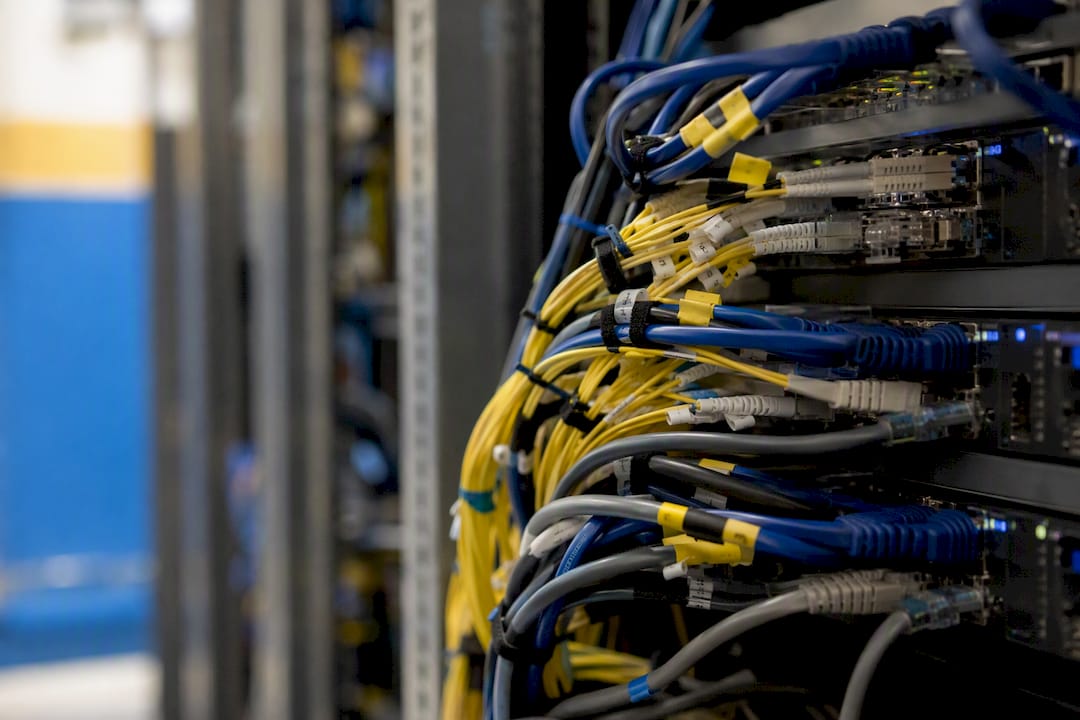
California Telecom sources connectivity from more than 50 carriers specifically to give multi-location businesses path diversity instead of dependency on one provider's local infrastructure quality. For organizations running voice, video, and business-critical apps across several sites, that consistency in managed LAN/WAN design is usually the deciding factor between chronic quality complaints and a network nobody thinks about.
An Engineer's Take on Chasing the Wrong Number
Most jitter vs. latency debates get stuck at the definition stage and never reach the part that actually matters: what you do with the numbers once you have them. The definitions are simple. The failure mode is trusting a single average on a dashboard and calling it done.
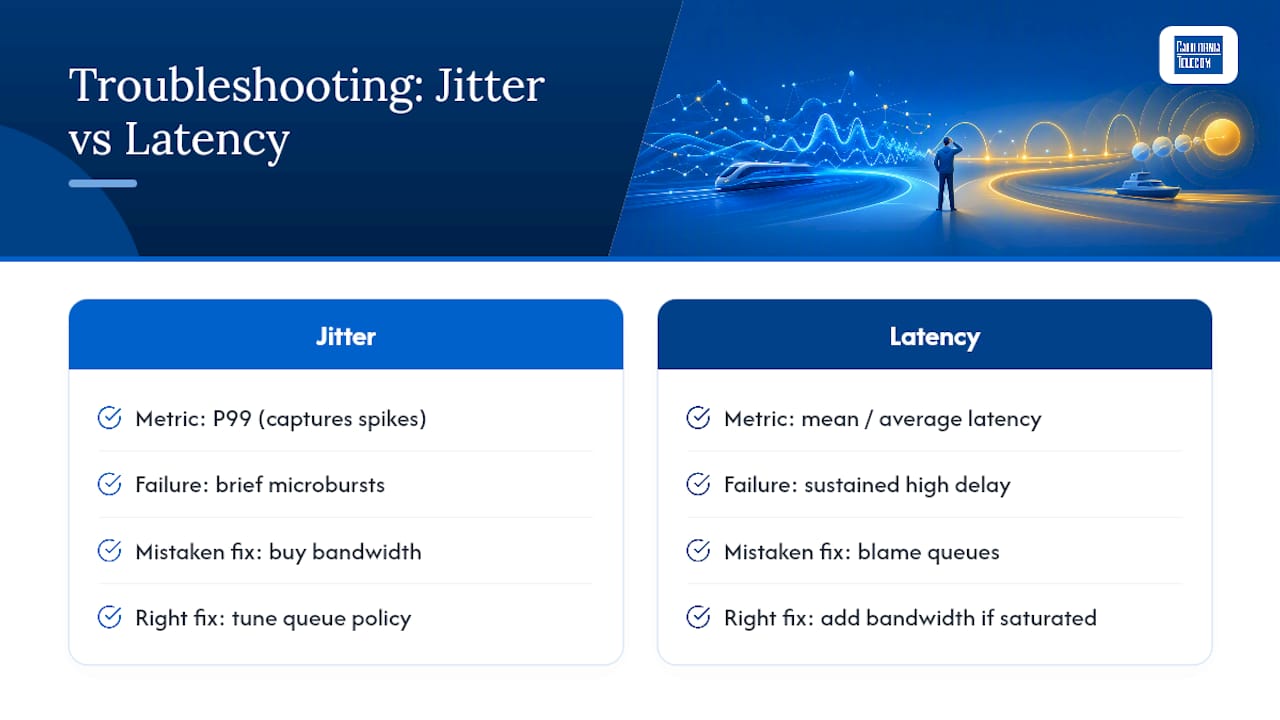
Conventional advice says "check your ping" and stops there. That's fine for a first pass, but it misses the entire class of problems that only show up at P99, microbursts that spike jitter for a few hundred milliseconds and vanish before your next poll. If you're only looking at the mean, you'll miss exactly the events your users are complaining about.
The bandwidth reflex bothers me most. Engineering teams reach for a bigger circuit because it's an easy purchase order, when the real fix is usually a queuing policy sitting misconfigured on a router that's had the same settings for three years. Buy the bandwidth if you've actually saturated the link. Otherwise, fix the queue first.
If I had to pick one habit for a network engineer to adopt this year, it's jitter buffer emulation over raw RTCP averages. It tells you what actually happens to a packet, not just how much its delay wobbled.
— Jim
Ready to stop chasing jitter and latency issues one site at a time? California Telecom designs and deploys managed LAN/WAN networks built for path consistency across every location, backed by a 24/7 U.S.-based NOC and carrier diversity from more than 50 providers. Explore nationwide managed network services to see how consistent QoS and jitter control look across your entire footprint.
Sources
- Jitter analysis (ITU/Telchemy) — ITU contribution
- Troubleshooting network latency and packet drops on Catalyst 9000 switches — Cisco
- Network monitoring metrics and protocols — LogicMonitor
Recommended
- Why Video Meetings Get Choppy: How to Fix Jitter and Packet Loss on Business Wi-Fi | California Telecom
- How to Improve Network Performance with Managed LAN/WAN Solutions | California Telecom
- Bandwidth Issues: A Practical Troubleshooting Guide for IT Pros | California Telecom
- Network Failure: A Practical Fix Guide for IT Pros | California Telecom