

What Is Network Provisioning? A Guide for IT ManagersNetwork provisioning is defined as the process of setting up, configuring, and allocating network resources — including bandwidth, IP addresses, firewall rules, and hardware — to deliver secure, reliable connectivity across your organization. For IT managers running multi-location businesses, this process is the foundation every application, user, and data flow depends on. Get it right and your distributed network runs predictably. Get it wrong and you spend your days chasing outages, patching misconfigurations, and explaining downtime to leadership. This guide covers the provisioning lifecycle, automation's real role, and the strategies that separate reactive IT teams from proactive ones.
What is network provisioning and what does it actually cover?
Network provisioning is the process of setting up, configuring, and allocating network resources, including bandwidth, IP addresses, firewall rules, and hardware, to ensure connectivity and security. The industry also refers to this as network resource management or service provisioning, depending on context. Both terms describe the same core discipline.
The scope is broader than most IT managers initially expect. Core provisioning tasks include hardware configuration for routers, switches, and access points, software settings covering protocols and IP management, and security implementation across VLANs, firewalls, and access control lists. Each of these layers must align before a single user can log in reliably from a branch office.
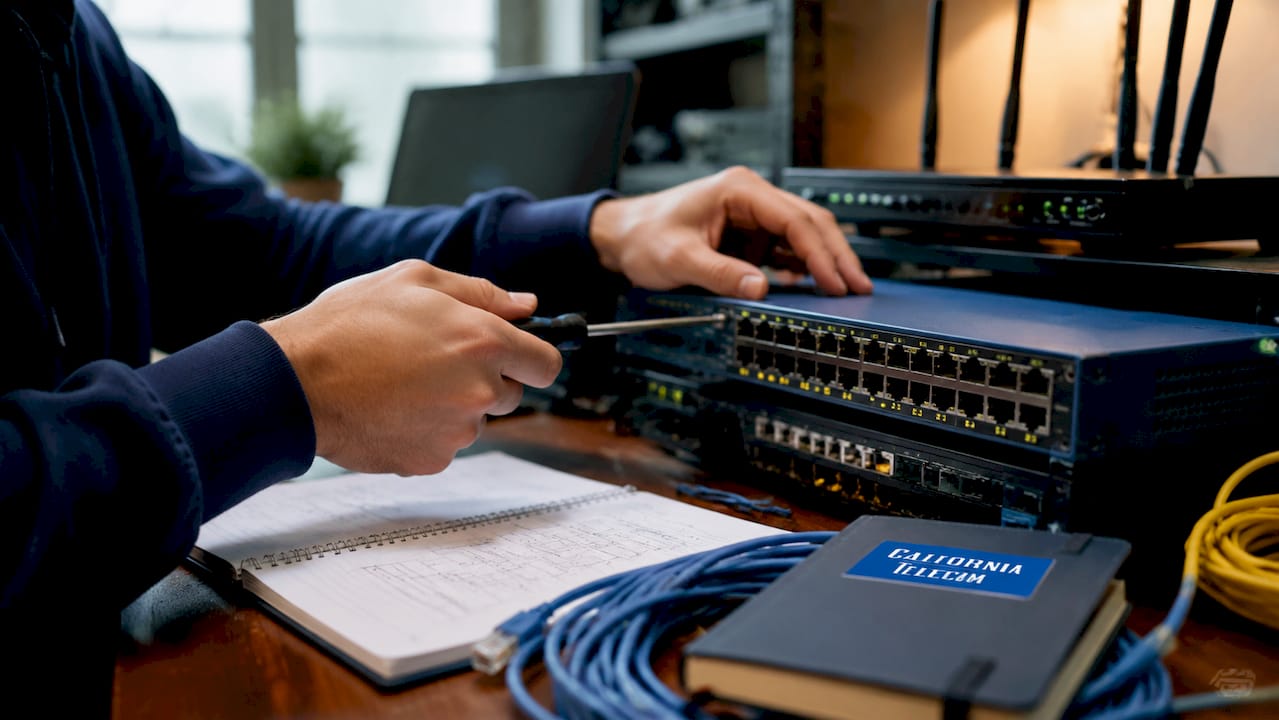
Service provisioning in telecom extends this further, covering installation, IP management, firewall setup, and user access management to ensure smooth operations across sites. For a business with ten locations, that means ten sets of hardware, ten sets of policies, and ten points of failure if provisioning is inconsistent. That scale is exactly why a structured approach matters.
How does network provisioning work? the four-step lifecycle
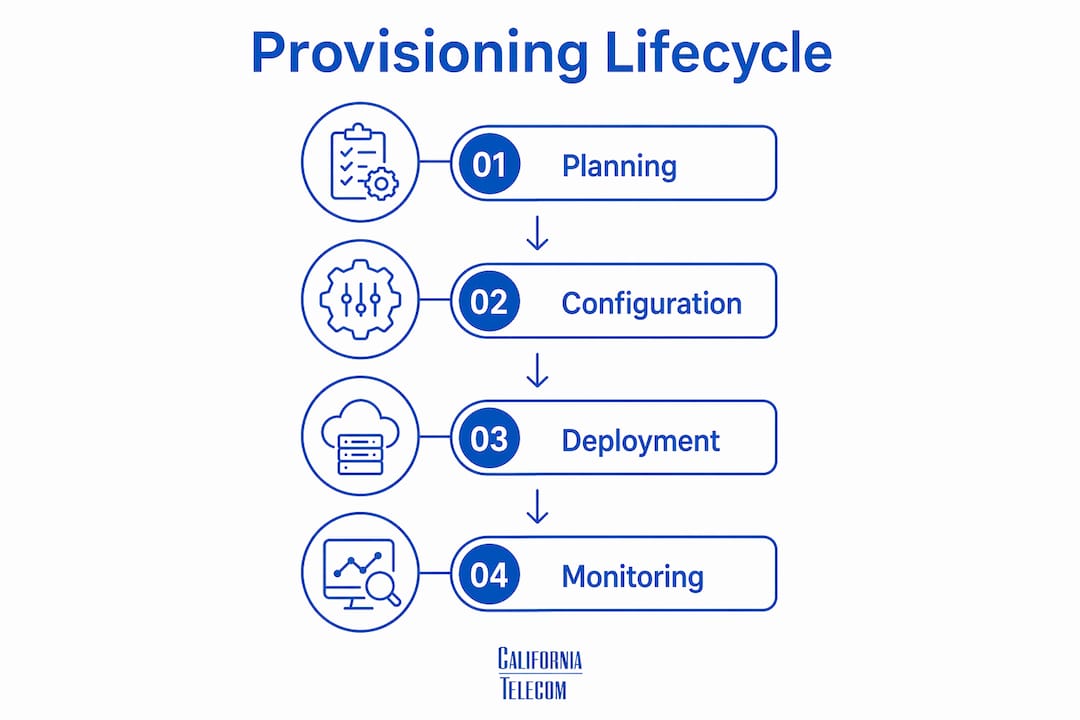
Network provisioning follows a four-step lifecycle: planning, configuration, testing, and ongoing monitoring. Each step builds on the last, and skipping any one of them creates problems that compound over time.
- Planning. Define what each site needs before touching a single device. Map bandwidth requirements, identify security zones, document IP address ranges, and align the network design with business priorities. Poor planning is the single most common cause of costly rework during deployment.
- Configuration. Apply hardware and software settings to routers, switches, firewalls, and access points. This includes assigning VLANs, setting routing protocols, and enforcing access control policies. Consistency across sites is the goal.
- Testing. Validate every configuration before users depend on it. Test failover paths, confirm firewall rules block what they should, and verify that QoS policies prioritize critical traffic. A configuration that looks correct on paper often behaves differently under real load.
- Monitoring. Ongoing network monitoring catches configuration drift, performance degradation, and security anomalies before they become outages. This step never ends.
Pro Tip: Invest 30% of your provisioning project timeline in the planning phase. Teams that rush to configuration consistently spend more time fixing problems post-deployment than they saved by shortcutting discovery.
Automation integrates into every step of this lifecycle. It reduces manual errors during configuration, accelerates deployment, and makes monitoring continuous rather than periodic. The lifecycle does not change with automation. The speed and consistency of execution does.

How does network provisioning automation transform multi-location IT?
Modern automation tools enable businesses to shift from reactive manual management to proactive control, using software-defined networking (SDN) and playbooks to automate device deployment and policy enforcement. That shift has a direct impact on operational cost and configuration quality.
Three technologies drive most of the change in enterprise environments today.
Software-Defined Networking (SDN) separates the control plane from the data plane, letting you manage network behavior through software rather than device-by-device CLI commands. Cisco ACI and VMware NSX are two widely deployed SDN platforms in enterprise settings.
Zero-touch provisioning allows new devices to receive their full configuration automatically when connected to the network. A branch router ships to a remote office, a technician plugs it in, and the device pulls its configuration from a central repository. No on-site engineer required.
Configuration management databases (CMDBs) maintain a record of every device, policy, and dependency across your network. Tools like ServiceNow CMDB and NetBrain use this data to enforce consistency and flag deviations automatically.
| Factor | Manual Provisioning | Automated Provisioning |
|---|---|---|
| Deployment speed | Days to weeks per site | Hours with zero-touch provisioning |
| Configuration consistency | Varies by engineer | Enforced by templates |
| Error rate | High, especially at scale | Low, with validation built in |
| Engineer focus | CLI commands and ticket queues | Workflow design and exception handling |
| Scalability | Difficult beyond 10–15 sites | Designed for hundreds of locations |
"Automation does not eliminate the need for skilled engineers. It shifts their role toward designing and managing automated systems rather than executing manual CLI commands." — Nexivity
Automated provisioning tools use zero-touch techniques and templates to reduce deployment time and configuration risk during network device setup. That repeatability is what makes scaling from 5 locations to 50 operationally feasible without proportionally growing your IT headcount.
Pro Tip: Treat your automation scripts like production code. Use version control through Git, run validation tests before pushing changes, and maintain a rollback plan. Fragile scripts cause the same outages as manual errors, just faster.
Why is network provisioning critical for multi-location businesses?
Provisioning acts as the network's traffic cop, preventing bottlenecks and enforcing security so users and applications communicate smoothly across multiple locations. Without it, distributed networks devolve into a patchwork of inconsistent configurations that create both performance and security gaps.
The challenges specific to multi-location environments are predictable and well-documented.
Bandwidth bottlenecks occur when provisioning does not account for peak usage at each site. A retail location running point-of-sale systems, video surveillance, and guest Wi-Fi on a single underprovisioned circuit will experience slowdowns that directly affect revenue.
Access control inconsistency creates security exposure. If one branch has looser firewall rules than headquarters, attackers target the weakest link. Provisioning enforces uniform policy across every site.
Configuration drift happens when devices are updated manually over time without a central record. Six months after deployment, no two sites look the same, and troubleshooting becomes archaeology.
Uptime requirements at distributed businesses are non-negotiable. Dynamic, on-demand resource allocation matches network supply to demand, enabling businesses to scale efficiently and only pay for required connectivity. That flexibility is what keeps costs aligned with actual business need rather than worst-case estimates.
Key benefits of structured provisioning for multi-location networks include:
- Security enforcement: Consistent firewall rules, VLAN segmentation, and access policies across every site
- Performance optimization: Bandwidth allocation and QoS settings matched to each location's application mix
- Resource allocation: IP address management and circuit sizing aligned to actual usage patterns
- Scalability: New sites deploy against proven templates rather than starting from scratch
- Cost control: On-demand resource allocation eliminates overprovisioning waste
Consider a regional healthcare group opening a new clinic. With a provisioning template already validated across existing sites, the IT team configures the new location in hours, not days. The firewall rules, VLAN structure, and IP scheme match every other clinic exactly. Compliance audits become straightforward because the network state is documented and consistent.
What best practices optimize provisioning for distributed enterprises?
Centralized management and a single source of truth for device and policy configurations transform manual provisioning into proactive, system-wide enforcement. This principle underlies every effective provisioning strategy at scale.
Here are the practices that separate well-run distributed networks from chaotic ones.
- Build and maintain configuration templates. Every device type at every site should deploy from a validated template. Templates eliminate the "every engineer does it differently" problem that plagues growing organizations.
- Implement Infrastructure as Code (IaC). Store network configurations in a version-controlled repository using tools like Ansible, Terraform, or Cisco NSO. Every change is tracked, auditable, and reversible.
- Automate testing before deployment. Use pre-deployment validation to catch errors before they reach production. Tools like Batfish simulate network behavior against proposed configurations without touching live devices.
- Set automated alerts for configuration drift. Any deviation from the baseline should trigger an alert. Catching drift early prevents the slow accumulation of inconsistencies that makes troubleshooting expensive.
- Align provisioning plans with business growth. When the business plans to scale network infrastructure to new locations, provisioning templates and IP address plans should already account for that growth. Retrofitting is always more expensive than planning ahead.
Pro Tip: Apply cloud security best practices to your provisioning workflows. Treat network policy changes the same way a developer treats a code commit: peer review, automated testing, and documented approval before production deployment.
Common pitfalls to avoid include provisioning devices without documenting the intended state, managing IP addresses in spreadsheets instead of a dedicated IPAM tool like Infoblox or SolarWinds, and treating monitoring as optional rather than a core part of the provisioning lifecycle.
Key takeaways
Effective network provisioning requires consistent templates, automation, and continuous monitoring to deliver reliable connectivity across every location.
| Point | Details |
|---|---|
| Provisioning defined | It is the process of configuring hardware, software, and security policies to deliver reliable network connectivity. |
| Four-step lifecycle | Planning, configuration, testing, and monitoring form the complete provisioning process. |
| Automation's real role | Automation speeds deployment and enforces consistency but requires skilled engineers to design and manage workflows. |
| Multi-location priority | Consistent provisioning prevents security gaps, configuration drift, and bandwidth bottlenecks across distributed sites. |
| Best practice foundation | Centralized templates and Infrastructure as Code principles make provisioning repeatable, auditable, and scalable. |
The part most IT teams get wrong about provisioning
After working with distributed enterprise networks for years, the pattern I see most often is this: teams invest heavily in the configuration step and almost nothing in planning and monitoring. They deploy fast, it works on day one, and then six months later nobody can explain why two branches behave differently under load.
The automation conversation makes this worse, not better, when teams approach it wrong. I've watched organizations buy SDN platforms expecting them to solve provisioning problems that were actually documentation and process problems. The technology is sound. The discipline around it is not.
What actually works is treating your network state like a software product. That means version control, change review, and a clear owner for every configuration decision. Ansible playbooks checked into Git, validated against a staging environment, and deployed with a rollback plan. That is not exotic. It is just engineering discipline applied to infrastructure.
The other thing I'd push back on is the assumption that automation is only for large enterprises. A 15-location business with consistent templates and zero-touch provisioning for new sites has a more reliable network than a 200-location enterprise managing everything manually. Scale is not the prerequisite. Discipline is.
If you are managing a distributed network today and your provisioning process lives in someone's head or a shared spreadsheet, that is your highest-priority risk. Not the firewall version, not the carrier contract. The process.
— Jim
How Californiatelecom handles provisioning for multi-location businesses
Multi-location network provisioning is complex by nature. Californiatelecom removes that complexity by designing, deploying, and managing every site through its own engineers, backed by a 24/7 U.S.-based NOC and a 99.99% uptime SLA on data services.Californiatelecom sources circuits from 50+ carriers, handles all configuration and testing, and monitors your network continuously after deployment. You get one provider, one bill, and one engineer's direct number instead of coordinating across multiple vendors. For IT managers who need reliable provisioning at scale without building a larger internal team, that model delivers measurable results. Explore nationwide managed network services to see how Californiatelecom supports distributed enterprise connectivity from day one.
FAQ
What is network provisioning in simple terms?
Network provisioning is the process of setting up and configuring network hardware, software, and security policies so users and applications can connect reliably. It covers everything from assigning IP addresses to enforcing firewall rules across every site.
How does automated provisioning differ from manual provisioning?
Automated provisioning uses templates, SDN platforms, and zero-touch techniques to deploy and configure devices without manual CLI commands. Manual provisioning relies on engineers configuring each device individually, which increases error rates and deployment time at scale.
Why does provisioning matter for multi-location businesses specifically?
Multi-location businesses face configuration drift, access control inconsistency, and bandwidth bottlenecks when provisioning is unstructured. Consistent provisioning enforces uniform security policies and performance settings across every site, reducing both risk and troubleshooting time.
What tools are used for network provisioning automation?
Common tools include Ansible and Terraform for Infrastructure as Code, Cisco ACI and VMware NSX for SDN, Infoblox for IP address management, and NetBrain or ServiceNow CMDB for centralized configuration tracking. Each tool addresses a specific layer of the provisioning process.
How often should network provisioning configurations be reviewed?
Configuration reviews should occur after every significant change and on a scheduled quarterly basis at minimum. Automated drift detection tools can flag deviations in real time, reducing the gap between when a problem occurs and when your team discovers it.
Recommended
- Managed network guide for California multi-location IT | California Telecom
- How to Improve Network Performance with Managed LAN/WAN Solutions | California Telecom
- How to Scale Network Infrastructure to New Locations | California Telecom
- How Managed WiFi Deployment Works for Multi-Location IT | California Telecom