

Turn-Key Network Deployment: A Guide for IT TeamsTurn-key network deployment is defined as a single-provider, end-to-end service that covers every phase of a network project, from the initial site survey through final handover, delivering a fully operational network ready for immediate use. The industry term is "turnkey deployment," and it replaces the traditional model where businesses coordinate three to five or more separate vendors across procurement, installation, and testing. For IT decision-makers managing multi-location rollouts, this approach removes the operational drag that kills project timelines and creates configuration inconsistencies across sites. Understanding what is turn-key network deployment, and how it works in practice, is the first step toward choosing the right model for your organization.
What is turn-key network deployment, phase by phase?
Turnkey deployment follows seven defined phases, and each one builds directly on the last. Turnkey deployment covers assessment and planning, site survey, network design, factory pre-staging and testing, on-site hardware and software installation, validation and testing, and final documentation with handover.
- Assessment and planning. The provider audits your existing infrastructure, documents bandwidth requirements, and maps redundancy needs across every location.
- Site survey. Engineers visit each location to assess physical conditions, cabling runs, power availability, and rack space before any equipment is ordered.
- Network design. The provider produces a detailed design document covering topology, IP addressing, VLAN structure, and hardware specifications.
- Factory pre-staging and testing. Equipment is configured, labeled, and tested in a controlled environment before it ships to the field. Factory pre-staging cuts on-site labor by 70–80%, which means fewer hours on-site and far fewer errors during installation.
- On-site installation. Technicians arrive with pre-configured equipment and follow a standardized installation checklist, reducing variables and speeding up each site.
- Validation and testing. Every link, VLAN, and application path is tested against the design document before the site goes live.
- Final documentation and handover. The provider delivers as-built diagrams, configuration backups, and a support contact, so your team inherits a fully documented network.
The factory pre-staging step deserves special attention. Shipping pre-configured equipment to a site is the single biggest time-saver in the entire process. It also reduces the need for equipment returns and accelerates network turn-up, which matters when you are opening multiple locations on a tight schedule.
Pro Tip: Build your site count and growth projections into the assessment phase, not after. Providers who know you plan to add 10 locations in 18 months will design templates and procurement contracts that scale without rework.
How do turnkey solutions improve consistency across multiple locations?
Multi-site network projects fail most often because of what engineers call "snowflake syndrome." Each site ends up with a slightly different configuration, different hardware revisions, or different naming conventions. Inconsistent configurations complicate troubleshooting and make centralized management nearly impossible. When an alert fires at 2:00 AM, your team needs to know that every site behaves the same way.
Turnkey providers solve this with a master playbook. The playbook standardizes hardware models, firmware versions, IP addressing schemes, VLAN structures, and even cable labeling. A master playbook approach aligns every deployment against the same template, enabling single-pane monitoring and uniform alert tuning across all sites. That means one dashboard, one set of alert thresholds, and one troubleshooting process regardless of whether the problem is in Sacramento or Chicago.
The operational benefits of this consistency compound over time. Consider what standardization delivers for an IT team managing 20 locations:
- Faster troubleshooting. Every site has identical configurations, so engineers diagnose problems without first decoding a unique setup.
- Predictable patching. Firmware updates apply uniformly across all sites with no site-specific exceptions.
- Easier onboarding. New IT staff learn one configuration standard, not 20 variations.
- Reliable monitoring. Alert thresholds work correctly because every device reports the same baseline metrics.
- Controlled costs. Standardized hardware means bulk purchasing and predictable replacement cycles.
Pro Tip: Ask any prospective provider to show you their master playbook template before you sign a contract. If they cannot produce one, their "turnkey" offering is really just coordinated project management, not true standardization.
What are the main advantages and challenges of turnkey network deployments?
The advantages of turnkey solutions for networks are concrete and measurable. Vendor coordination overhead causes 30–50% of project delays in multi-site rollouts. Eliminating that overhead by centralizing procurement, configuration, and installation under one provider directly shortens your timeline. You also get a single point of accountability, which changes the conversation when something goes wrong.
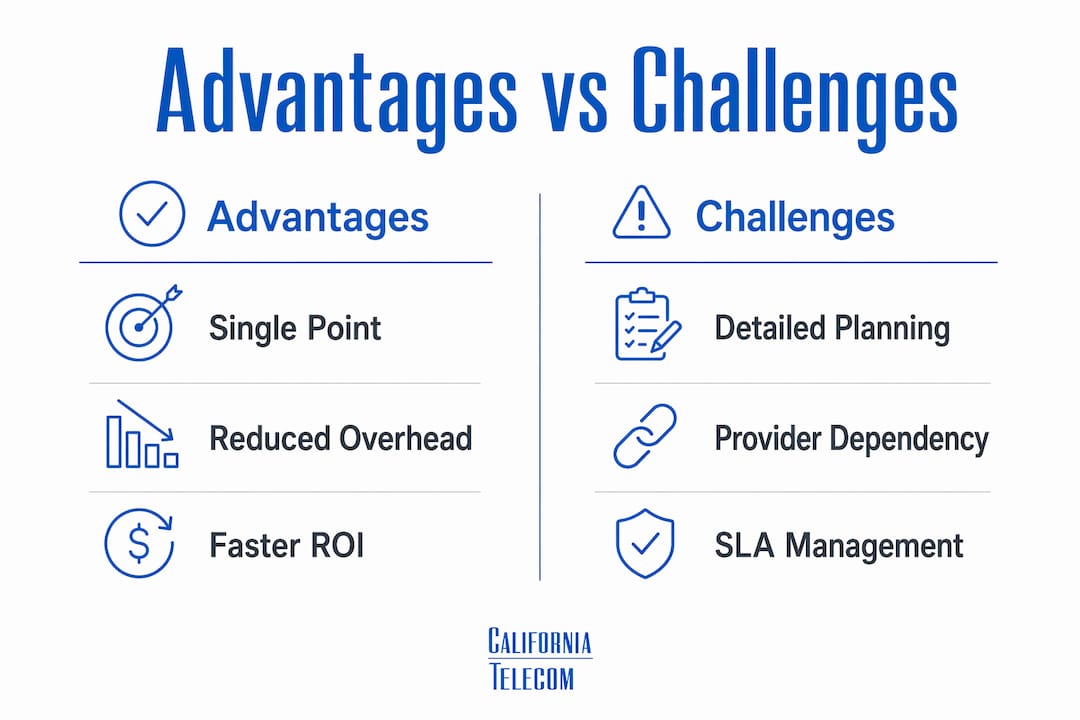
The challenges are real, but manageable. Upfront planning requires more detail than a traditional phased rollout, because the provider needs complete site information before factory staging begins. Dependence on a single provider also concentrates risk, which makes SLA terms and provider track record critical evaluation criteria.

| Advantage | Challenge |
|---|---|
| Single point of accountability for all phases | Upfront planning requires thorough site data before work begins |
| Factory pre-staging cuts on-site labor by 70–80% | Provider dependence means SLA quality directly affects your operations |
| Standardized configurations reduce field errors | Switching providers mid-project is costly and disruptive |
| Faster ROI through compressed project timelines | Initial scoping complexity is higher than a single-site deployment |
| Centralized procurement simplifies purchasing | Provider capacity must match your rollout pace across all locations |
Effective mitigation combines rigorous upfront planning with clear SLA agreements that define response times, escalation paths, and performance guarantees. A provider who offers a 99.99% uptime SLA on data and 99.999% on voice is making a contractual commitment, not a marketing claim. Verify those numbers and understand the remedies if they are not met.
The faster ROI point is worth expanding. When a retail chain opens a new location, every day the network is not operational is revenue lost. A turnkey deployment with factory pre-staging compresses the on-site window from days to hours. That acceleration has a direct dollar value that justifies the investment in thorough upfront planning.
How can businesses implement turnkey network deployment effectively?
Selecting the right provider is the most consequential decision in the entire process. Evaluating a turnkey provider requires assessing their ability to deliver consistent, standardized deployments, manage vendor coordination, and provide documentation and post-deployment support. Experience with your industry and your scale matters more than a long feature list.
Before you engage a provider, define your network requirements in writing. Document the bandwidth needs per site, redundancy requirements, application priorities, and any regulatory constraints. Providers who scale network infrastructure across new locations need this information to build an accurate template, not a generic one.
Post-deployment, your internal IT team's role shifts significantly. IT teams benefit from turnkey deployments by moving from complex project management to operational monitoring and optimization. That shift is a genuine productivity gain. Your engineers stop chasing installation crews and start focusing on performance, security, and business applications.
Practical steps to maximize post-deployment value:
- Use the as-built documentation. Every change should be logged against the original design, keeping your documentation accurate over time.
- Establish a patching schedule. Coordinate firmware updates with your provider on a defined cycle, not reactively.
- Monitor against baselines. Use the alert thresholds established during deployment as your performance baseline, and investigate deviations early.
- Review SLA reports monthly. Hold your provider accountable to the metrics they committed to in the contract.
A useful reference for network installation best practices covers the physical cabling and site preparation steps that support a clean turnkey handover. Getting the physical layer right before equipment arrives prevents the most common on-site delays.
Key Takeaways
Turn-key network deployment delivers consistent, fully documented networks across multiple locations when a single provider controls every phase from factory staging through final handover.
| Point | Details |
|---|---|
| Single-provider accountability | One provider manages all phases, eliminating multi-vendor coordination delays. |
| Factory pre-staging saves time | Pre-configured equipment cuts on-site labor by 70–80% and reduces field errors. |
| Standardization prevents failures | A master playbook enforces identical configurations across all sites for easier management. |
| SLA terms define real risk | Verify uptime guarantees and remedies before signing, not after a failure occurs. |
| IT teams shift to operations | Post-deployment, internal teams focus on monitoring and optimization instead of project logistics. |
Why I think most businesses underestimate the planning phase
After working through dozens of multi-site network projects, the pattern I see most often is this: businesses invest heavily in evaluating providers, negotiate the contract carefully, and then rush the upfront planning because they want to start seeing progress. That is exactly backwards.
The factory pre-staging step, which delivers most of the time savings in a turnkey deployment, only works if the provider has complete, accurate site data before equipment is configured. Incomplete floor plans, missing power specifications, or undocumented legacy equipment at a site will stall the entire project. I have seen a single site with bad data delay a 15-location rollout by three weeks because the pre-staged equipment had to be reconfigured after arrival.
The other thing I would push back on is the assumption that turnkey means hands-off for your team. The best deployments I have seen involve an engaged internal IT lead who reviews the master playbook, validates the design document, and participates in the validation testing phase. Providers deliver better outcomes when the client is a genuine partner in the process, not a passive recipient.
Finally, evaluate your provider's post-deployment support as seriously as their deployment capability. A network that goes live cleanly but has no clear escalation path six months later is not a turnkey solution. It is a completed project with an open-ended support problem. Ask specifically about their NOC coverage, escalation response times, and whether you will have a named engineer as your contact.
— Jim
Californiatelecom's approach to managed network deployment
Californiatelecom delivers nationwide managed network services built on the same turnkey principles described throughout this article: single-provider accountability, factory pre-staging, standardized configurations, and 24/7 U.S.-based NOC support.Californiatelecom sources from 50-plus carriers, designs and deploys each site through its own engineers, and backs every service with a 99.99% uptime SLA on data and 99.999% on voice. Multi-location businesses get one provider, one bill, and one engineer's direct number. The result is a network that is operational, documented, and supported from day one. Contact Californiatelecom to discuss a deployment plan built around your locations, your timeline, and your performance requirements.
FAQ
What is turn-key network deployment in simple terms?
Turn-key network deployment is a service where one provider handles every step of building your network, from site survey and design through installation and final handover. You receive a fully operational, documented network without managing multiple vendors yourself.
How many phases does a turnkey network deployment include?
A standard turnkey deployment covers seven phases: assessment and planning, site survey, design, factory pre-staging, on-site installation, validation and testing, and final documentation with handover.
What is factory pre-staging and why does it matter?
Factory pre-staging is the process of configuring, labeling, and testing equipment in a controlled environment before it ships to the field. It cuts on-site labor by 70–80% and reduces installation errors significantly.
What is the biggest risk in a turnkey network deployment?
The primary risk is provider dependence, which makes SLA quality and provider track record critical. Mitigate this with clear contractual SLA terms that define uptime guarantees, response times, and remedies for failures.
How does turnkey deployment differ from managed network services?
Turnkey deployment is the process of building and activating a network. Managed network services are the ongoing monitoring, support, and management of that network after it goes live. Many providers, including Californiatelecom, offer both under a single agreement.
Recommended
- The Role of Edge Networking Explained for IT Managers | California Telecom
- Picking a Managed Network Services Provider When Your IT Team Is Small | California Telecom
- How Enterprise Network Design Works for IT Pros | California Telecom
- Managed network guide for California multi-location IT | California Telecom