
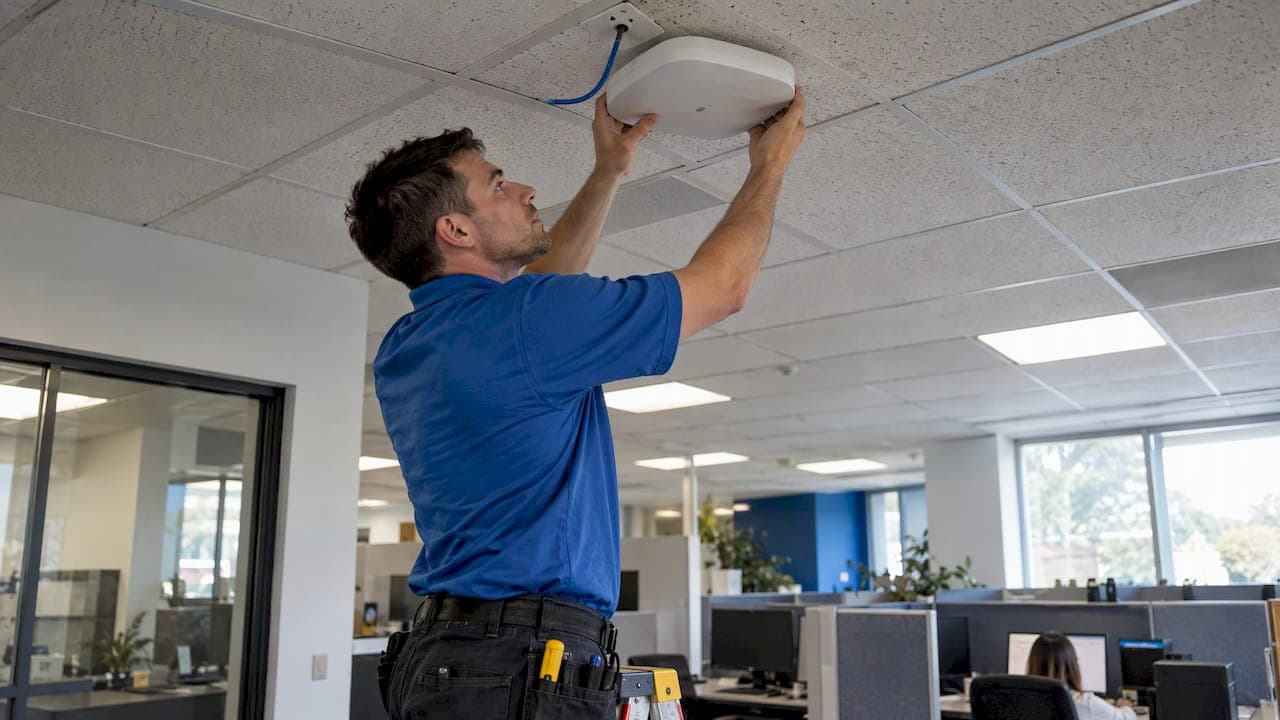
Business WiFi 6E: 1,200 MHz and FCC Rules for RolloutsWi-Fi 6E delivers its biggest win through the 6 GHz band: an entire swath of clean, uncongested spectrum that cuts interference and raises capacity for dense office and multi-location networks. Businesses with high device density, heavy video conferencing, or latency-sensitive applications should move toward a site survey or a limited pilot now. Lighter-use, single-location offices can wait without real cost.
TL;DR:
- Indoor access points can use all 1,200 MHz without coordination, while standard power requires live AFC checks and suits outdoor or extended range coverage.
- Plan for 15–20% more access points than in comparable 5 GHz layouts, since 6 GHz loses signal faster through concrete and metal.
- Pilot the busiest location first, check which devices support 6E, and keep 2.4 and 5 GHz networks active during normal hardware replacement cycles.
- Wi-Fi CERTIFIED 6E devices require WPA3, which protects open network traffic and resists offline password guessing; firewalls and network monitoring remain necessary.
- Across multiple offices, UCaaS deployments need matching VLAN and QoS tags between access points and wide area network equipment to keep call quality consistent.
Table of Contents
- What Is Wi-Fi 6E and How Does It Differ From Wi-Fi 6?
- US Regulatory Rules That Shape 6 GHz Deployments
- Performance Gains You Can Expect on a Business Network
- Planning a Deployment: Density, Surveys, and Tradeoffs
- Where Wi-Fi 6E Delivers the Most Business Value
- Migration Roadmap: Moving From Wi-Fi 6 Without Disruption
- How a Managed Deployment Simplifies Wi-Fi 6E Rollouts
- Security Gains Specific to Wi-Fi 6E and WPA3
- Fitting Wi-Fi 6E Into SD-WAN and Unified Communications
- Budgeting for a Multi-Location Wi-Fi 6E Upgrade
- What to Ask When Sourcing Wi-Fi 6E Infrastructure
- How Long a Wi-Fi 6E Project Takes From Planning to Go-Live
- When to Move Fast on 6E and When to Wait
- Let Our Team Plan Your Wi-Fi 6E Rollout
- FAQ
- Sources
What Is Wi-Fi 6E and How Does It Differ From Wi-Fi 6?
Wi-Fi 6E takes the protocol improvements built into Wi-Fi 6 and extends them into the 6 GHz band, a range that did not previously exist for Wi-Fi traffic. That extension adds up to 1,200 MHz of new spectrum, which the Wi-Fi Alliance describes as enabling many additional 80 MHz and 160 MHz channels, the wide channels that high-capacity networks depend on for throughput. Unlike the crowded 2.4 GHz and 5 GHz bands, 6 GHz starts with no legacy devices competing for airtime.
The core protocol features carry over directly:
- OFDMA splits channels into smaller resource units so multiple devices share one transmission efficiently.
- MU-MIMO lets an access point talk to several clients at once instead of serving them one at a time.
- Target Wake Time (TWT) schedules device check-ins, extending battery life for IoT and handheld endpoints.
- 1024-QAM packs more data into each transmission, raising peak throughput where signal quality supports it.
In 6 GHz, these features operate with far less contention, since the band carries no older Wi-Fi generations to coexist with.
US Regulatory Rules That Shape 6 GHz Deployments
The FCC's 2020 order opened 6 GHz to unlicensed use, but it split access into two operating classes with different rules:
- Low-power indoor (LPI) devices get the full 1,200 MHz and can operate without extra coordination, provided they stay indoors.
- Standard-power devices need Automated Frequency Coordination (AFC), a system that checks for conflicts with incumbent users such as fixed microwave links, and are effectively limited to roughly 850 MHz of that spectrum.
AFC is a real-time coordination database, not a one-time registration. A standard-power access point queries it before transmitting, which adds deployment complexity most enterprises avoid when an indoor LPI design meets their coverage needs.
For most office buildings, retail locations, and branch sites, LPI access points are the simpler and more common choice. Outdoor coverage, campus-wide deployments, or venues needing extended range are where standard power and AFC become relevant, and some sports venues have pursued specific FCC waivers with activation and geolocation controls to keep devices confirmed indoors.
Performance Gains You Can Expect on a Business Network
The practical upside of 6E comes down to capacity and consistency. Wider 80 MHz and 160 MHz channels mean fewer collisions when dozens of laptops, phones, and conferencing devices compete for airtime on the same floor. Industry analysis from Network World frames this as a strategic capacity shift for enterprises, not a simple speed bump: clean spectrum materially reduces contention in dense deployments, which is the real reason to adopt 6E rather than treating it as a faster version of 6 GHz Wi-Fi.
That reduced contention shows up directly in day-to-day performance:
- More concurrent clients per access point before throughput per user starts to degrade.
- Lower and more predictable latency, which matters for UCaaS calls, video conferencing, and any real-time collaboration tool.
- Better support for AR/VR and other bandwidth-heavy, latency-sensitive applications that struggle on congested 5 GHz networks.
- Higher sustained throughput per user even as device counts climb, since MU-MIMO and OFDMA spread the load more evenly.
Enterprises running dense floors or high call volumes should expect fewer dropped packets and steadier jitter figures once 6E access points carry the bulk of real-time traffic, a direct result of the added clean channels described above.
Planning a Deployment: Density, Surveys, and Tradeoffs
6 GHz signals attenuate faster through concrete, metal, and other dense building materials than 5 GHz signals do. A Cal Poly practitioner study on RF propagation found that planners should budget for a moderate increase in access points compared with a comparable 5 GHz design to maintain the same coverage and capacity targets.
A practical rollout sequence looks like this:
- Run a full RF site survey that measures existing interference, maps building materials, and identifies dead zones before ordering hardware.
- Model AP density against the 15 to 20% uplift rather than reusing an existing 5 GHz floor plan.
- Confirm cabling and PoE capacity, since more access points and higher-throughput radios often mean upgraded switch ports and power budgets.
- Choose LPI access points for indoor deployments to avoid AFC coordination unless a specific site needs standard power and extended range.
- Pilot a single floor or branch location before committing to a full campus rollout, so density assumptions get validated against real traffic.
Pro Tip: Run the pilot in your highest-density location first; if AP spacing holds up there, it will hold up everywhere else in the portfolio.
A thorough WiFi site survey catches material-specific attenuation issues that generic planning tools miss, especially in older buildings with concrete floors or metal-framed construction.
Where Wi-Fi 6E Delivers the Most Business Value
Not every site needs 6E on day one. The clearest wins show up where device density or application sensitivity already strains existing Wi-Fi:
- High-density venues such as conference centers and large training facilities, where extra 80/160 MHz channels prevent the congestion that chokes 5 GHz networks during peak attendance.
- Open-office floors and executive suites running constant UCaaS and video calls, where clean spectrum means fewer dropped calls and steadier call quality.
- AR/VR training tools, low-latency telemetry, and point-of-sale or IoT segments that need predictable performance rather than best-effort Wi-Fi.
- Single-location offices with light device density are a low priority, since existing Wi-Fi 6 or even well-configured 5 GHz networks already meet their needs.
Prioritizing pilots by site density and application sensitivity, rather than rolling out uniformly, gets the clearest return for the first budget cycle.
Migration Roadmap: Moving From Wi-Fi 6 Without Disruption
Most businesses do not rip out existing Wi-Fi 6 networks overnight. A phased approach keeps coverage intact while shifting load to 6 GHz as client devices catch up:
- Audit device inventory to see how many laptops, phones, and peripherals already support 6E, since adoption only pays off once enough clients can use the new band.
- Pilot the highest-value sites identified in the use-case review above, keeping legacy 5 GHz and 2.4 GHz SSIDs active for older clients.
- Upgrade access points in phases, tying each phase to lease cycles, cabling upgrades, or new site builds rather than forcing a single hardware refresh.
- Set a device replacement schedule aligned with normal laptop and phone refresh cycles, so 6E-capable hardware arrives without extra procurement cost.
Mixed environments typically run three SSIDs mapped to VLANs by band and function, keeping legacy clients stable while directing capable devices to 6 GHz automatically through band-steering.
Businesses already planning a multi-year hardware cycle should also weigh Wi-Fi 7 against Wi-Fi 6E before locking in a full campus refresh, since the newer standard may change the cost-benefit math for sites with a longer upgrade horizon.
How a Managed Deployment Simplifies Wi-Fi 6E Rollouts
Deploying 6E across more than one location multiplies the coordination work: site surveys, AP density modeling, cabling checks, and AFC decisions all need to happen consistently at every site. We run managed WiFi deployments for multi-location IT teams that fold those steps into a single engineering process rather than leaving each site to improvise its own plan.
A few things shape how we approach it:
- We handle the site survey and RF planning directly, so AP density and material attenuation get measured on-site rather than estimated.
- We source hardware and carrier connectivity from more than 50 carriers, which keeps multi-location rollouts from being locked into a single vendor's availability or pricing.
- Our 24/7 U.S.-based NOC monitors the network after go-live, backed by a 99.99% uptime SLA on data, so performance issues get caught before they affect users.
That combination keeps a multi-site 6E rollout moving on one timeline instead of twelve, supported by expertise in managed security and IT operations that ensure consistent, secure deployments.
Security Gains Specific to Wi-Fi 6E and WPA3
Wi-Fi 6E deployments carry a security advantage that goes beyond raw spectrum. Wi-Fi Alliance certification requirements tie Wi-Fi CERTIFIED 6E devices to WPA3, making the stronger security protocol mandatory rather than optional, unlike earlier generations where WPA2 fallback was common.
WPA3 closes several gaps that mattered for business networks running WPA2. It replaces the older four-way handshake with Simultaneous Authentication of Equals, a method that resists offline password-guessing attacks even when employees choose weak passwords. It also encrypts traffic on open networks, which matters for guest Wi-Fi and conference-room access where no shared password exists, and it adds forward secrecy, so a compromised password later does not expose traffic captured earlier.
For businesses running compliance-regulated operations, retail payment systems, or healthcare data, mandatory WPA3 removes a configuration choice that used to depend on IT discipline. Because every certified 6E client and access point supports it by default, mixed-vendor environments do not end up with a weak link from an older device defaulting to WPA2.
The practical impact shows up in network segmentation planning too. With WPA3 as the baseline, security teams can lean more heavily on Wi-Fi-layer protection and spend less effort compensating with VPN overlays or extra encryption just to cover gaps in older Wi-Fi security. That shift does not replace a layered security approach, firewalls, network monitoring, and vulnerability assessments still matter, but it removes one of the weaker links that used to sit at the access layer.

Fitting Wi-Fi 6E Into SD-WAN and Unified Communications
Wi-Fi 6E's biggest value shows up when it is not running in isolation. A network's SD-WAN layer decides how traffic routes between sites and out to the internet, and a cleaner, higher-capacity Wi-Fi layer removes one of the common bottlenecks that SD-WAN quality-of-service policies are built to work around in the first place.
For unified communications specifically, the pairing matters even more directly. UCaaS traffic is sensitive to jitter and packet loss, and 6E's wider channels and reduced contention give that traffic a cleaner path from the device to the access point. Pairing managed SD-WAN with a 6E wireless layer means voice and video packets get prioritized correctly from the moment they leave the laptop, not just once they hit the wired network.
Multi-location businesses running UCaaS across several offices benefit from this pairing most, since call quality depends on consistency at every site, not just the flagship headquarters. A single office with excellent Wi-Fi and four branches running on congested 5 GHz networks still produces an inconsistent user experience on company-wide calls.
The integration point worth planning around is QoS tagging. SD-WAN appliances and 6E access points both support traffic prioritization, but they need consistent VLAN and tagging schemes to hand off priority correctly from wireless to WAN. Getting that alignment wrong at a handful of sites is a common reason businesses see uneven call quality despite having upgraded both layers separately.

Budgeting for a Multi-Location Wi-Fi 6E Upgrade
Costing a 6E rollout across several sites comes down to a few recurring line items: access point hardware, the added AP count from denser deployments, cabling and PoE switch upgrades where existing infrastructure falls short, and the labor for site surveys and installation. Because 6E access points generally draw more power to support wider channels and additional radios, older PoE switches rated for previous Wi-Fi generations sometimes need replacement alongside the APs themselves, a cost that is easy to miss if the switch layer is not part of the initial audit.
Multi-location businesses should also budget for uneven costs across sites. A site built within the last few years with modern cabling and switch capacity costs far less to upgrade than a legacy branch running Wi-Fi 5 infrastructure. Treating all sites as a single flat-rate project tends to underestimate the older locations and overestimate the newer ones.
Phasing the rollout by site priority, as outlined in the use-case and migration sections above, also phases the cost. Businesses that pilot a single high-value site first get a real cost-per-site figure before committing budget to the remaining locations, which makes multi-year capital planning far more accurate than extrapolating from a vendor's generic per-AP estimate.
What to Ask When Sourcing Wi-Fi 6E Infrastructure
Choosing hardware and a managed service partner for 6E comes down to a short list of questions that separate a solid rollout from a problematic one. Ask whether proposed access points carry Wi-Fi CERTIFIED 6E certification from the Wi-Fi Alliance, since certification confirms interoperability and WPA3 support rather than relying on a vendor's own marketing claims.
Ask how the vendor handles multi-carrier sourcing and hardware availability, since single-vendor lock-in on either hardware or internet circuits creates delays when inventory runs short at scale. Ask what SLA backs the network once it is live, and whether monitoring is handled by a 24/7 operations center or a standard business-hours help desk. Finally, ask how the vendor segments billing and support across multiple locations, since a fragmented vendor relationship across ten branch offices creates more operational drag than the technology upgrade itself.
How Long a Wi-Fi 6E Project Takes From Planning to Go-Live
A single-site 6E deployment typically moves through four phases: site survey and RF planning, hardware procurement and cabling upgrades where needed, installation and configuration, and a validation period before full handoff. For a straightforward office floor with adequate existing cabling, that process often completes within a few weeks of the survey.
Multi-location rollouts stretch the timeline because each site needs its own survey and validation, even when hardware and configuration templates are standardized. A phased rollout, as described in the migration roadmap, spreads that work across quarters rather than compressing it into a single disruptive event, which is usually the more realistic path for businesses with five or more locations.
The variable that most often extends a timeline is cabling and switch readiness. Sites needing new PoE switches or additional cable runs add real project time beyond the Wi-Fi configuration itself, which is why an accurate site survey early in the process matters more to the overall timeline than any other single step.
When to Move Fast on 6E and When to Wait
My honest read: businesses chasing 6E because it is the newest standard usually get less value than businesses solving a specific, measurable problem, like dropped UC calls or saturated conference-room Wi-Fi. Tie the upgrade to an SLA or a cost you can measure, not to the calendar. If nothing in your network is straining today, the better investment is probably elsewhere.
— Jim
Let Our Team Plan Your Wi-Fi 6E Rollout
Planning a 6E deployment across more than one location means juggling site surveys, AP density models, cabling checks, and carrier sourcing at every address, and getting any one of those wrong at a single branch creates an inconsistent network across the whole portfolio.We run that process as one managed engagement: our engineers handle the RF site survey, design the access point layout against real building conditions, and source connectivity and hardware from more than 50 carriers so no single vendor's availability holds up a rollout. Our managed WiFi service pairs with a 24/7 U.S.-based NOC and a 99.99% uptime SLA on data, so the network stays accountable to one team and one number after go-live rather than scattered across separate installers and carriers. Start with a WiFi site survey to see what your sites actually need before committing budget to hardware.
FAQ
Is Wi-Fi 6E still relevant?
Yes. The 6 GHz band it uses remains uncongested compared to 2.4 GHz and 5 GHz, and that clean spectrum is what industry analysis points to as the real driver of enterprise adoption, not just faster peak speeds.
What are the disadvantages of Wi-Fi 6E?
6 GHz signals attenuate faster through walls and dense materials than 5 GHz, which practitioner research shows typically requires 15 to 20% more access points to maintain equivalent coverage. Standard-power deployments also require AFC coordination, which adds setup complexity most indoor sites avoid by using low-power indoor access points instead.
Is Wi-Fi 7 worth it over Wi-Fi 6E?
It depends on the use case and upgrade timeline rather than a blanket answer; Wi-Fi 7 adds further technical gains but asks for newer client hardware and a bigger investment. Our comparison of Wi-Fi 6E and Wi-Fi 7 for business breaks down when each generation makes more sense for a given rollout.
Is Wi-Fi 6E worth it over Wi-Fi 6?
For businesses with dense device environments, heavy UC traffic, or latency-sensitive applications, yes, since the added 6 GHz spectrum reduces contention that 5 GHz networks cannot escape. For light-use, single-location offices with few connected devices, the upgrade is a lower priority.
Sources
- FCC Opens 6 GHz Band to Wi‑Fi and Other Unlicensed Uses
- Wi‑Fi 6E Highlights (Wi‑Fi Alliance)
- Why 6 GHz Wi‑Fi will make or break the modern enterprise | Network World
- RF propagation and Wi‑Fi planning (Cal Poly practitioner study)