

Enterprise WiFi vs Consumer WiFi: What Businesses Need to KnowMost network performance problems in offices have nothing to do with your internet service. They trace back to the wrong hardware. The question of what is enterprise wifi vs consumer wifi is one IT decision-makers often dismiss too quickly, assuming a high-end router from a retail store is "close enough." It rarely is. Once your headcount passes a dozen people and your operations depend on video calls, cloud apps, and VoIP, the gap between consumer and enterprise networking becomes something you feel every single day. This article gives you a clear-eyed breakdown of the differences, so you can make a decision grounded in real business impact.
Table of Contents
- Key takeaways
- The difference between enterprise and consumer WiFi
- Key technical differences in enterprise WiFi performance
- Security and management: where consumer wifi falls short
- Cost considerations: upfront spend vs long-term value
- Future-proofing your network with enterprise-grade infrastructure
- My take: stop treating WiFi like a commodity purchase
- How Californiatelecom can build the right WiFi infrastructure for your business
- FAQ
Key takeaways
| Point | Details |
|---|---|
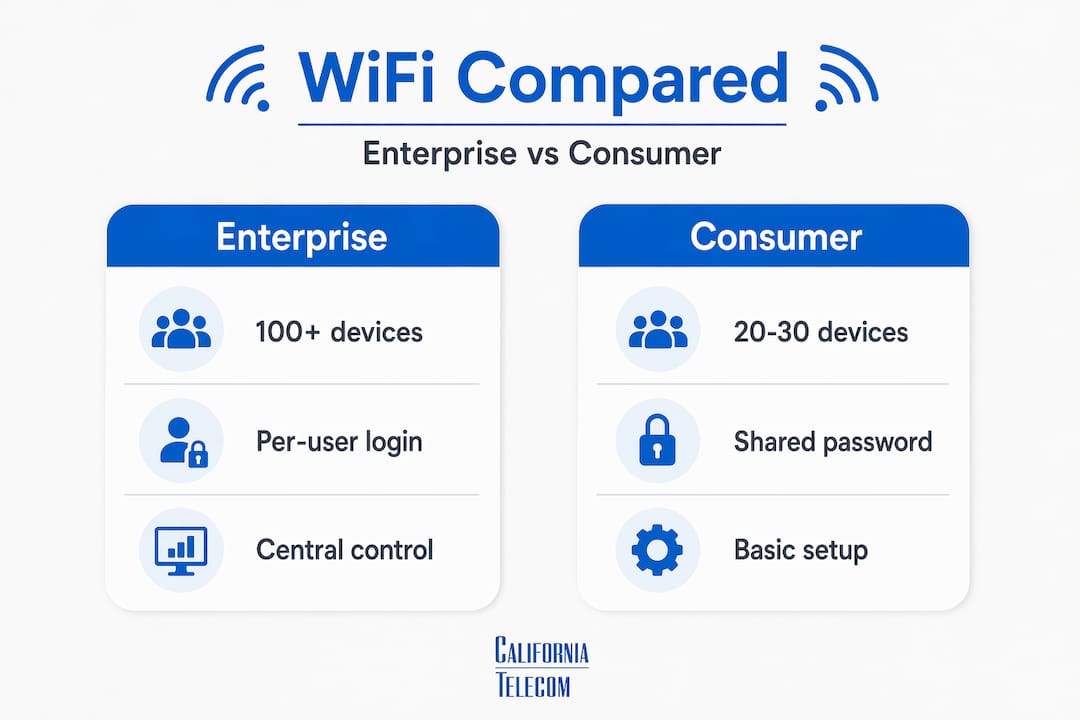
| Capacity is the breaking point | Consumer routers degrade significantly past 20-30 devices; enterprise APs support 100+ concurrent connections. |
| Security architecture differs fundamentally | Enterprise WiFi uses per-user 802.1X authentication; consumer gear relies on a single shared password with no user-level control. |
| Total cost of ownership favors enterprise | Higher upfront costs are offset by longer hardware lifecycles, fewer outages, and reduced security exposure. |
| Centralized management changes operations | Enterprise systems let IT teams manage every access point from one dashboard, including firmware, policies, and client visibility. |
| Future-proofing requires enterprise-grade gear | Upcoming standards like WiFi 7 and WiFi 8 are built for enterprise infrastructure, not consumer mesh kits. |
The difference between enterprise and consumer WiFi
Before comparing features, it helps to understand what each product category is actually designed to do. Consumer WiFi equipment is built for homes with 5-15 devices and coverage areas of roughly 1,500 to 2,500 square feet. The design goal is simplicity: plug it in, connect your phone and laptop, and you're done. There is no expectation of centralized management, corporate security, or simultaneous high-bandwidth connections from 50 users running Zoom calls.
Enterprise WiFi is an entirely different product category. It is designed for high-density environments where dozens or hundreds of devices connect simultaneously, where network reliability is a business-critical requirement, and where IT teams need visibility and control. This is what is enterprise network infrastructure in practice: coordinated access points, centralized management, and security policies enforced at the hardware level.
Here is where each type is typically deployed:
- Consumer WiFi: Single-family homes, small home offices with under 5 users, basic retail kiosks with minimal connectivity needs
- Enterprise WiFi: Corporate offices, medical clinics, law firms, retail stores with point-of-sale systems, hotels, schools, and any multi-location business
The hardware reflects these different goals. Enterprise access points mount to ceilings with Power over Ethernet (PoE) connections. They include higher-quality radios, more sophisticated antennas, and back-end processing power that consumer devices simply do not have. Even when both products advertise WiFi 6 support, radio quality and antenna design create real performance differences that show up the moment your office hits its daily peak traffic.
Key technical differences in enterprise WiFi performance
This is where the difference between enterprise and consumer wifi becomes most concrete, and where consumer gear tends to fail business environments.
Concurrent device capacity
Enterprise access points support 100+ clients per device before performance degrades. Consumer routers start dropping the ball around 20 to 30 active connections. In an office of 40 people where each person has a laptop, a phone, and maybe a tablet, you are already three times past the point where a consumer router begins to struggle. Add shared printers, smart TVs in conference rooms, and IoT devices, and the math gets worse fast.

Advanced radio technologies
Enterprise access points include features that consumer gear either lacks entirely or implements in a watered-down way. MU-MIMO (Multi-User, Multiple Input, Multiple Output) lets an access point transmit to multiple clients simultaneously instead of cycling through them one at a time. OFDMA (Orthogonal Frequency Division Multiple Access) divides channels into sub-channels, allowing efficient handling of many small data requests at once. Band steering automatically pushes capable devices to less congested bands. Airtime fairness prevents one slow device from monopolizing shared bandwidth.

Seamless roaming and multi-AP coordination
Consumer mesh systems advertise seamless roaming, but they depend on proprietary protocols that vary by vendor and often cause noticeable reconnection delays. Enterprise systems use IEEE standards 802.11k, 802.11v, and 802.11r to enable fast roaming across access points with near-zero interruption. For a professional on a voice call walking from a conference room to their desk, this distinction is the difference between a dropped call and no disruption at all. A WiFi site survey before deployment maps coverage zones so APs are placed and configured to enable smooth hand-offs rather than dead spots.
Hardware lifecycle and firmware support
Business-grade equipment receives firmware updates and security patches for 5 to 7 years. Consumer routers typically lose vendor support within 18 to 36 months. An unsupported consumer router sitting on your business network is an unpatched device, and unpatched devices are a liability.
Pro Tip: When evaluating enterprise access points, ask vendors specifically about their end-of-support timelines before purchasing. A three-year hardware warranty means nothing if firmware patches stop at year two.
| Feature | Consumer WiFi | Enterprise WiFi |
|---|---|---|
| Max concurrent devices | 20-30 before degradation | 100+ per access point |
| Management | Per-device app or browser UI | Centralized cloud or on-prem controller |
| Roaming protocol | Proprietary mesh | 802.11k/v/r standard |
| PoE support | No | Yes |
| Firmware support lifespan | 18-36 months | 5-7 years |
| VLAN and segmentation | Limited or none | Full support |
Security and management: where consumer wifi falls short
The security model for consumer and enterprise WiFi is not just different in degree. It is different in kind.
Consumer routers use WPA2-Personal, which means one shared password for everyone on the network. If an employee leaves your company, changes their own device, or shares the password intentionally or accidentally, you have no per-user revocation capability. You either change the password for everyone or accept the exposure.
Enterprise WiFi uses per-user 802.1X authentication with RADIUS servers. Each user authenticates with their own credentials, often tied to your Active Directory or identity provider. When someone leaves the company, you disable their account and their WiFi access disappears automatically. No password reset. No broadcast communication to the whole office. This architecture is what makes enterprise WiFi compliant with frameworks like GDPR and CCPA, which require demonstrable access controls and audit trails.
Beyond authentication, enterprise systems use VLAN-based isolation and centralized controllers to segment traffic. Guest visitors connect to an isolated network that physically cannot reach your internal file servers. IoT devices sit on their own VLAN, contained away from your financial systems. Consumer equipment offers none of this at the hardware level.
Here is what centralized enterprise management gives IT teams that consumer gear cannot:
- Real-time visibility into every connected device, including device type, signal strength, and data consumption
- Automated alerts when rogue devices attempt to connect
- Push firmware updates across all access points simultaneously, not device by device
- Client blocking and bandwidth throttling from a single dashboard
- Audit-ready connection logs for compliance reviews
Pro Tip: If your business handles any regulated data, including health records, payment card data, or personally identifiable information, using consumer WiFi is not just a performance risk. It is a compliance gap that auditors will flag.
Cost considerations: upfront spend vs long-term value
The cost question is where many businesses make the wrong call. A 5-AP enterprise WiFi deployment for a small business office runs $1,500 to $8,000, including hardware, professional installation, and configuration. A consumer mesh kit covering the same space costs $400 to $1,200. That gap looks significant until you account for what is on the other side of it.
Think through what one serious network outage costs. A 2-hour outage for a 30-person office, where each person earns $35 per hour in productivity, is $2,100 gone in one event. Consumer WiFi hardware, without centralized monitoring or proactive management, produces more of these events. Add a security breach traced to an unpatched consumer router and the calculus changes completely.
You can also see the difference when you look at what's included in an enterprise deployment. Professional managed network services from a provider like Californiatelecom cover not just hardware but site surveys, PoE switch configuration, AP placement, ongoing monitoring, and 24/7 support. That is not a commodity purchase. It is operational infrastructure with accountability behind it.
For businesses comparing costs, reviewing business internet vs residential internet alongside WiFi hardware decisions gives a more complete picture of total connectivity spend and where the real value differences sit.
Future-proofing your network with enterprise-grade infrastructure
The trajectory of WiFi standards is not moving toward consumer simplicity. It is moving toward features that require enterprise infrastructure to realize.
- WiFi 7 is in active deployment. It introduces Multi-Link Operation, allowing devices to transmit and receive across multiple bands simultaneously. The performance gains require enterprise-class APs to deliver consistently in dense environments.
- WiFi 8 and Seamless Mobility Domain (SMD) are on the horizon. WiFi 8 will enable near-hitless roaming across access points at a level that consumer mesh systems cannot replicate. For businesses with large floorplates or multiple floors, this is a significant advancement.
- Cloud-native WiFi management is replacing hardware controllers. Cloud platforms remove on-premises controller hardware, enabling IT teams to manage access points across dozens of locations from a single interface. This matters especially for multi-location businesses where local IT presence is not practical at every site.
- IoT growth is accelerating network complexity. Smart HVAC systems, connected security cameras, badge readers, and industrial sensors all need WiFi. Enterprise systems can segment and manage this traffic; consumer gear cannot.
- Workforce flexibility demands reliable roaming. Hybrid work means employees move between desks, meeting rooms, and collaboration spaces constantly. Enterprise roaming protocols handle this without interrupting applications. Consumer gear does not.
WiFi 7 for business deployments already demonstrate the gap in real-world throughput and latency between enterprise and consumer hardware running the same standard.
My take: stop treating WiFi like a commodity purchase
I have worked with enough multi-location businesses to recognize a pattern. They spend six figures on software subscriptions and tolerate a $200 router from a big-box store sitting at the core of everything those applications depend on. Then they call us because their video calls keep dropping or their VoIP phones sound like they're underwater.
The problem is never the internet connection. It is almost always the hardware.
What I have found is that MSPs now largely drive enterprise WiFi hardware decisions in the SMB market, and that shift has produced better outcomes for businesses. When a managed services provider is accountable for network uptime under a service level agreement, they are not going to spec consumer gear. They are going to deploy equipment they can monitor, manage, and support.
The businesses I've seen get this right treat WiFi the same way they treat their phone system or their firewall: as infrastructure that has a defined performance requirement and a defined support model. They work with a provider who designs the deployment from a site survey, not from guesswork, and who maintains it actively after installation.
If you are evaluating options and wondering whether enterprise WiFi is worth it for a 20-person office, the honest answer is yes, with the qualifier that the value comes from the full package: right hardware, professional installation, centralized management, and a support relationship. Any one of those pieces without the others limits what you get.
— Jim
How Californiatelecom can build the right WiFi infrastructure for your business
Californiatelecom designs and deploys enterprise WiFi for multi-location businesses across the U.S., treating each site as an engineering problem rather than a product sale. Our engineers conduct site surveys, specify the right AP placement and PoE infrastructure, configure VLANs and security policies, and hand off a network that is monitored 24/7 from our U.S.-based NOC.Whether you are a professional services firm with one office or a distributed business with 50 locations, our nationwide managed network services give you one provider, one bill, and one engineer who knows your environment. We source from 50+ carriers and back every deployment with a 99.99% uptime SLA on data. If your current WiFi is costing you productivity and you're ready to move from guesswork to managed infrastructure, schedule a free consultation and let us assess what your environment actually needs.
FAQ
What is the main difference between enterprise and consumer WiFi?
Enterprise WiFi is designed for high-density environments with centralized management, per-user authentication, VLAN segmentation, and hardware that supports 100+ concurrent devices. Consumer WiFi is designed for homes with simple setups and typically 5-15 devices.
Is enterprise WiFi worth it for a small business?
Yes. For any business where employees rely on cloud apps, VoIP, or video conferencing, enterprise WiFi delivers the reliability, security controls, and capacity that consumer gear cannot. The longer hardware lifespan also reduces long-term replacement costs.
Can I use a consumer router for my office network?
You can, but performance will degrade quickly past 20 to 30 concurrent devices and you will have no per-user access control, VLAN segmentation, or centralized monitoring. For businesses handling sensitive data, this also creates compliance exposure.
How much does enterprise WiFi cost for a small office?
A 5-access-point enterprise deployment typically costs $1,500 to $8,000 including hardware, installation, and configuration. Consumer mesh kits cover the same space for $400 to $1,200 but without the management, security, or reliability features businesses depend on.
What security features does enterprise WiFi provide that consumer WiFi does not?
Enterprise WiFi uses 802.1X authentication with RADIUS servers, giving each user individual credentials instead of a shared password. It also supports VLAN-based traffic isolation, centralized access logging, and compliance-ready audit trails that consumer routers do not offer.
Recommended
- Wi-Fi 7 for Business: 4x Faster Wireless That Actually Delivers | California Telecom
- Managed WiFi — Managed Services | California Telecom
- Business Internet vs Residential Internet: What You Need to Know | California Telecom
- Fixed Wireless for Business: Fast Internet When Fiber Isn't an Option | California Telecom