

Business Internet vs Residential Internet: What You Need to KnowIf you're managing connectivity across multiple locations, understanding what is business internet vs residential internet is not a minor detail. It's the difference between a network that holds up under real operational pressure and one that leaves you troubleshooting at the worst possible moment. Most people assume business internet is just a faster, pricier version of what you have at home. It isn't. The gap runs much deeper, covering how the service is engineered, what guarantees come with it, and what happens when something goes wrong.
Table of Contents
- Key takeaways
- What is business internet vs residential internet
- Why SLAs separate business plans from everything else
- Technical features your business actually needs
- Breaking down the real cost of each option
- How to choose the right service for your business
- My take on what most businesses get wrong
- See how Californiatelecom solves this for multi-location businesses
- FAQ
Key takeaways
| Point | Details |
|---|---|
| It's not just about speed | Business internet is engineered for accountability with SLAs, not just higher bandwidth. |
| SLAs are non-negotiable | Guaranteed uptime, repair times, and penalties protect your business from costly outages. |
| Static IPs and symmetrical speeds matter | These features are standard in business plans and critical for VPNs, hosting, and conferencing. |
| True cost includes downtime risk | Business internet costs more monthly but far less than the financial damage of unplanned outages. |
| Residential internet has a ceiling | It works for light remote use, but it lacks the features required once operations scale. |
What is business internet vs residential internet
The simplest way to frame the business internet definition is this: residential internet is built for convenience, while business internet is built for accountability.
Residential internet plans are designed around casual, personal use. Streaming, browsing, occasional video calls. Providers offer what's called best-effort service, meaning your actual speeds and reliability depend on network conditions, neighborhood traffic, and time of day. No one promises you anything beyond a rough speed range. When your connection drops on a Sunday night, it's treated as an inconvenience, not a service failure.
Business internet operates under a completely different model. The infrastructure behind it is engineered for consistent performance, with dedicated bandwidth and lower contention ratios that protect your speeds even during peak hours. Where residential connections share bandwidth across dozens or hundreds of nearby users and slow down accordingly, business circuits maintain throughput regardless of what your neighbors are doing on the network.
Here's a side-by-side comparison to make the distinctions concrete:
| Feature | Residential internet | Business internet |
|---|---|---|
| Uptime guarantee | None (best-effort) | 99.9% to 99.999% SLA |
| Speed symmetry | Asymmetrical (fast download) | Symmetrical upload/download |
| IP addressing | Dynamic (changes regularly) | Static (fixed address) |
| Support priority | Standard queue | Priority, dedicated teams |
| Contention | High (shared bandwidth) | Low or dedicated |
| Contract terms | Monthly, flexible | Often annual with SLA penalties |
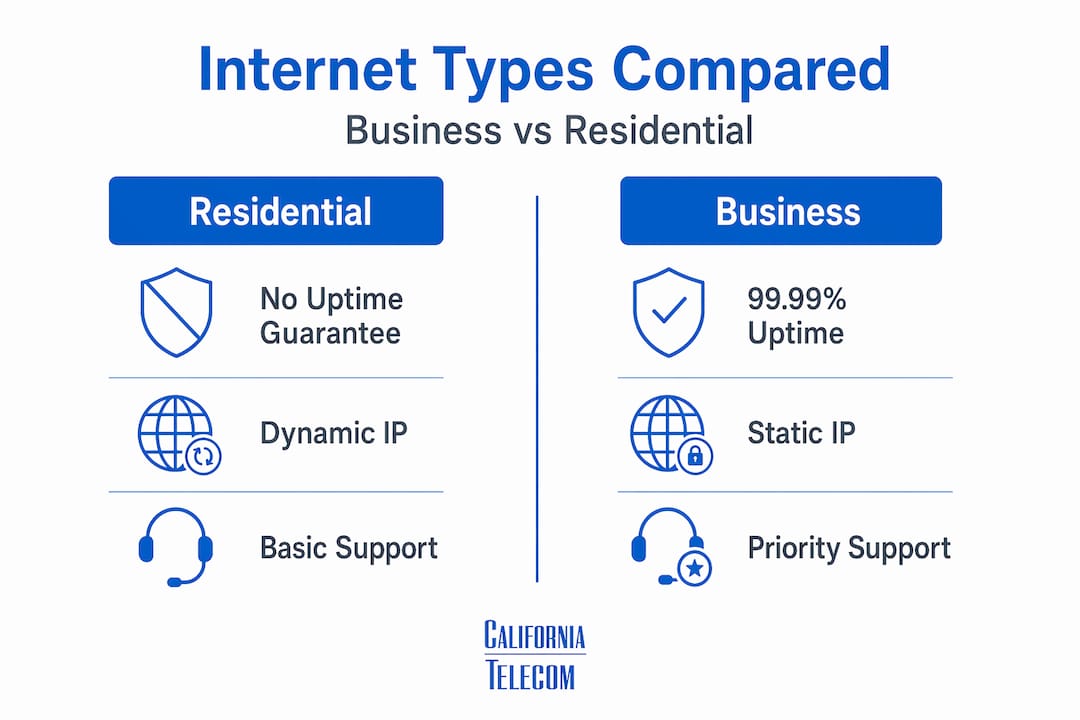
On price, residential gigabit plans typically run $70 to $120 per month, while business gigabit fiber commonly ranges from $200 to $600 per month. That gap exists because you're paying for infrastructure, accountability, and support structure. Not just raw bandwidth.

Why SLAs separate business plans from everything else
The Service Level Agreement is where the real difference lives. Understanding what SLAs guarantee changes how you think about the cost of business internet entirely.
A strong business SLA covers uptime percentage, latency, jitter, packet loss, mean time to repair, and financial penalties when the provider misses the mark. Those penalty clauses matter. They shift the provider's incentive from "we'll get to it" to "we need to fix this now."
The numbers are worth examining closely:
- 99.9% uptime allows up to 8.76 hours of downtime per year
- 99.99% uptime cuts that to roughly 52 minutes per year
- 99.999% uptime means less than 5.3 minutes of downtime annually
For a business running customer-facing systems, payment processing, or real-time communications, that difference is not trivial. Residential internet has no uptime guarantee whatsoever. Outages are addressed when the provider gets to them, with no contractual obligation on timing or repair.
Pro Tip: When reviewing a business internet SLA, look specifically for the Mean Time to Repair clause. A provider that guarantees four-hour response times is fundamentally different from one that promises "best efforts." The repair window is often more operationally important than the uptime percentage.
For multi-location IT managers, SLA terms also need to be consistent across every site. A single location running on residential service is a single point of failure for your whole operation.
Technical features your business actually needs
Beyond SLAs, there are several technical capabilities that separate business internet from residential plans in ways that directly affect how you run your network.
Static IP addresses are one of the most critical. Static IPs are required for hosting servers, running VPNs, managing security cameras, and maintaining consistent remote access. Residential plans assign dynamic IPs that change regularly, which breaks VPN configurations, complicates firewall rules, and creates gaps in your security posture. Business plans include static IPs as a standard feature.
Symmetrical speeds are another differentiator that matters more than most people expect. Residential cable connections are built with the assumption that you download far more than you upload. That's fine for streaming movies. It's not fine for video conferencing with 20 remote staff, uploading large files to cloud platforms, or running applications that push data in both directions constantly. Business fiber delivers equal upload and download capacity.
Beyond those two, here is what else comes standard with most business internet plans:
- Bandwidth prioritization and Quality of Service controls for critical applications
- Automatic failover options that route traffic through a backup connection when primary service fails
- Dedicated technical support with faster escalation paths and named account contacts
- Priority troubleshooting where downtime is treated as an active service failure, not a user complaint
- Professional-grade CPE (Customer Premises Equipment) that is covered under the service agreement
For IT managers handling multi-location deployments, these features are not luxury add-ons. They are the baseline you need to keep distributed operations running reliably.
Breaking down the real cost of each option
The monthly price difference between business and residential internet is real. Business internet plans run roughly 2 to 3 times more than residential plans at comparable speeds. However, evaluating internet options by monthly fee alone is the wrong calculation for a business.
Consider total cost of ownership. Business plans include professional installation and equipment that comes with service warranties, managed by technicians who own the performance of the connection. Residential installs use consumer-grade equipment with no warranty coverage tied to your service agreement. That means when something fails, you're either waiting for a tech to come out or buying replacement gear on your own.
The harder number to ignore is the cost of downtime. Downtime losses can reach $23,750 per minute for businesses in revenue-critical operations. Even for smaller businesses, a few hours of outage during peak hours can mean lost transactions, missed deadlines, and damaged client relationships. When you run the math, the extra $300 per month for SLA-backed service looks very different.
Pro Tip: Calculate your business's hourly revenue exposure before you choose an internet plan. If one hour of downtime costs more than your monthly internet bill, the case for business-grade service makes itself.
There are scenarios where residential internet is sufficient, and that is worth stating plainly. A solo remote worker handling email and light cloud applications may never outgrow a residential plan. But once you're managing multiple users, running customer-facing applications, or coordinating across locations, the total cost of ownership calculation shifts decisively in favor of business-grade service.
How to choose the right service for your business
Choosing between business internet options for businesses and residential plans is not a one-size-fits-all decision. Here is a practical framework to guide your evaluation:
-
Count your concurrent users. A connection that supports five people comfortably degrades fast when 25 people are on video calls simultaneously. Map your peak usage before you commit to a plan.
-
Audit your upload demands. If your team pushes significant data to the cloud, runs video conferencing, or uses SaaS platforms that sync continuously, asymmetrical residential speeds will create real friction.
-
Identify mission-critical systems. Payment terminals, VoIP systems, cloud ERPs, and customer-facing portals all require consistent uptime. Any system where an outage costs you money or damages a client relationship belongs in the "needs SLA" category.
-
Check your hosting and VPN requirements. If you run any internal servers, remote access tools, or security systems that require a fixed address, you need static IP support before you even look at speed tiers.
-
Account for multi-location complexity. Managing different ISPs, contracts, and support contacts across five or ten locations creates compounding operational drag. A single provider with consistent SLAs across all sites changes the management equation completely.
-
Evaluate failover needs. If a location going offline stops revenue, you need automatic failover built into the plan, not retrofitted later.
The guidance here aligns with a broader principle: businesses that undervalue connectivity expose themselves to productivity losses and customer experience damage that far exceed what they saved on a cheaper plan.
My take on what most businesses get wrong
I've worked with enough multi-location businesses to recognize a pattern that shows up repeatedly. Companies stick with residential plans, or edge-case business plans with weak SLAs, because the monthly savings feel concrete and the risk feels theoretical.
The problem is that downtime is not theoretical. It happens. And when it does, the operational scramble that follows, including staff unable to work, customers unable to transact, and IT managers on hold with a residential support queue, makes every dollar saved feel very expensive.
What I've found is that the businesses most hurt by this decision are mid-sized companies in growth mode. They started small, residential service was fine, and they never re-evaluated as complexity scaled. By the time they realize the connection is the constraint, they're already absorbing the damage.
The other mistake I see is treating internet service as a commodity comparison, shopping by price and speed tier while ignoring support quality. An SLA with a four-hour repair window and a dedicated account contact is worth more than a marginally faster connection with a generic support queue. Dedicated fiber reliability is not just a technical upgrade. It's an operational one.
My honest advice: evaluate your internet needs the same way you evaluate any business-critical infrastructure. What is the cost if it fails? What is the guarantee if it does? Those two questions will lead you to the right answer faster than any speed comparison chart.
— Jim
See how Californiatelecom solves this for multi-location businessesCaliforniatelecom designs and deploys business fiber solutions for multi-location organizations that need consistent, SLA-backed connectivity across every site. With a 99.99% uptime SLA on data, a 24/7 U.S.-based NOC, and access to over 50 carriers, Californiatelecom gives you one provider, one bill, and one engineer's contact instead of managing a tangle of vendors. Whether you need to standardize connectivity across five locations or fifty, the nationwide managed network platform is built to scale with you. If you are ready to replace guesswork with guaranteed performance, request a free consultation and get a connectivity assessment built around your actual requirements.
FAQ
What is the main difference between business and residential internet?
Business internet provides contractual uptime guarantees through SLAs, dedicated bandwidth, static IPs, and priority support, while residential internet operates on a best-effort basis with no performance guarantees or repair time commitments.
Is business internet worth the extra cost for small businesses?
For businesses running customer-facing systems, VoIP, remote access, or multi-user operations, the cost of an outage typically far exceeds the price difference. The financial impact of downtime makes the upgrade cost-effective for most operations beyond solo remote work.
Can I use residential internet for my business?
Residential internet works for solo remote workers with light cloud usage, but it lacks static IPs, symmetrical speeds, SLA protections, and priority support. Once you operate multiple users, run servers, or depend on consistent uptime, residential service becomes a liability.
What does a business internet SLA actually cover?
A strong SLA covers uptime percentage, latency, jitter, packet loss, mean time to repair, and financial penalties if the provider fails to meet its targets. These terms make business internet a contractually accountable service rather than a best-effort one.
How do I choose the best internet plan for my business?
Start by mapping your concurrent users, upload demands, hosted systems, and multi-location requirements. Any business running mission-critical applications or customer-facing systems should prioritize SLA-backed business internet over residential plans regardless of cost.
Recommended
- Why Dedicated Fiber Beats Broadband: Save Your Business from $9,000 Per Minute Downtime | California Telecom
- What is business-grade broadband for multi-location IT | California Telecom
- Fixed Wireless for Business: Fast Internet When Fiber Isn't an Option | California Telecom
- Business Fiber — Internet Services | California Telecom