

Telehealth Connectivity Requirements: A Provider's GuideTelehealth connectivity requirements are the minimum technical and security standards a healthcare provider must meet to deliver reliable, real-time virtual care. These standards cover bandwidth, latency, upload and download speed symmetry, encryption, and HIPAA-compliant infrastructure. Getting them wrong does not just degrade video quality. It breaks clinical communication, exposes patient data, and creates liability. This guide covers the exact specifications providers need, from baseline internet speeds for a single HD visit to the infrastructure decisions that determine whether a multi-location practice can scale virtual care reliably.
What are the minimum internet requirements for telehealth?
The industry term for this topic is telehealth technical specifications, and the baseline is well established. A single HD telehealth video visit requires 5 Mbps symmetrical upload and download speed. That number scales directly with session volume. A clinic running five concurrent video sessions needs 25–30 Mbps of consistent, dedicated bandwidth.
Latency is the metric most providers underestimate. Latency above 150 ms disrupts conversational flow during a telehealth visit. Above 300 ms, delays and overlapping speech become clinically disruptive, not just annoying. A provider trying to assess a patient's neurological response or emotional state cannot work effectively with that kind of lag.

Packet loss and jitter compound the problem. Standard routing can experience latency up to 318 ms with 40% packet loss under congested conditions. Optimized routing cuts that figure significantly. This is why the physical connection type matters as much as the speed tier you purchase.
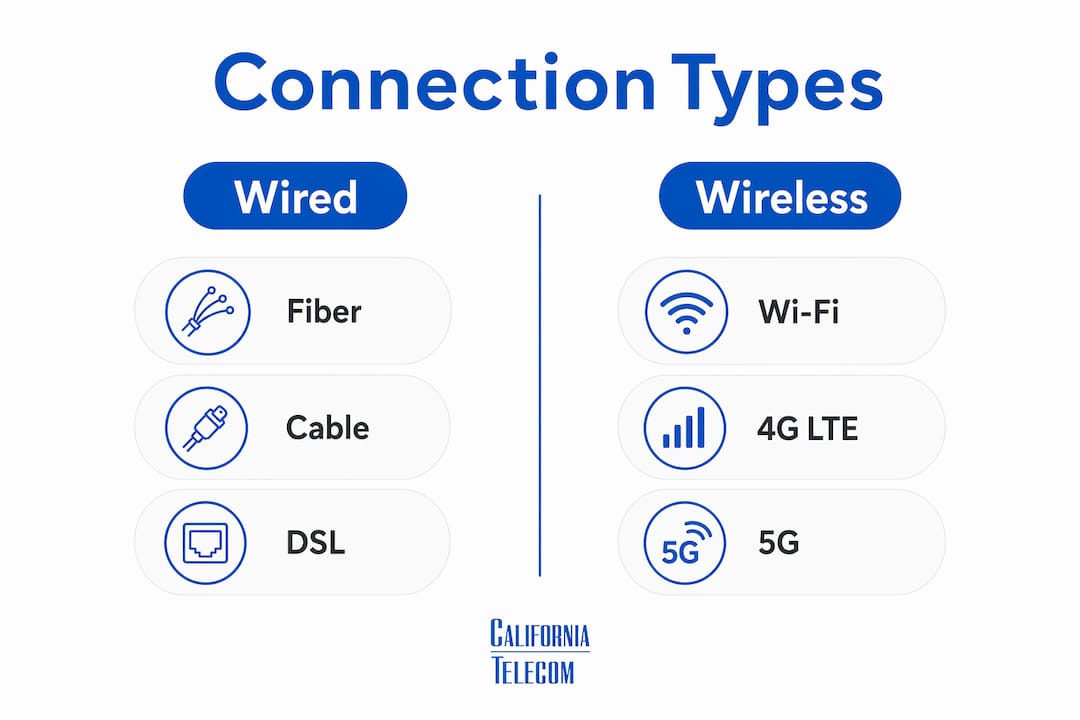
Connection type comparison
| Connection type | Typical speed | Latency | Telehealth suitability |
|---|---|---|---|
| Fiber | 100 Mbps–1 Gbps symmetrical | 5–20 ms | Best for clinics and multi-session offices |
| Cable | 100–500 Mbps down / 10–50 Mbps up | 15–35 ms | Adequate for small practices; upload cap is a risk |
| DSL | 5–25 Mbps down / 1–5 Mbps up | 25–70 ms | Marginal; upload speed often falls below minimum |
| Fixed wireless | 25–100 Mbps | 20–50 ms | Viable in rural areas; weather-dependent |
| Satellite (Starlink) | 50–200 Mbps | 20–60 ms | Improved over legacy satellite; usable for most visits |
| Cellular (4G/5G) | 25–100 Mbps | 30–80 ms | Backup or rural option; congestion varies |

Pro Tip: Always test your connection at peak clinic hours, not at 6 a.m. on a Sunday. Congestion during business hours is what determines real-world telehealth performance.
How do requirements vary by clinical use case?
Not every telehealth application demands the same connection. The modality and clinical stakes determine the actual specification. Standard SD video requires approximately 1.5 Mbps up and down with latency under 200 ms. A telestroke consultation, where a neurologist must assess facial droop and speech in real time, requires 5–10 Mbps and latency under 100 ms. The margin for error is much smaller when the clinical decision is time-sensitive.
Asynchronous telehealth, such as dermatology store-and-forward platforms, removes latency from the equation entirely. A provider uploads high-resolution images for later review. The connectivity requirement shifts from real-time throughput to upload capacity and storage reliability. This distinction matters enormously for rural practices where broadband is limited.
The patient side of the connection is a separate problem. Approximately 20% of U.S. homes lack broadband reliable enough for high-quality video telehealth. That is roughly 1 in 5 patients who may arrive at a scheduled video visit with an inadequate connection. Providers need a protocol for this, whether that means switching to audio-only, using a lower-resolution video mode, or offering asynchronous alternatives.
Key factors that shift connectivity requirements by use case:
- Live video (primary care, behavioral health): 5 Mbps symmetrical, latency under 150 ms
- Telestroke and emergency neurology: 5–10 Mbps, latency under 100 ms, zero tolerance for packet loss
- Remote patient monitoring: Lower bandwidth for data transmission, but consistent uptime is critical
- Store-and-forward (dermatology, radiology): High upload capacity, latency largely irrelevant
- Shared clinic environments: Bandwidth must be provisioned per concurrent session, not per provider
When broadband is limited, asynchronous platforms are a clinically appropriate alternative. Defaulting to live video when the connection cannot support it is the wrong call.
What infrastructure and security standards does telehealth require?
Connectivity alone does not make a telehealth program HIPAA-compliant. The infrastructure surrounding that connection carries equal legal and clinical weight. HIPAA-compliant telehealth platforms require signed Business Associate Agreements with every third-party vendor in the data path, including video platforms, cloud hosts, and storage providers. This must be in place before the first patient visit.
The security stack for telehealth infrastructure includes several non-negotiable layers:
- Encryption in transit: TLS 1.2 or higher for all data moving between endpoints. No exceptions for video, audio, or chat.
- Encryption at rest: AES-256 for stored patient health information in cloud environments.
- Audit logging: Every access event, login, and data transfer must be logged and retained per HIPAA requirements.
- Activity monitoring: Real-time alerts for anomalous access patterns, not just post-incident reviews.
- EHR integration: Documentation from telehealth visits must flow into the electronic health record without manual re-entry, which creates both errors and compliance gaps.
Merely having a compliant video platform is insufficient without confirming that the entire infrastructure stack is HIPAA-eligible. A provider using a HIPAA-compliant video tool hosted on a non-covered cloud environment has a gap in their compliance posture. That gap is a liability.
Pro Tip: Before signing with any telehealth vendor, request their BAA template and have your compliance officer review it against your existing vendor agreements. Overlapping data paths with unsigned BAAs are the most common HIPAA exposure point in telehealth programs.
Fragmented infrastructure creates compounding risk. When video, scheduling, billing, and clinical documentation run on separate platforms without integration, data moves across more handoff points. Each handoff is a potential exposure. A unified telehealth infrastructure with a single network layer reduces that surface area.
How can providers optimize telehealth connectivity in practice?
The gap between a technically adequate connection and a reliably performing one comes down to how the network is managed day to day. A wired Ethernet connection eliminates the intermittent signal drops and interference that Wi-Fi produces in busy clinical environments. This is the single most effective hardware change a clinic can make. Wi-Fi 6 routers improve performance in environments where wiring every workstation is not feasible, but they do not match the reliability of a physical connection.
For patient-side connectivity, providers should send a pre-visit checklist. Patients using cellular home internet from T-Mobile or Verizon can meet telehealth speed and latency standards, but cellular internet performance varies by congestion at the time of the appointment. Asking patients to test their connection the day before, close a browser tabs, and connect via Ethernet if possible reduces day-of failures significantly.
Practical steps for clinic-side optimization:
- Audit bandwidth usage before adding telehealth sessions. Identify which applications consume the most bandwidth during peak hours.
- Provision dedicated bandwidth for telehealth video traffic, separate from general office internet use.
- Use network monitoring tools to track jitter, packet loss, and latency in real time. Tools like choppy video diagnostics can identify the root cause before it affects a patient visit.
- Segment your network so that telehealth traffic is not competing with EHR queries, staff streaming, or administrative downloads.
- Plan for concurrent sessions. A practice running three simultaneous telehealth rooms needs at least 15–20 Mbps dedicated to video, plus overhead for other clinical applications.
For rural or underserved clinic locations, the healthcare connectivity case study from Californiatelecom shows how multi-site practices have addressed coverage gaps with carrier-diverse managed connections. Sourcing from multiple carriers rather than a single ISP eliminates the single point of failure that takes down an entire day's telehealth schedule.
Key Takeaways
Telehealth connectivity requires symmetrical bandwidth, low latency, wired connections, and a fully HIPAA-compliant infrastructure stack to deliver reliable virtual care at scale.
| Point | Details |
|---|---|
| Minimum bandwidth | 5 Mbps symmetrical per HD session; scale to 25–30 Mbps for five concurrent clinic sessions. |
| Latency threshold | Keep latency under 150 ms; above 300 ms, clinical communication breaks down noticeably. |
| Upload speed symmetry | Low upload speed causes pixelated video for providers even when download speed is fast. |
| HIPAA infrastructure | Signed BAAs with every vendor in the data path are required before the first patient visit. |
| Wired over wireless | Ethernet eliminates packet loss and jitter that Wi-Fi produces in busy clinical settings. |
Upload speed is the metric most providers get wrong
The most consistent mistake I see healthcare organizations make is treating download speed as the primary measure of connection quality. Your ISP's marketing materials lead with download numbers because that is what consumers care about for streaming. Telehealth is a two-way transmission. The provider's camera feed travels upstream. When upload speed is low, the patient sees a pixelated, freezing image of the clinician. That is not a minor inconvenience. It undermines clinical trust and makes accurate visual assessment impossible.
Latency deserves the same attention. I have seen practices with 100 Mbps fiber connections still struggle with telehealth quality because their network was not configured to prioritize video traffic. Raw speed does not fix a misconfigured router or a network where telehealth packets compete equally with background software updates.
The forward-looking development worth watching is multipath transmission. Multipath strategies that prioritize critical video streams during WAN congestion are moving from research into practical deployment. For multi-location health systems, this means the network itself becomes aware of which traffic is clinically time-sensitive and routes it accordingly. That is a meaningful shift from simply buying more bandwidth.
My advice for providers balancing cost and quality: do not buy the cheapest broadband plan and assume it will work. Buy the right connection type for your session volume, wire your clinical workstations, and monitor the network. The cost of a failed telehealth visit, measured in rescheduling, patient dissatisfaction, and potential missed diagnoses, exceeds the cost of a better internet plan by a wide margin.
— Jim
How Californiatelecom supports healthcare network reliability
Healthcare organizations running telehealth programs need more than a fast internet connection. They need a network that holds up across every location, every shift, and every concurrent session.Californiatelecom designs and deploys managed network solutions specifically for multi-location healthcare providers. The team sources connections from 50+ carriers, so no single ISP failure takes down a clinic's telehealth schedule. Every site is engineered and monitored by a 24/7 U.S.-based NOC, with a 99.99% uptime SLA on data. Providers get one point of contact instead of chasing multiple vendors when a connection degrades mid-visit. For organizations ready to build a network that meets telehealth connectivity standards at every site, nationwide managed network services from Californiatelecom are worth a direct conversation.
FAQ
What is the minimum internet speed for telehealth?
The minimum is 5 Mbps symmetrical upload and download for a single HD video visit. Clinics running multiple concurrent sessions need 25–30 Mbps of dedicated bandwidth.
Why does upload speed matter more than download for telehealth?
Asymmetrical connections with low upload speeds cause pixelated video and poor audio for the patient, even when download speed is high. Telehealth transmits the provider's video feed upstream, making upload speed the binding constraint.
What latency is acceptable for telehealth video visits?
Latency under 150 ms is the standard for smooth clinical communication. Latency above 300 ms causes noticeable delays and overlapping speech that disrupt patient assessment.
Do telehealth providers need a Business Associate Agreement with their internet provider?
A BAA is required with every vendor that handles protected health information, including video platforms and cloud hosts. Standard ISPs that only transport data without accessing PHI typically do not require a BAA, but every vendor in the application stack does.
Is Wi-Fi adequate for telehealth in a clinical setting?
Wi-Fi introduces packet loss and jitter that a wired Ethernet connection eliminates. For clinical workstations running live telehealth sessions, Ethernet is the preferred connection. Wi-Fi 6 is an acceptable fallback where wiring is not possible.