

Role of DNS in Business Networks: IT Manager's GuideDNS is defined as the network service that translates human-readable domain names into IP addresses, making it the foundation of every internet-dependent operation your business runs. Without it, users cannot reach websites, cloud applications, internal services, or email servers. The role of DNS in business networks extends far beyond simple name resolution. It directly shapes application speed, security posture, and uptime across every location you manage. When DNS fails, every internet-dependent service fails simultaneously, making it the single point of failure most IT teams underestimate.
How does DNS affect business network performance?
DNS resolution is the first step in nearly every network transaction. Standard DNS resolution completes in under 50 ms, but misconfigured setups push that number far higher, adding perceptible lag to application loading, authentication, and cloud service access. Multiply that delay across hundreds of users at multiple locations and the productivity loss becomes measurable.

DNS latency shows up in places you might not expect. When a user at a branch office logs into Microsoft 365, Active Directory must resolve the domain controller before granting access. When your VoIP system places a call, it resolves SIP server addresses first. Slow DNS adds friction to every one of these transactions, and users experience it as sluggish applications rather than a network problem.
Caching, load balancing, and failover are the three mechanisms that separate reliable DNS from fragile DNS. A well-configured resolver caches responses locally, cutting repeat lookup times to near zero. Load balancing distributes queries across multiple DNS servers so no single node becomes a bottleneck. Failover automatically reroutes queries when a primary server goes down, keeping services accessible without manual intervention.
The business cost of DNS downtime is steeper than most teams budget for. A single one-hour DNS outage can generate over 40 hours of emergency troubleshooting across teams, and e-commerce businesses may lose approximately $25,000 in long-term customer lifetime value from that same event. That figure does not include staff time, reputational damage, or the SEO consequences covered later in this article.
Pro Tip: Run a baseline DNS response time audit across all your locations using tools like DNSPerf or dig before making any configuration changes. You cannot fix what you have not measured.
Key performance factors to monitor across locations:
- Resolution latency per site: Identify which offices are querying distant resolvers instead of local ones.
- Cache hit rate: Low cache hit rates signal TTL settings that are too short or resolvers that are not caching properly.
- Failover response time: Test how long it takes your DNS to reroute after a primary server failure.
- Query volume spikes: Sudden increases often indicate misconfigured clients or early signs of an attack.
What DNS security risks do enterprises face?
DNS security for businesses is not optional. 95% of companies faced DNS-related attacks in the prior year, with each incident costing approximately $1.1 million on average. Those attacks take several forms, and each one exploits a different weakness in your DNS architecture.

Cache poisoning inserts fraudulent DNS records into a resolver's cache, redirecting users to malicious sites without any visible warning. DNS hijacking redirects queries at the registrar or resolver level, often to harvest credentials. DDoS attacks flood DNS servers with query volume until they become unresponsive, taking down every service that depends on name resolution. DNS incidents can cause outages lasting up to 15 hours, affecting major cloud infrastructure providers and their downstream customers.
DNSSEC (DNS Security Extensions) addresses cache poisoning and spoofing by digitally signing DNS records. When a resolver receives a response, it verifies the signature before accepting the record. DNSSEC does not encrypt queries, but it does guarantee the integrity of the answer. Pairing DNSSEC with DoH (DNS over HTTPS) or DoT (DNS over TLS) adds encryption, protecting query content from interception.
DNS-level filtering prevents malware and phishing by blocking malicious domains at the resolution stage, before any payload reaches an endpoint. This makes it one of the most cost-effective security controls available. Services like Cisco Umbrella and Cloudflare Gateway operate at the DNS layer, blocking known bad domains before a connection is ever established.
Continuous monitoring and automated DNS health checks complete the security picture. Alerts on unexpected record changes, new subdomains, or unusual query patterns catch attacks early. Ensuring DNS uptime also supports SEO rankings and preserves brand reputation by maintaining site accessibility for search engines. Repeated accessibility failures lead to de-indexing and long-term loss of digital visibility, which compounds the operational damage of a security incident.
Public vs. private DNS: which architecture fits your network?
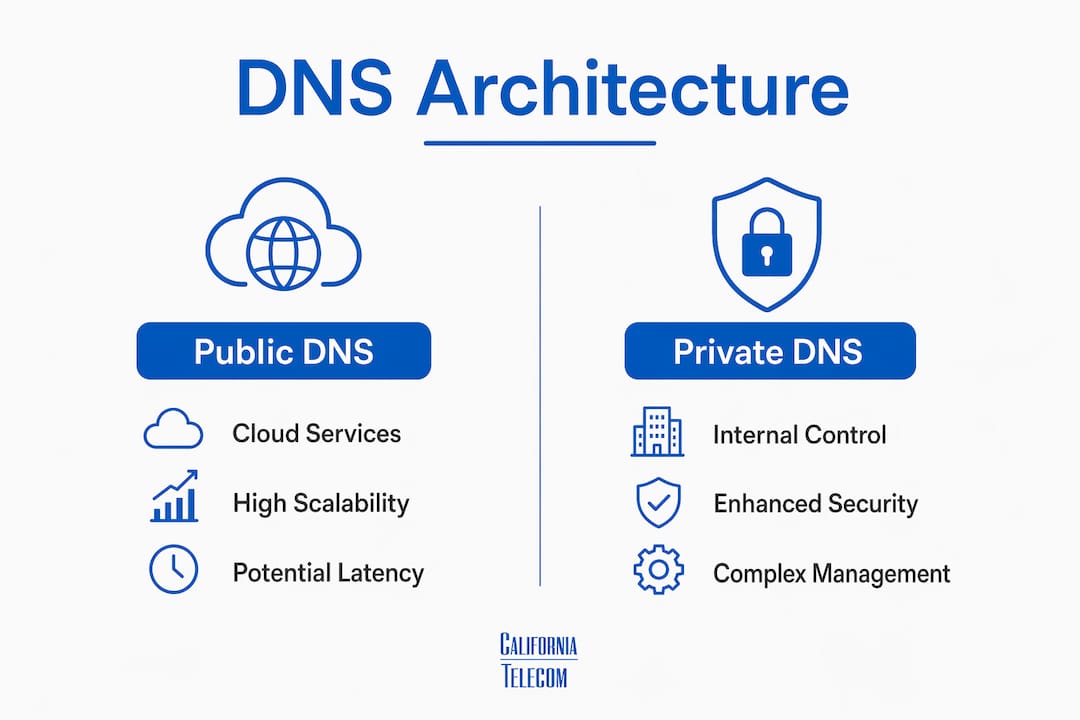
The choice between public recursive resolvers and private internal DNS servers is not either-or. Most multi-location enterprises run both, and understanding where each fits is central to sound DNS management in enterprises.
| Architecture | Best Use Case | Key Advantage | Key Risk |
|---|---|---|---|
| Public DNS (Cloudflare 1.1.1.1, Google 8.8.8.8) | External name resolution | Fast, globally distributed | No visibility into internal names |
| Private/Internal DNS | Internal service resolution, AD integration | Full control, local caching | Requires maintenance and redundancy |
| AD-Integrated DNS | Domain-joined environments | Automatic replication via AD | Misconfiguration causes WAN hairpinning |
| Multi-Provider DNS | High-availability requirements | Eliminates single points of failure | Increased management complexity |
Active Directory depends heavily on DNS for locating domain controllers and resolving internal services. Misconfigured DNS causes high-latency WAN lookups, a condition called DNS hairpinning, where branch office clients query a DNS server at headquarters over a WAN link instead of resolving locally. The fix is conditional forwarding combined with local DNS caching at each site. Branch offices resolve internal names locally and forward external queries to a public resolver, cutting WAN query traffic significantly.
Multi-provider and multi-NS DNS architectures improve redundancy and resilience by eliminating single points of failure. Running your authoritative DNS across two independent providers means that if one provider experiences an outage, the other continues serving records without interruption. For businesses managing network infrastructure across new locations, this architecture is the difference between a minor incident and a full outage.
Pro Tip: Use conditional forwarding to split DNS resolution by domain. Internal domains resolve against your private DNS servers. Everything else forwards to Cloudflare 1.1.1.1 or Google 8.8.8.8. This keeps WAN traffic low and resolution fast at every site.
Best practices to optimize DNS for enterprise networks
Optimizing DNS for business network performance requires deliberate configuration choices, not just picking a fast resolver. The following steps reflect what experienced network administrators actually implement in production environments.
-
Select high-performance resolvers. Cloudflare's 1.1.1.1 and Google's 8.8.8.8 are the two fastest publicly available resolvers by global average response time. For internal resolution, deploy Windows Server DNS or BIND with local caching enabled at each site.
-
Configure DNS failover with health checking. Your DNS should automatically detect when a primary server is unreachable and reroute queries to a secondary. DNS Made Easy and NS1 both offer health-check-based failover as part of their managed DNS products.
-
Tune TTL values deliberately. Short TTLs give you flexibility during changes but increase query volume and reduce cache effectiveness. For stable records, a TTL of 3,600 seconds (one hour) balances freshness with performance. During planned changes, drop TTL to 300 seconds 24 hours in advance.
-
Adjust the ndots setting on Linux clients. The default ndots value causes Linux systems to append search domain suffixes to short hostnames before attempting a direct resolution. Tuning the ndots setting improves DNS efficiency and reduces unnecessary query volume across your network, particularly in Kubernetes and containerized environments.
-
Deploy DNS analytics and monitoring. Tools like Datadog, SolarWinds, and PRTG provide per-query visibility, alerting you to resolution failures, latency spikes, and anomalous query patterns. Experienced admins start DNS troubleshooting with dig +trace to verify resolution paths before touching any configuration.
-
Integrate DNS with your WAN and CDN strategy. DNS-based global load balancing routes users to the nearest application instance, reducing round-trip time. When paired with a CDN like Cloudflare or Akamai, DNS becomes an active performance tool rather than a passive lookup service. For businesses running managed LAN/WAN solutions, aligning DNS architecture with WAN design produces measurable latency reductions.
Key takeaways
DNS is the foundational infrastructure layer that determines whether your business network performs, stays secure, and remains accessible across every location you operate.
| Point | Details |
|---|---|
| DNS drives all network transactions | Every application, authentication event, and cloud service depends on DNS resolution completing correctly and quickly. |
| Outages carry steep costs | A one-hour DNS outage generates over 40 hours of emergency troubleshooting and significant long-term revenue loss. |
| Security requires layered DNS controls | DNSSEC, DNS-level filtering, and DoH/DoT together address spoofing, phishing, and interception threats. |
| Architecture determines reliability | Multi-provider DNS with local caching and conditional forwarding eliminates single points of failure across locations. |
| Monitoring is non-negotiable | DNS analytics tools and dig-based troubleshooting catch performance and security issues before users report them. |
DNS is infrastructure, not a background service
I have spent years watching IT teams treat DNS as a set-and-forget configuration. It gets set up during a network deployment, and then nobody touches it until something breaks. That approach works until it catastrophically does not.
The most instructive DNS incident I have seen involved a mid-size distributor with eight locations. Their AD-integrated DNS was configured to forward all queries to a single server at headquarters. When that server's upstream connection degraded, every branch office experienced login times exceeding two minutes. Users assumed the problem was their computers. The help desk logged 60 tickets before anyone ran a dig query and traced the issue back to DNS. The fix took 20 minutes. The diagnosis took four hours.
What that team lacked was not technical skill. They lacked visibility. Nobody was monitoring DNS resolution times per site. Nobody had set up alerts for query failure rates. DNS was invisible until it became a crisis.
My honest recommendation: treat DNS the same way you treat your firewall or your WAN links. Give it a monitoring dashboard. Set thresholds. Test failover quarterly. Run DNSSEC on your authoritative zones. Deploy DNS filtering at every site. The investment is small relative to the protection it provides.
The businesses that get this right do not just avoid outages. They run faster applications, block more threats at the perimeter, and give their IT teams the visibility to fix problems before users notice them. That is the real value of DNS done well.
— Jim
How Californiatelecom manages DNS across multi-location networks
Californiatelecom designs and deploys DNS as part of a complete managed network architecture, not as an afterthought. Every site gets local DNS caching, conditional forwarding, and failover configured by Californiatelecom engineers before the network goes live.For multi-location businesses that cannot afford DNS-related downtime, Californiatelecom's nationwide managed network services include 24/7 NOC monitoring with DNS health checks, automated failover, and security filtering built into the network layer. You get one engineer's number, one bill, and a 99.99% uptime SLA covering the infrastructure DNS runs on. If you are ready to take DNS from a background service to a managed, monitored asset, talk to a Californiatelecom engineer about what that looks like for your specific environment.
FAQ
What is the role of DNS in business networks?
DNS translates domain names into IP addresses, enabling every application, cloud service, and internal system to communicate. Without functioning DNS, users cannot access any internet-dependent resource, making it foundational to business operations.
How does DNS affect application performance?
DNS resolution adds latency to every network transaction. Standard resolution completes in under 50 ms, but misconfigured or distant resolvers push that higher, slowing logins, email delivery, and cloud application load times across all locations.
What are the most common DNS security threats?
Cache poisoning, DNS hijacking, and DDoS attacks are the three primary threats. Ninety-five percent of companies experienced a DNS attack in the prior year, with each incident costing approximately $1.1 million on average.
What is DNS hairpinning and why does it matter?
DNS hairpinning occurs when branch office clients query a DNS server at headquarters over a WAN link instead of resolving locally. It causes high-latency logins and slow application access, and it is fixed with conditional forwarding and local DNS caching at each site.
How do you troubleshoot DNS issues in an enterprise network?
Start with dig +trace to follow the full resolution path and identify where queries fail or slow down. Then check resolver configuration, TTL values, forwarder settings, and cache hit rates across each location.