

Runbooks and Tuning for Internet Failover in Multi Site BusinessesUse a diverse automatic backup, a second wired ISP or a cellular connection routed over a different network path, and test it on a schedule. For any organization running more than one site, an SD-WAN overlay is the preferred architecture because it preserves sessions and steers traffic per application. None of it works without discipline: tuning hysteresis settings and auditing NAT rules matter more than which hardware you buy.
TL;DR:
- Using diverse, physically separate backup connections, such as different carriers and routes, significantly improves failover reliability and reduces shared upstream dependencies.
- Proper configuration of NAT and failover thresholds is crucial to prevent session loss, flapping, or false triggers that can disrupt critical applications during switching.
- Regular testing of failover mechanisms, including session verification and alarm checks, is necessary to ensure smooth operation during real outages.
- Managed failover services streamline incident response, reduce operational complexity, and provide consistent testing, especially for multi-site organizations.
- Choosing and configuring failover hardware and strategies based on actual business needs and site-specific risks yields better resilience than DIY setups.
Table of Contents
- Internet Failover Options: Which Type Fits Your Network?
- How Does Internet Failover Actually Work?
- What Should You Ask Before Choosing a Failover Setup?
- Setting Up and Testing Your Failover: A Practical Runbook
- Why Managed Failover Beats DIY for Most Growing Companies
- Get a Managed Failover Setup Built Around Your Sites
- Sources
Internet Failover Options: Which Type Fits Your Network?
Internet failover means your network automatically shifts traffic to a backup connection when the primary one degrades or drops, without a human touching a switch. Automatic failover relies on continuous health checks; manual failover means someone notices the outage and reroutes traffic by hand, which is slower and more error-prone for anything customer-facing.
Outages rarely come from one cause. Carrier fiber cuts, failed switches or routers, DNS resolution failures, misconfigured routing, and plain power loss at a demarcation point all take down connectivity in different ways, which is why a single backup type rarely covers every scenario.
Here's how the main options stack up:
- Dual wired ISPs give you the most bandwidth and stability, but procurement can take weeks and running two circuits from different carriers costs more than most single-ISP budgets assume.
- SD-WAN overlay runs active/active or active/standby across multiple circuits and preserves sessions during a switch, making it the best fit for multi-site companies and cloud-heavy traffic.
- Cellular failover (LTE/5G) deploys in hours and travels with a portable router, though coverage and data caps vary by carrier and location, with plans in the ballpark of 50 to 500 Mbps depending on the carrier and market.
- Fixed wireless and satellite work where a second wired path simply doesn't exist, useful for rural sites or as a truly independent route diverse from your primary carrier.
- Hotspots and mobile tethering are fine for a single register or a short outage, not for sustained business traffic.
Pairing strategies matter more than any single choice. A retail chain might run dual fiber at headquarters and cellular backup at branch locations, matching the failover investment to what each site actually needs. See our guide on dual ISP failover for a hardware-level breakdown.
How Does Internet Failover Actually Work?
A failover system watches for packet loss, latency spikes, and jitter against defined thresholds, and switches paths once those thresholds are breached for a sustained period. The mechanics sound simple. The failure modes that break naive setups are where most projects go wrong.
The biggest one is NAT state loss. When your public IP changes because you've failed over to a different circuit, every active TCP session tied to the old IP breaks, kicking users out of VPNs, SaaS logins, and voice calls simultaneously. Mitigation options include BGP-based IP retention, carrier-assisted IP migration, or NAT-multiplexing architectures that keep the public-facing address stable across the switch, as detailed in a breakdown of multi-WAN failure modes.
Asymmetric routing is the second trap. If outbound traffic leaves on one circuit and the return path comes back on another, per-flow hashing sees it as broken and drops it, while per-packet load balancing can make it worse by splitting a single conversation across two paths with different latency.
Flapping happens when a link degrades just enough to trigger failover, recovers briefly, and gets flagged healthy again before it actually stabilizes. The fix isn't smarter software. It's stricter thresholds.
Pro Tip: Set your restore threshold far more conservatively than your failover threshold. If failover triggers after 10 seconds of loss, require several minutes of clean performance before failing back.
Even the best multi-WAN design can't fix a carrier-wide backbone outage or a DNS provider going down, since both circuits may share the same upstream dependency.
What Should You Ask Before Choosing a Failover Setup?
Start with the business objective, not the technology. Voice and SaaS continuity for a call center demands a different design than full-site failover for a warehouse running physical scanners and local servers. Map your recovery time objective (how fast systems need to come back) and recovery point objective (how much data loss is tolerable) before you evaluate a single vendor.
- Define diversity, not just redundancy. Two circuits from the same carrier sharing the same conduit aren't a real backup, ask for different physical routes and different upstream providers.
- Match bandwidth to real peak load, not average use, since failover circuits often carry full production traffic during an outage.
- Check the SLA specifics, including guaranteed uptime percentage, credit terms, and whether the SLA covers the backup circuit or just the primary.
- Ask who owns IP portability during a failover event and whether the carrier supports BGP or rapid IP reassignment.
- Confirm NOC response times in writing, not marketing copy, and ask what the average time-to-resolution has been over the past year.
- Ask whether scheduled failover testing is included or billed separately, and who is responsible for documenting results.
Red flags include vendors who can't describe their default failover thresholds, no mention of scheduled testing in the contract, and an inability to coordinate carrier-side IP moves when you ask directly.
Setting Up and Testing Your Failover: A Practical Runbook
Your hardware choice sets the ceiling for what's possible. Dual-WAN routers handle basic failover for a single site; SD-WAN appliances add centralized policy, application-aware steering, and generally faster, sub-second failover for organizations running several locations, per comparative analysis of SD-WAN versus traditional WAN. Either way, audit firewall NAT rules before go-live. A practitioner writeup on SD-WAN rollouts found that hardcoded NAT bindings left over from the old network were a leading cause of post-cutover failures.
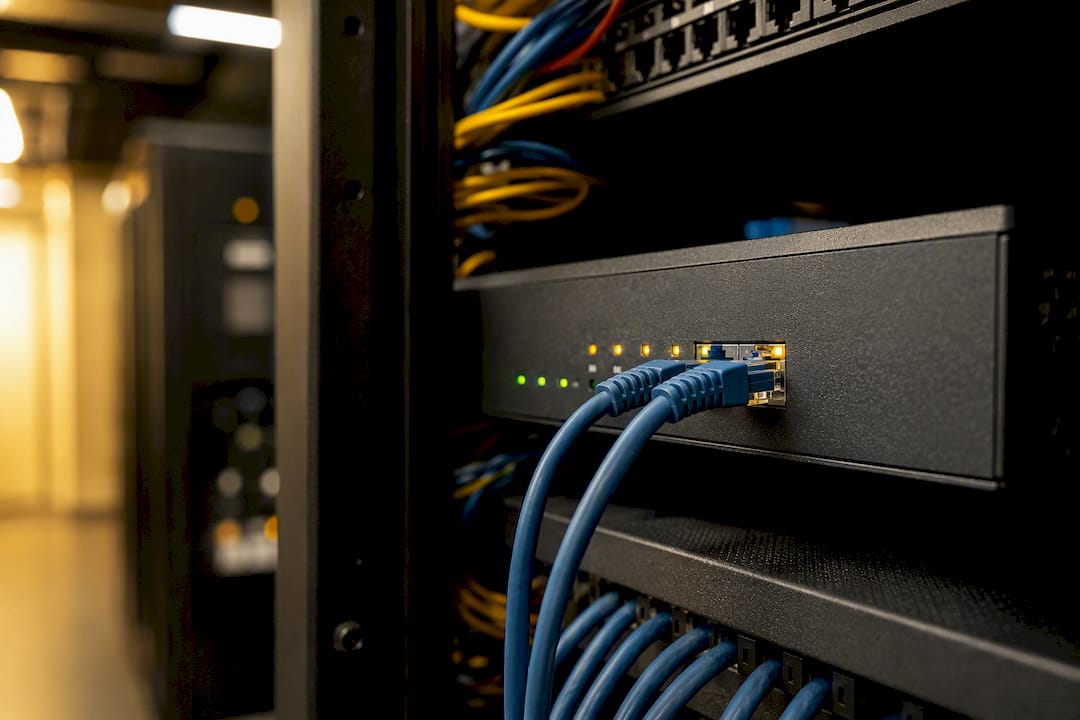
Run failover tests on a quarterly schedule at minimum, plus an immediate smoke test after any network change, and document every result in a runbook the whole team can reference.
Configuration patterns worth adopting:
- Trigger failover only after sustained loss (over 200ms latency or a defined packet-loss percentage for a set number of seconds), not on a single dropped ping.
- Require a longer stability window before failback than you required before failover.
- Use per-flow hashing for session consistency rather than per-packet balancing.
Pro Tip: Practitioners commonly raise restore/check thresholds into the hundreds to stop links from flapping between "up" and "down," according to Fortinet's community troubleshooting guidance.
After every test, verify session continuity for your most critical application, confirm IP-dependent SaaS tools didn't force a re-login, and check that your alerting fired correctly.
Why Managed Failover Beats DIY for Most Growing Companies
Chasing three carriers and two hardware vendors during an outage burns hours you don't have. One provider, one bill, and one engineer's direct line cuts that churn down to a single call. A 24/7 U.S.-based NOC matters most exactly when it's least convenient: a Friday night carrier outage where someone needs to coordinate an IP migration across vendors immediately, not on Monday. Runbook discipline, tested quarterly and owned by someone accountable, is what separates failover that works on paper from failover that works at 2 a.m.
— Jim
Get a Managed Failover Setup Built Around Your Sites
Californiatelecom sources from 50 or more carriers and designs every failover path with its own engineers, so you're not stuck negotiating IP migrations with three different providers during an outage. That's the practical edge over piecing together dual-WAN routers and cellular backup on your own: one team owns the diversity, the testing cadence, and the NOC response when a circuit fails at 2 a.m. Our managed SD-WAN and managed LAN/WAN services are built on a 99.99% uptime SLA for data, backed by 24/7 U.S.-based support.If you're running a multi-location business and want a second set of eyes on your current setup, request a free consultation and get a site-by-site audit of where your failover has gaps.
Sources
For hardware-level configuration details, see UniFi's WAN failover documentation and continuity planning from Mac West Los Angeles.
- Troubleshooting tip: SD-WAN overlay instability causing BGP flapping and loss of connectivity — Fortinet Community