
Dual ISP Failover: The Setup That Actually Keeps You OnlineFor a single site, the right answer is an active-passive dual-WAN configuration: a primary connection, a genuinely diverse secondary from a different provider and last-mile technology, router-based health probes against independent external targets, and a tracked default route that swaps automatically when the primary path fails. That combination, not a second cable from the same cable company, is what gets you real uptime instead of a false sense of it.
Here's the deployable version of that answer. Pair your primary WAN (fiber, ideally) with a secondary that rides different infrastructure entirely, cable if your primary is fiber, fixed wireless or cellular if both primaries share a conduit. Point your router or firewall at two or three independent probe targets, run IP SLA or an equivalent path monitor on each WAN, and tie a tracked static route or gateway group to the results. When the primary path fails the health checks, the router pulls the route and pushes traffic to the backup automatically, no human intervention required.
This setup fits a single-site SMB, a branch office, or a remote clinic that needs the internet to stay up but doesn't need centralized policy across a dozen locations. It's the wrong tool once you cross roughly three sites, need session persistence for VoIP and VPN traffic during a switch, or want one dashboard managing failover policy everywhere. At that point, dual-WAN routing becomes SD-WAN, and the calculus changes.
A second circuit from the same carrier is not redundancy. It is the same outage waiting for a different excuse.
Key Takeaways
Reliable dual-ISP failover depends on true infrastructure diversity, tuned probe thresholds, and testing that proves NAT, VPN, and voice traffic survive the switch, not just the route table.
| Point | Details |
|---|---|
| Choose real diversity | Pair different providers and different last-mile technologies; same-carrier circuits share failure points. |
| Probe upstream, not link-state | Use 2–3 independent targets, 5–10 second intervals, 2–3 failures to trigger, 3–5 successes to fail back. |
| Plan for session loss | NAT and public IP typically change on failover, breaking port forwards, VPNs, and SIP registrations unless pinned or overlaid. |
| Test quarterly, not once | A scheduled planned outage catches configuration drift before a real ISP failure does. |
| Escalate to managed at scale | Californiatelecom's managed multi-carrier SD-WAN and 24/7 NOC fit teams past the single-site dual-WAN stage. |
Table of Contents
- What Is Dual ISP Failover and How Does It Work?
- How Do You Configure Router-Level Failover? (Config Examples)
- What Happens to NAT and Public IP Addresses During Failover?
- How Do You Set Up Reliable Failure Detection?
- Which Hardware and Software Options Handle Dual-WAN Failover?
- What Design Choices Prevent Common-Mode Failures?
- How Do You Test and Troubleshoot Dual-WAN Failover?
- Should You Use SD-WAN or a Basic Dual-WAN Router?
- What Should You Expect From a Managed Dual-ISP Service?
- What Do Field Deployments Actually Teach You About Failover?
- Get Dual-ISP Failover Designed and Monitored for You
- Frequently Asked Questions
- Sources
What Is Dual ISP Failover and How Does It Work?
Dual ISP failover means running two internet connections into a single router or firewall so that when one goes down, traffic shifts to the other with minimal disruption. How that shift happens, and what breaks in the process, depends entirely on which of three architectures you pick.
Active-passive failover keeps one WAN as primary and the second idle until the router detects a failure, then swaps the default route. It's the simplest model and the one most dual-WAN routers ship configured for out of the box.
Active-active load balancing uses both connections simultaneously, splitting traffic by session or policy. It gets you more aggregate throughput day to day, but it complicates failure detection because you're now managing two live paths instead of one standby.
Bonding and overlay approaches (MPTCP, tunnel aggregation) combine both links into a single logical connection, sometimes preserving a session across a failure event. This is the only one of the three that can maintain an in-progress call or download when a link drops, and it's also the most complex to deploy and troubleshoot.
The mechanism underneath all three is route preference. Your router assigns a lower administrative distance or higher priority to the primary route; a tracked object or health check pulls that route from the table when the underlying path fails; the router falls back to the next-best route pointing at the secondary WAN. Palo Alto Networks calls this path monitoring on a virtual router. Cisco calls it IP SLA plus a tracked static route. The concept is identical.
- Active-passive: simple, cheap, sessions typically drop on failover.
- Active-active: better bandwidth utilization, harder to reason about failure states.
- Bonding/overlay: best session continuity, highest complexity and cost.
Here's the part most guides skip: the moment your default route changes, your public source IP usually changes too, because each ISP hands you addresses from its own block. Every established TCP session tied to that source IP, VPN tunnels, SIP registrations, long-running API connections, gets treated as invalid by the far end. Session persistence problems during WAN failover are the single most common surprise engineers hit the first time they test a "successful" failover and find every phone call dropped anyway.
Put your health-check probes on each WAN interface separately, pointed at targets outside your network and outside your ISP's own infrastructure. Probing your ISP's own DNS server tells you almost nothing about whether the wider internet is reachable.
How Do You Configure Router-Level Failover? (Config Examples)
Every platform implements the same idea, health check, tracked route, fallback, but the syntax and GUI paths differ enough that copying a snippet from the wrong vendor wastes an afternoon. Here's the pattern on the four platforms network admins actually run.
Cisco IOS: IP SLA + track + static route. This remains the standard documented method for ISP failover on IOS devices.
ip sla 1
 icmp-echo 8.8.8.8 source-interface GigabitEthernet0/0
 frequency 10
ip sla schedule 1 life forever start-time now
track 1 ip sla 1 reachability
ip route 0.0.0.0 0.0.0.0 <primary-gateway> track 1
ip route 0.0.0.0 0.0.0.0 <secondary-gateway> 200
Verify with show ip sla statistics and show track 1. A 10-second frequency with a default 5-second timeout is a reasonable starting point for most single-site deployments.
Cisco FTD managed by FMC uses the same underlying logic through a GUI: an SLA Monitor object, a static route with route tracking attached, and optionally policy-based routing if you need to pin specific traffic to a specific WAN. Cisco's FTD failover guide walks through the exact FMC screens; the mental model is identical to the CLI version above.
Palo Alto Networks implements this as path monitoring on a virtual router rather than a standalone SLA object. You attach a monitor profile to a static route, specify the ping target and failure count, and the firewall demotes that route's metric when the monitor fails, letting a higher-metric route through the secondary ISP take over. Palo Alto's own community documents several working configurations for second-ISP setups, including common mistakes around route metric ordering.
pfSense and OPNsense use dpinger for per-gateway health checks and gateway groups to define failover tiers. Practical deployments define independent monitor IPs for each WAN, group them into a tiered gateway group, and, critically, point every relevant firewall rule at that gateway group rather than a specific WAN interface. Skip that last step and failover silently does nothing because your rules are still hard-pinned to the dead link. Linux and OpenWrt shops get similar behavior from mwan3, which handles policy routing across interfaces with comparable tier and weight logic.
Pro Tip: Before you trust any of these configs in production, break the primary link on purpose in a lab and watch the logs. The most common failure mode isn't bad syntax, it's a firewall rule or NAT policy still hard-bound to the old WAN interface, quietly ignoring your perfectly correct route table.
Checklist before you deploy: confirm firmware supports the SLA/path-monitor feature you're relying on, document interface naming so nobody swaps WAN1 and WAN2 during a future change, and test NAT translation on both paths, not just the primary, before going live.
What Happens to NAT and Public IP Addresses During Failover?
Every inbound port forward, every SIP trunk registration, every whitelisted API key tied to your office IP breaks the moment failover swaps your egress path, because each ISP assigns addresses from its own block. This is the single biggest operational gap between "failover works" and "failover works without anyone noticing."
The fix depends on what you're protecting.
- Outbound-only services (general web browsing, SaaS access) usually recover on their own within seconds of DNS or session re-establishment; nothing special is needed.
- Inbound services with port forwards (an on-prem web app, a camera system) need NAT rules duplicated on both WANs, and any hardcoded IP allowlists on the far end updated to include both public ranges, or replaced with a VPN-based access path that doesn't depend on either ISP's address.
- VoIP and SIP trunks should register through a session border controller or be pinned to a specific WAN via policy-based routing, since renegotiating SIP registration mid-call rarely happens cleanly.
- Site-to-site VPN concentrators need dual tunnel definitions, one per WAN, with the remote end configured to accept either peer address, or a cloud-hosted VPN overlay that gives you one stable rendezvous point regardless of which ISP is active.
For businesses that need a truly stable public presence regardless of which circuit is up, a dedicated egress IP through a VPN overlay sidesteps the whole problem: your outbound traffic always appears to originate from the same address, and the tunnel handles rerouting underneath. The other durable option is BGP with provider-independent address space, which is overkill for a single retail location but standard for a data center or a site running its own SIP trunk infrastructure at scale.
Route-map driven NAT selection on Cisco gear, matching traffic to the active WAN's NAT pool via route-map, gets you most of the way there without a full BGP deployment, and it's worth sketching out before you assume you need provider-independent addressing.
How Do You Set Up Reliable Failure Detection?
Link-state alone tells you the cable is plugged in. It does not tell you whether the ISP on the other end of that cable can actually reach the internet, and that gap is where most "working" failover setups quietly fail their first real test. You need active probes to targets outside your network and outside your ISP's own infrastructure.
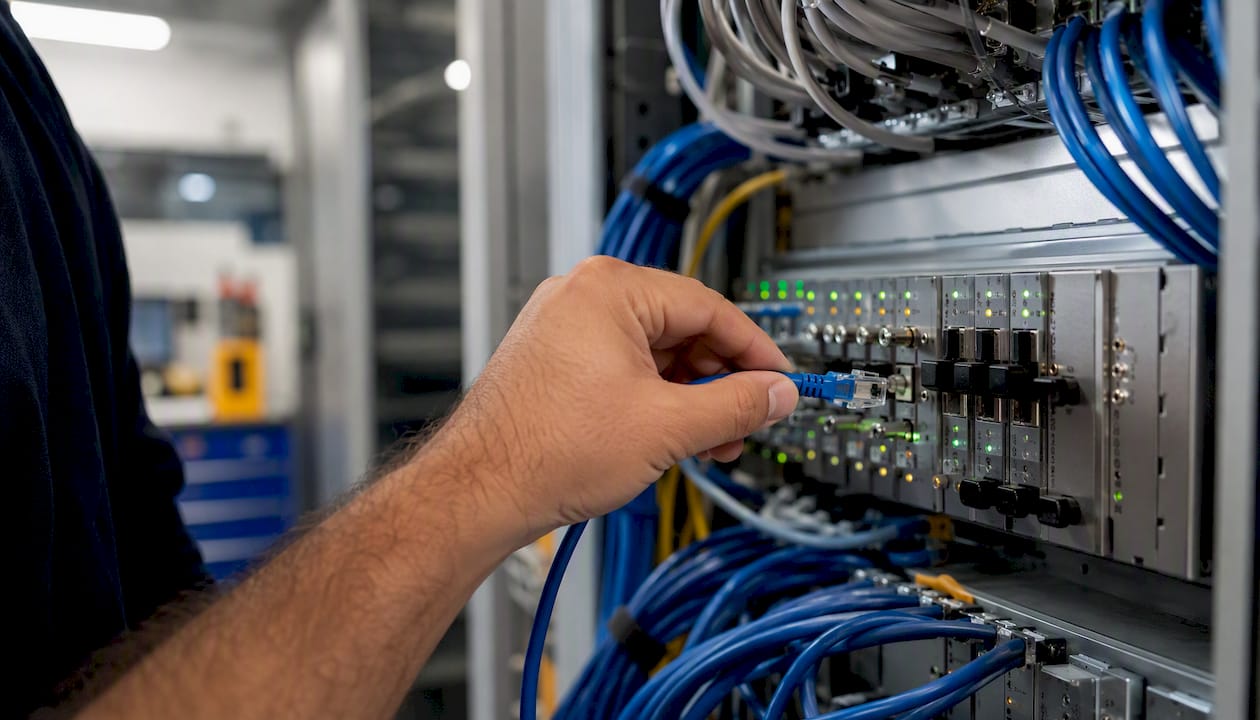
The most reliable configurations probe two to three independent public addresses per WAN, mixing ICMP pings with an occasional HTTP or HTTPS check, since some networks filter ICMP but rarely block port 443.
| Parameter | Recommended value | Notes |
|---|---|---|
| Probe targets | 2–3 independent public IPs per WAN | Avoid anycast-only targets; mix providers |
| Probe interval | 5–10 seconds | Shorter intervals cut detection time but raise false-positive risk |
| Failure threshold | 2–3 consecutive misses | Below 2 invites flapping on transient packet loss |
| Recovery threshold | 3–5 consecutive successes | Prevents failback during a still-unstable link |
| Failback delay | 30 seconds after recovery threshold | Adds hysteresis on top of the recovery count |
ICMP probes are cheap and fast but get deprioritized by some carriers under load; HTTPS probes cost more overhead but better reflect what your actual applications experience. Combining both, and requiring agreement across probes before declaring a failure, reduces false positives without meaningfully slowing detection.
Pro Tip: Tune your failback threshold more conservatively than your failure threshold. A link that just came back from an outage is the one most likely to blip again in the next sixty seconds, and flapping back and forth is worse for VoIP quality than staying on the backup an extra minute.
Applications with low tolerance for disruption (trading platforms, live video) warrant aggressive detection even at the cost of occasional false failovers. A retail POS system can usually tolerate a slower, more conservative threshold that trades a few extra seconds of downtime for a much lower flapping rate.
Which Hardware and Software Options Handle Dual-WAN Failover?
The right platform depends on site count, budget, and how much you value centralized policy versus straightforward per-site configuration.
- Entry and mid-market appliances: Devices like the Ubiquiti UDM-Pro ship with dual-WAN failover built into the GUI, no CLI required, and suit a single office or small retail location.
- Cisco IOS/FTD: IP SLA and route tracking give granular, scriptable control, and fit shops that already standardize on Cisco for switching and routing.
- Palo Alto Networks: Path monitoring on the virtual router is the natural choice where the firewall is already doing deep packet inspection and you want failover logic living in the same policy engine.
- Fortinet Secure SD-WAN: Bundles failover with application-aware steering and centralized management, aimed at multi-site deployments that have outgrown a single dual-WAN box.
- Cisco Meraki MX: Dual-WAN and SD-WAN in a cloud-managed dashboard, a common pick for teams that want zero-touch provisioning across many small sites.
- Peplink: Purpose-built multi-WAN and SD-WAN appliances with strong cellular bonding support, popular in mobile and pop-up deployments.
- Cradlepoint: Cellular-first appliances built for backup connectivity and SD-WAN-capable failover, common where LTE or 5G is the designated secondary path.
- pfSense / OPNsense / Linux with mwan3: Free or low-cost software routing, best for teams with in-house Linux and networking skill who want full control without appliance licensing fees.
Cellular and 5G gateways deserve a specific caveat: they're an excellent backup path but a poor primary, since data caps, variable throughput, and carrier-grade NAT (CGNAT) can complicate inbound access and VPN stability. Treat 5G as insurance, not as your second production circuit, unless fiber genuinely isn't available at the site.
When comparing hardware, check port mix and whether you need SFP/2.5GE for higher-throughput WANs, confirm LTE modules support dual-SIM if cellular is your backup, and size VPN throughput and concurrent session capacity against your actual traffic, not the vendor's marketing spec sheet.
What Design Choices Prevent Common-Mode Failures?
The most expensive mistake in dual-ISP design isn't a misconfigured route, it's discovering during a real outage that your two "independent" ISPs share a conduit, a central office, or an upstream transit provider. Maximize diversity everywhere it's practical: different providers, different last-mile technologies (fiber and cable, or fiber and fixed wireless), and, for critical sites, different physical entry points into the building.
- Never treat two circuits from the same carrier as true redundancy, even if they're sold as separate products.
- Confirm last-mile paths physically diverge, ask the provider directly if you can't verify it from the map.
- Use BGP with provider-independent address space when you need stable public addressing that survives a full carrier swap, not just a link failure.
- Stick with NAT-based failover for cost-sensitive single sites where a brief IP change on failover is an acceptable trade-off.
- Enable firewall state synchronization (HA pairs) if you need in-flight sessions to survive a hardware failure, not just an ISP outage.
- Log every failover and failback event with timestamps, and alert on-call staff immediately rather than discovering the switch the next morning in a report.
Pro Tip: Ask your secondary ISP one blunt question before signing: "What upstream provider do you use, and does my primary ISP use the same one?" You'd be amazed how often the answer reveals a shared point of failure three hops upstream that no amount of route tracking will protect you from.
Security during a failover event deserves its own line item. When traffic shifts to a secondary WAN, make sure your firewall policies, IPS signatures, and logging apply identically on both paths. It's not uncommon to find a secondary WAN interface configured months ago with looser rules "just to get it working," and forgotten ever since. That gap sits open every time failover actually triggers.
How Do You Test and Troubleshoot Dual-WAN Failover?
A failover configuration you haven't tested is a hypothesis, not a safeguard. Scheduled, planned failover tests are the only way to know your setup does what the config implies.
- Pre-check: confirm both WANs pass traffic independently, verify NAT rules exist on both, and record baseline latency and throughput.
- Simulate the outage: physically unplug the primary WAN or disable it at the switch, don't just shut the interface in software, since some failure modes only appear at the physical layer.
- Measure detection time: how long between the outage and the route change, using your probe logs or
show trackoutput. - Measure recovery time objective (RTO): total time from outage to fully restored application traffic, not just route convergence.
- Verify inbound reachability: test any port forwards or hosted services against the secondary WAN's public IP.
- Validate VPNs and SIP trunks: confirm tunnels re-establish and phones re-register within an acceptable window.
- Restore the primary and confirm failback: watch for flapping and confirm the hysteresis delay behaves as configured.
Common pitfalls surface almost exclusively during this kind of live test, not in a config review. Monitoring link-state instead of upstream reachability misses ISP-side outages entirely. Using the same anycast target for every probe means one CDN blip looks like a total outage on both WANs simultaneously. Asymmetric routing confuses stateful firewalls that expect return traffic on the same path it left on. DNS caching means clients keep trying a now-dead resolver until their TTL expires. And IPv6 prefix delegation changes on failover can silently break IPv6-only services since each ISP typically hands out a different /56 or /64.
Platform-specific checks worth memorizing: show ip sla statistics and show track on Cisco, the SLA Monitor status panel in FMC, the path monitor status under the virtual router on Palo Alto, dpinger status and gateway group state on pfSense/OPNsense, and conntrack -L on Linux to inspect active NAT sessions mid-test. Log every test result, timestamped, so a pattern of slow detection or unexpected flapping shows up in a trend rather than getting rediscovered from scratch every quarter.
Should You Use SD-WAN or a Basic Dual-WAN Router?
A dual-WAN router is the right tool for one site that needs to stay online. SD-WAN earns its cost the moment you're managing policy across multiple locations or need application-aware steering that a static route table can't express.
SD-WAN adds centralized management, encrypted overlay tunnels between sites, and per-application routing decisions, so a video call can steer to the lowest-latency path while a bulk file transfer takes whatever's cheapest. That's meaningfully different from a dual-WAN router's binary primary-or-backup logic.

| Use case | Recommended approach | Why |
|---|---|---|
| Single office or branch | Dual-WAN router with tracked failover | Simple, low cost, sufficient for basic uptime needs |
| Multi-site retail chain | SD-WAN | Centralized policy across locations, consistent config rollout |
| High-availability financial or healthcare site | SD-WAN with BGP or provider-independent addressing | Session persistence and stable addressing matter more than cost |
| Remote or pop-up location | Dual-WAN with cellular backup | Cellular bonding covers temporary or hard-to-wire sites |
Cost-wise, a dual-WAN router is a one-time hardware purchase plus two ISP bills. SD-WAN adds appliance and licensing costs per site, often as a managed monthly service rather than a capital purchase, but that premium buys centralized visibility that becomes hard to live without once you're troubleshooting a tenth location by phone. If you're already running SD-WAN for other reasons, extending it to handle failover is close to free; if you're not, don't add it purely for a single site's redundancy needs.
What Should You Expect From a Managed Dual-ISP Service?
Designing and testing dual-WAN failover correctly the first time is genuinely hard: it touches routing, NAT, VPN, VoIP, and security policy simultaneously, and most in-house teams have one shot at getting it right before a real outage exposes a gap. A managed provider absorbs that design work and, more importantly, the ongoing monitoring that catches a probe threshold drifting out of tune before it causes a flapping incident at 2 a.m.
What a competent managed offering typically includes:
- Carrier sourcing and diversity vetting across multiple providers, so you're not stuck with whatever two options happen to serve your building.
- 24/7 monitoring from a network operations center watching probe results and route state in real time, not just link lights.
- Cellular or fixed-wireless backup provisioning as a designed-in tertiary path, not an afterthought.
- Scheduled, non-disruptive failover testing on a recurring cadence, with results logged and reported.
- A single point of contact and a single invoice, instead of juggling two ISP support lines during an actual outage.
Before signing with any managed provider, ask direct questions: how do they verify carrier diversity beyond a sales rep's assurance, what probe targets and thresholds do they use by default, what RTO do they commit to in writing, and how do they handle change control when you need a new port forward added mid-quarter. Vague answers on any of those four are a warning sign.
What Do Field Deployments Actually Teach You About Failover?
The most common mistake I've seen in failover reviews isn't a bad config, it's a business that bought "redundancy" from a single carrier and never questioned whether the two circuits shared a conduit until the day a backhoe proved they did. Diversity on paper and diversity in the ground are not the same thing, and only the second one protects you.
The second most common mistake is overcorrecting on probe sensitivity. A team spooked by one bad outage sets failure thresholds to a single missed ping, and within a week they're flapping between WANs every time a transient packet gets dropped, which does more damage to VoIP call quality than the original slow-to-detect outage ever did. Conservative thresholds feel less impressive in a demo but perform far better over a real quarter.
I've watched a well-tuned setup fail over from fiber to cable in under fifteen seconds with zero user-reported impact, browsing and SaaS traffic just kept moving. I've also watched the same company's SIP trunk drop every active call during that identical event, because nobody had pinned voice traffic to a VPN overlay or accounted for the SIP registration timeout. Both things happened in the same failover, on the same hardware, five minutes apart. That's the lesson: general internet resilience and voice resilience are not the same problem, and testing one does not validate the other.
Build your failover test into routine maintenance, not into a one-time project closeout. A quarterly planned outage, logged and reviewed, catches configuration drift long before a real ISP outage does it for you on a worse timeline.
Get Dual-ISP Failover Designed and Monitored for You
Everything above is doable in-house if you have the time to configure it, the discipline to test it quarterly, and the bandwidth to be the one who gets paged when a probe threshold needs retuning at midnight. Californiatelecom exists for the teams that would rather not be that person. We source connections from 50+ carriers, so the diversity question gets answered before day one instead of discovered during an outage, and our engineers design and deploy each site's failover path directly rather than handing you a generic template.Every managed connection runs through our 24/7 U.S.-based NOC, backed by a 99.99% uptime SLA on data, with one bill and one engineer's phone number instead of two ISP support queues arguing about whose problem the outage is. If you're running a multi-location business and want failover, VPN continuity, and voice resilience handled as one designed system instead of three separate improvisations, start with a free consultation and bring your current site count, circuit types, and any voice or VPN requirements so we can scope the right architecture from the first call.
Frequently Asked Questions
What's the difference between dual-WAN failover and true ISP redundancy? Dual-WAN failover is the mechanism, a router that switches paths on detected failure. ISP redundancy is the design goal, achieved only when the two paths don't share upstream infrastructure. You can have working failover configuration and still lack real redundancy if both circuits ride the same conduit.
How fast should failover actually happen? With a 5 to 10 second probe interval and a 2 to 3 miss failure threshold, detection typically lands in the 15 to 30 second range, plus route convergence time. Applications sensitive to brief drops (SIP, live video) may need more aggressive tuning; general web traffic tolerates the conservative default fine.
Will my VPN stay connected during failover? Usually not, without specific design work. Most VPN tunnels are bound to a source IP that changes when the active WAN changes. A VPN overlay with a stable rendezvous point, or dual tunnel definitions with the far end accepting either address, solves this.
Do I need BGP for dual-ISP failover? No, not for a typical single site. BGP with provider-independent addressing matters when you need public IP addresses that survive a full carrier change, common for data centers or large SIP trunk deployments, but it's unnecessary overhead for most branch offices running NAT-based failover.
Is cellular a good secondary ISP? It's a strong backup and a weak primary. Data caps, variable throughput, and carrier-grade NAT complicate inbound access, so treat 5G or LTE as insurance for outages, not as your everyday secondary path, unless wired options genuinely aren't available at the site.
Sources
Start with the vendor-specific guides for exact syntax on your platform, then use the practical writeups below for testing methodology and edge cases like IPv6.
- Configure ISP Failover with Default Routes Using IP SLA ...
- Backup Internet and Failover for Business: Dual‑WAN, 5G, and SD‑WAN
- Dual-WAN Failover on pfSense, OPNsense, and Linux - Big Iron
Recommended
- How to Switch Business Internet Providers with Zero Downtime: The Dual WAN Cutover Guide | California Telecom
- How to Set Up Redundant Internet for California Business | California Telecom
- SD-WAN Failover: A Practical Runbook for Enterprise Networks | California Telecom
- Why Dedicated Fiber Beats Broadband: Save Your Business from $9,000 Per Minute Downtime | California Telecom