

How to Set Up Redundant Internet for California BusinessYour internet goes down at 9 a.m. on a Tuesday. Your VoIP phones go silent, your cloud apps freeze, your point-of-sale terminals stop processing payments. If you have not already moved to set up redundant internet for your California business, that scenario is not hypothetical. It is a matter of when, not if. Network outages cost enterprises up to $500,000 daily, and even smaller multi-location operations lose thousands per hour in revenue, productivity, and customer trust. This guide walks you through everything you need to plan, implement, and verify a redundant internet setup that actually holds up when your primary connection fails.
Table of Contents
- Key Takeaways
- How to set up redundant internet for a California business
- Step-by-step implementation process
- Common pitfalls to avoid
- What you gain after implementation
- My take on where California businesses get this wrong
- How Californiatelecom can build your redundancy layer
- FAQ
Key Takeaways
| Point | Details |
|---|---|
| Use path-diverse ISPs | Choose providers with physically separate cable routes to prevent a single dig from taking down both connections. |
| Hardware budget is manageable | Meaningful redundancy costs $50 to $200/month in service fees plus a one-time hardware investment of $300 to $1,500. |
| Cellular is no longer just backup | 4G/5G connections are becoming a foundational network layer, not a last resort, especially for California multi-location businesses. |
| Test failover quarterly | Regular failover drills catch silent equipment failures before a real outage does. |
| Power redundancy is non-negotiable | A UPS unit is part of your redundancy plan. Without it, a power outage defeats even the best internet backup strategy. |
How to set up redundant internet for a California business
Before you touch a single cable, you need the right hardware, the right service agreements, and a clear picture of your infrastructure. Skipping this phase is how businesses end up with two internet connections that fail at the same time for the same reason.
Hardware you actually need
The centerpiece of any redundant setup is a dual-WAN router or firewall. These devices manage two simultaneous internet connections and automatically route traffic to the backup when the primary fails. Popular choices for small to mid-size businesses include models from Cisco Meraki, Peplink, and Fortinet. At the enterprise level, SD-WAN platforms handle this function with more granular control and sub-second failover capabilities.
Here is what your equipment checklist should include:
- Dual-WAN router or firewall capable of policy-based failover and load balancing
- Cellular gateway (4G/5G) for a third or secondary backup path
- Uninterruptible Power Supply (UPS) for all network gear, including your modems, router, and switches
- Network monitoring software or a managed NOC service to watch connection health in real time
- Spare patch cables and SFP modules if you are running fiber to the premises
Power redundancy like UPS is often the most overlooked item on this list. If a power outage hits your building and your router loses power, your backup internet connection is useless. Budget for it from the start.
Selecting your ISPs and service tiers
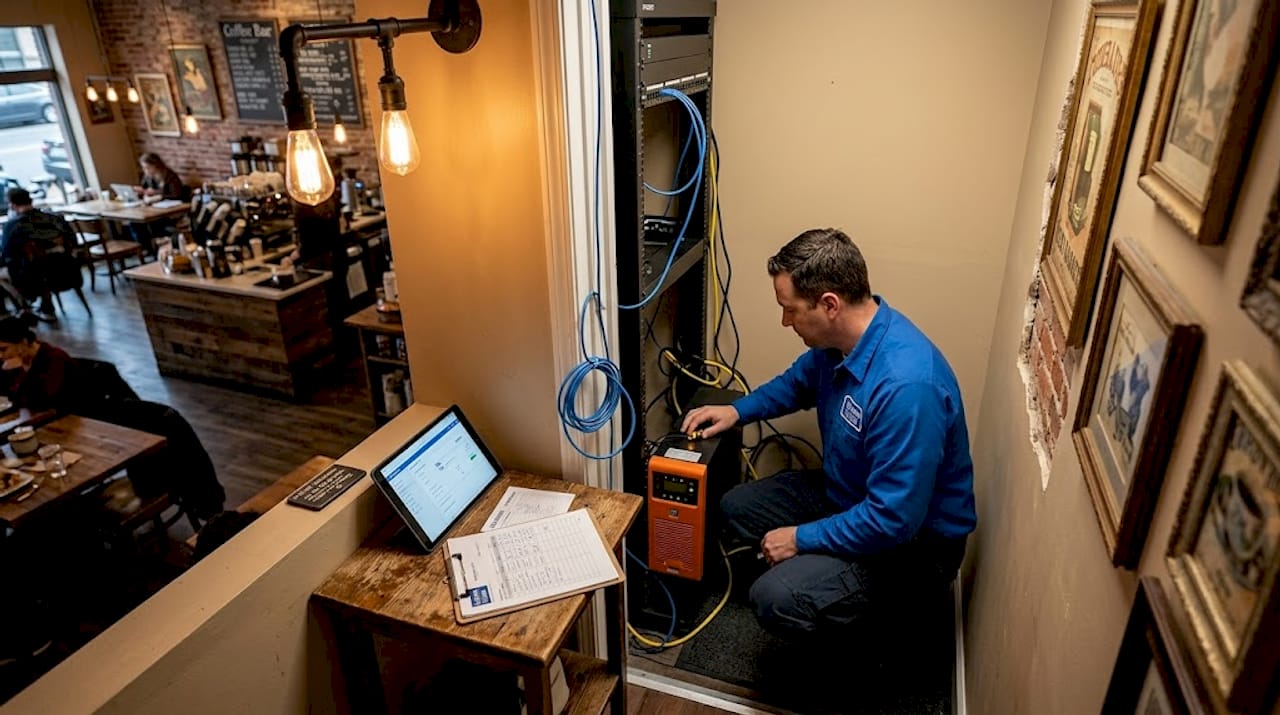
True redundancy requires physical path diversity. Dual ISP connections need separate cable paths to achieve genuine failover protection. Two fiber connections from different ISPs mean nothing if both cables run through the same underground conduit on your street.
| Connection type | Best used as | Avg. monthly cost |
|---|---|---|
| Fiber broadband | Primary connection | $100 to $300 |
| Cable/coax broadband | Secondary wired backup | $60 to $200 |
| 4G/5G cellular | Tertiary or secondary backup | $50 to $150 |
| Fixed wireless | Rural or secondary backup | $75 to $200 |
For California businesses, dedicated fiber internet is the gold standard for a primary connection. Pair it with a cable or fixed wireless backup from a provider using a different physical path into your building, then layer in a cellular connection for a third tier.

Pro Tip: Ask each ISP specifically which conduit their cable enters your building through. If two ISPs share the same street conduit, a single backhoe accident takes both of them out simultaneously.
California businesses should also be aware of state-level considerations. Certain regulated industries, including healthcare organizations subject to HIPAA and financial services firms subject to California's CCPA requirements, may have documentation obligations around network resilience that affect which providers you select and how you configure failover logging.
Budgeting guidance: meaningful redundancy runs $50 to $200 per month in recurring service costs, plus a one-time hardware outlay of $300 to $1,500 depending on the complexity of your setup.
Step-by-step implementation process
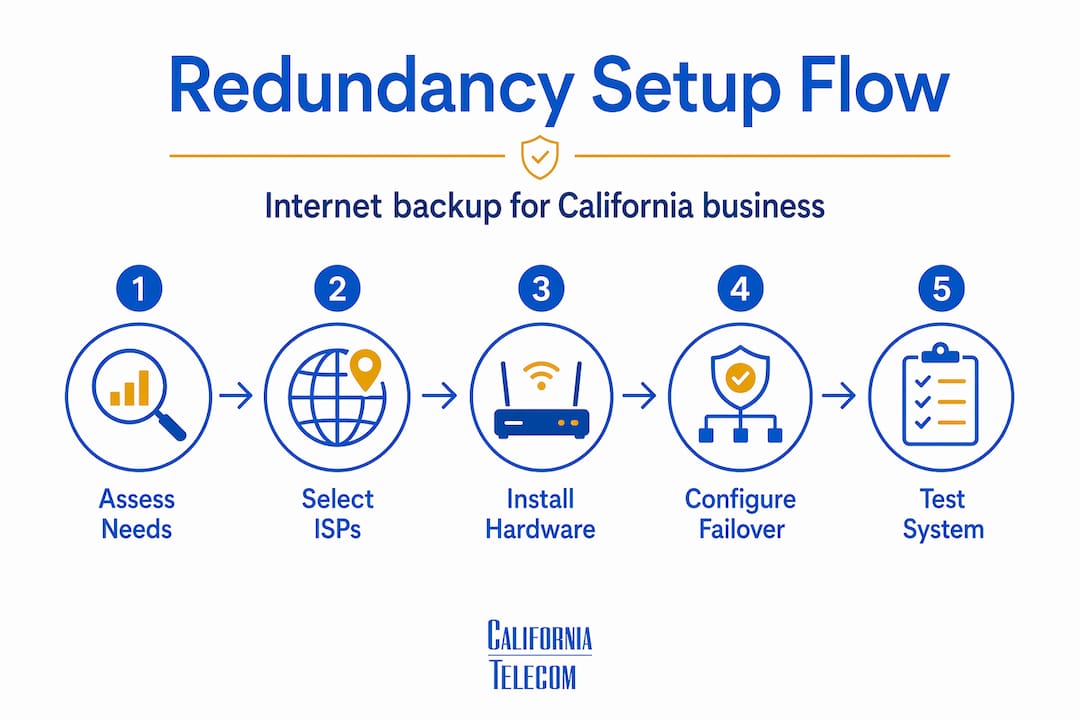
Once you have your hardware and ISP contracts in place, follow this sequence to configure your setup correctly.
-
Install your primary connection first. Confirm speeds, test latency, and document your baseline performance before adding the second connection. You need a clean benchmark.
-
Install your secondary connection on a separate physical path. If your primary is fiber entering from the north side of the building, your secondary should enter from a different route entirely. Consider a 4G/5G cellular connection if diverse wired paths are not available at your location.
-
Connect both ISP modems to your dual-WAN router. Assign WAN1 to your primary and WAN2 to your backup. Configure the primary as your default route with higher bandwidth priority.
-
Configure automatic failover settings. Set your router to monitor the primary connection actively. A dual-WAN firewall with cellular failover typically activates the backup connection within 5 seconds of detecting primary failure. Set detection sensitivity accordingly.
-
Set up real reachability tests, not just link status checks. Configure your router to ping reliable external IPs such as 8.8.8.8 and 1.1.1.1 at regular intervals. Failover based on real reachability tests catches situations where your ISP's modem shows a green light but your traffic is actually not reaching the internet.
-
Configure traffic prioritization. Assign your most latency-sensitive applications, specifically VoIP, video conferencing, and cloud-based POS systems, to always prefer the primary connection. Set less time-sensitive traffic to load-balance across both links when both are active.
-
Install and configure your UPS units. Connect all network equipment to UPS power. Set up UPS monitoring software so you receive alerts when the battery activates.
-
Run your first failover test. Manually unplug the primary ISP modem while actively using VoIP and a cloud app. Time how long it takes for traffic to shift to the backup. Confirm all critical applications recover cleanly.
Pro Tip: Document your failover test results every quarter. A router that failed over cleanly six months ago may have a firmware update or a misconfigured probe that silently broke the detection logic. Testing reveals what monitoring alone may miss.
Common pitfalls to avoid
Most redundant setups that fail in practice fail for predictable reasons. Here is what to watch for.
Same-path ISPs. This is the single most common mistake. Two internet connections that share physical infrastructure are correlated failures waiting to happen. Confirm path diversity before signing both service agreements.
Undersized backup bandwidth. Backup connections need to carry critical workloads; a 10 Mbps cellular backup that supports 50 simultaneous employees is not a real backup. Size your secondary connection to handle at minimum your critical applications: VoIP, cloud access, and payment processing. That typically means at least 25 to 50 Mbps even for smaller offices.
Forgetting power. Power outages render cellular failover useless without UPS backup. If your router loses power, it does not matter how many ISP connections you have provisioned.
Relying only on link status for health checks. A connection can show as "up" at the physical layer while being completely unable to route traffic. This happens more than most IT managers expect, particularly during partial ISP outages.
True network resilience requires physical path diversity, power backup, rigorous testing, and monitoring. A second internet line alone does not make your business resilient. It takes the full stack.
Skipping regular drills. Quarterly failover testing is the only way to catch silent failures before an actual outage exposes them. Schedule it. Put it on the calendar now.
What you gain after implementation
The most immediate benefit is obvious: your business stays online when your primary ISP has an outage. But the downstream effects matter more than most business owners initially realize.
Even short internet disruptions affect VoIP, POS systems, and cloud workflows. With a properly configured failover, those disruptions become invisible to your staff and customers. Calls do not drop. Transactions do not fail. Help desk tickets about "the internet being slow" decrease because load balancing across two active connections smooths out congestion spikes.
For multi-location California businesses, redundant internet also lays the foundation for SD-WAN deployment, which adds intelligent traffic steering on top of your redundant links. Where basic dual-WAN failover reacts to failures, SD-WAN anticipates them and reroutes traffic proactively based on real-time performance data.
The financial case is straightforward. If your business generates $50,000 per month in revenue and an outage takes you offline for four hours, you are looking at a real loss well above what six months of redundancy service costs. The math almost always favors investment.
My take on where California businesses get this wrong
I have seen hundreds of redundancy setups across California businesses of every size, and the pattern that frustrates me most is what I call "checkbox redundancy." A business owner pays for two internet connections, ticks the redundancy box on their IT checklist, and then never tests it. The first time they actually need failover, the backup either does not trigger or fails within minutes because nobody sized the bandwidth correctly.
What I have learned is that the physical path conversation is where most setups succeed or fail. IT managers focus on routers and configurations while the real vulnerability is underground. Two fiber connections entering the same building through the same conduit are not redundant. They are a single point of failure with extra monthly fees attached.
My contrarian view on cellular: I think businesses should stop treating 4G/5G as a fallback and start treating it as a foundational layer. Cellular-first multi-WAN strategies are proving more resilient than traditional dual-wired setups in many California markets, particularly in areas where construction and earthquake risk make underground cable vulnerable. A Peplink router with active 5G plus a fiber primary outperforms two fiber connections on shared infrastructure, full stop.
The businesses I have seen handle outages the best all have one thing in common: they treat their failover setup like a fire drill. They test it, they time it, and they fix what breaks before the real emergency hits.
— Jim
How Californiatelecom can build your redundancy layer
If configuring dual-WAN routers, sourcing path-diverse ISPs, and running quarterly failover drills sounds like more than your internal team can absorb, that is exactly the gap Californiatelecom fills. As a managed network services provider headquartered in Chino, CA, Californiatelecom designs and deploys redundant internet solutions for multi-location businesses across California and nationwide.Californiatelecom sources from 50+ carriers, which means finding path-diverse ISP options for your specific location is not a research project you have to tackle alone. Their engineers handle site design and deployment, and every connection is backed by a 24/7 U.S.-based NOC with a 99.99% uptime SLA. For businesses ready to move beyond basic failover, managed SD-WAN services add intelligent traffic routing across all your locations under one provider, one bill, and one engineer's direct number. Explore nationwide managed network services or schedule a free consultation to get a redundancy plan built around your specific sites.
FAQ
What does it cost to set up redundant internet for a California business?
Expect to spend $300 to $1,500 on hardware one time and $50 to $200 per month in additional service costs for a second connection. Costs vary based on connection types and number of locations.
How fast does failover switch to the backup connection?
A properly configured dual-WAN firewall with cellular backup typically activates the secondary connection within 5 seconds of detecting a primary failure, which is fast enough to preserve most active VoIP calls.
Does redundant internet require two separate ISPs?
Yes, and ideally two ISPs with physically separate cable paths entering your building. Two connections from providers that share the same street conduit can fail simultaneously during the same physical infrastructure event.
What is the difference between failover and load balancing?
Failover routes all traffic to the backup only when the primary fails. Load balancing distributes active traffic across both connections simultaneously, improving performance and providing redundancy at the same time.
Do I need SD-WAN or will a dual-WAN router work?
A dual-WAN router handles basic failover well for single-location businesses. Multi-location businesses or those running real-time applications like VoIP and video conferencing benefit significantly from SD-WAN, which adds intelligent per-application traffic routing and sub-second failover across all sites.