

How to Choose a Managed Network Provider for Multi-SiteA managed network provider for multi-site businesses is a single vendor that designs, deploys, monitors, and supports your network across every location under one contract. When you choose a managed network provider for multi-site operations, the core decision is not about technology features. It is about whether a provider can deliver the same quality of connectivity and support at your Sacramento warehouse as at your Los Angeles headquarters. Centralized management, enforceable SLAs, and a repeatable deployment process are the three factors that separate providers worth hiring from those that will cost you more than they save.
What core capabilities must a managed network provider have for multi-site support?
Centralized support and site-to-site connectivity are the defining capabilities of any provider worth evaluating for multi-location work. Without them, you end up managing a patchwork of local vendors, each with different escalation paths and response windows. That operational drag compounds fast when you have five or more sites.
The capabilities that matter most fall into three categories:
- Centralized network visibility. Your provider must monitor every site from a single platform. SD-WAN vendors should offer centralized cloud visibility with real-time analytics, alerting, and role-based access. That means your IT team can see a link failure in Fresno the same second it happens, not after a user calls to complain.
- Site-to-site connectivity management. The provider must handle routing, failover, and traffic prioritization across all locations. SD-WAN is the standard tool for this. Californiatelecom, for example, deploys managed SD-WAN solutions that route traffic intelligently across sites without requiring your team to touch a device.
- Consistent identity and device management. Every site needs the same access policies, firewall rules, and device configurations. Providers that apply headquarters-grade standards to every branch prevent the security gaps that branch offices typically introduce.
- Remote hands and after-hours coverage. Multi-site IT needs reliable coverage when your internal team is unavailable. Confirm that after-hours support is included in the base contract, not billed as an add-on.
Pro Tip: Ask every provider to show you a live demo of their monitoring portal before you sign. If they cannot show you real-time alerts and per-site traffic data in under five minutes, their centralized visibility is not as mature as their sales deck suggests.
How do you evaluate SLAs and uptime guarantees from network providers?

The difference between a 99.9% and a 99.99% uptime SLA is not a rounding error. 99.99% availability equates to about 4 minutes 23 seconds of downtime per month, while 99.9% allows roughly 43 minutes. For a multi-location business processing transactions or running VoIP across sites, that gap is the difference between a minor alert and a significant revenue event.

| SLA Metric | What to demand | Red flag |
|---|---|---|
| Uptime target | 99.99% or higher on data circuits | Anything below 99.9% with no remedy clause |
| P1 response time | Defined clock start, 15–30 minutes maximum | Vague "best effort" language |
| Resolution time | Committed hours by severity tier | No tiered severity definitions |
| Coverage hours | True 24/7 with U.S.-based NOC | "24/7" that defaults to email after 6 PM |
| Remedies | Service credits tied to specific breach thresholds | Credits require customer-initiated claims |
SLAs must include response and resolution time targets, hours of coverage, exclusions, and enforceable remedies. Providers that bury exclusions in appendices or require you to file a claim to receive a credit are structurally incentivized to miss their targets. Californiatelecom backs its data services with a 99.99% uptime SLA and its voice services with 99.999%, with remedies built into the contract rather than left to customer action.
Pro Tip: Ask the provider to define exactly when the SLA clock starts for a P1 incident. P1 response times should be operationally measurable with a clear clock definition. If the clock starts when a ticket is acknowledged rather than when the outage begins, a 30-minute response SLA can mask a two-hour actual response.
What tools and readiness factors support multi-site network deployment?
A provider's deployment methodology tells you more about their long-term reliability than their product brochure. Repeatable deployment lifecycles with scalable baseline configurations and centralized monitoring simplify scaling from three sites to fifty dramatically. Providers without a documented deployment process will improvise at each new location, and that inconsistency shows up as support tickets six months later.
The tools and readiness factors to verify before signing include:
- Zero Touch Provisioning (ZTP). ZTP allows a provider to ship a preconfigured device to a new site and bring it online without sending an engineer on-site. This cuts deployment time from days to hours and matters most when you are opening multiple locations in a short window.
- Cloud-based monitoring portals. The portal should give your team read access to per-site performance data, not just the provider's NOC. Transparency here is a proxy for accountability everywhere else.
- Role-based access controls. Your regional IT manager should see their sites. Your CFO should see uptime reports. Your provider's NOC should see everything. Providers that offer only one access tier are not built for distributed organizations.
- Local support and California regulatory familiarity. Local support and regulatory familiarity are critical for effective multi-site network management. California businesses face specific data handling and telecommunications compliance requirements. A provider with California-based engineers and carrier relationships resolves issues faster than one routing every ticket through a remote help desk.
For a deeper look at how these factors apply specifically to California businesses, the managed network guide for California multi-location IT covers carrier selection and compliance considerations in detail.
Step-by-step process to select and onboard a multi-site network provider
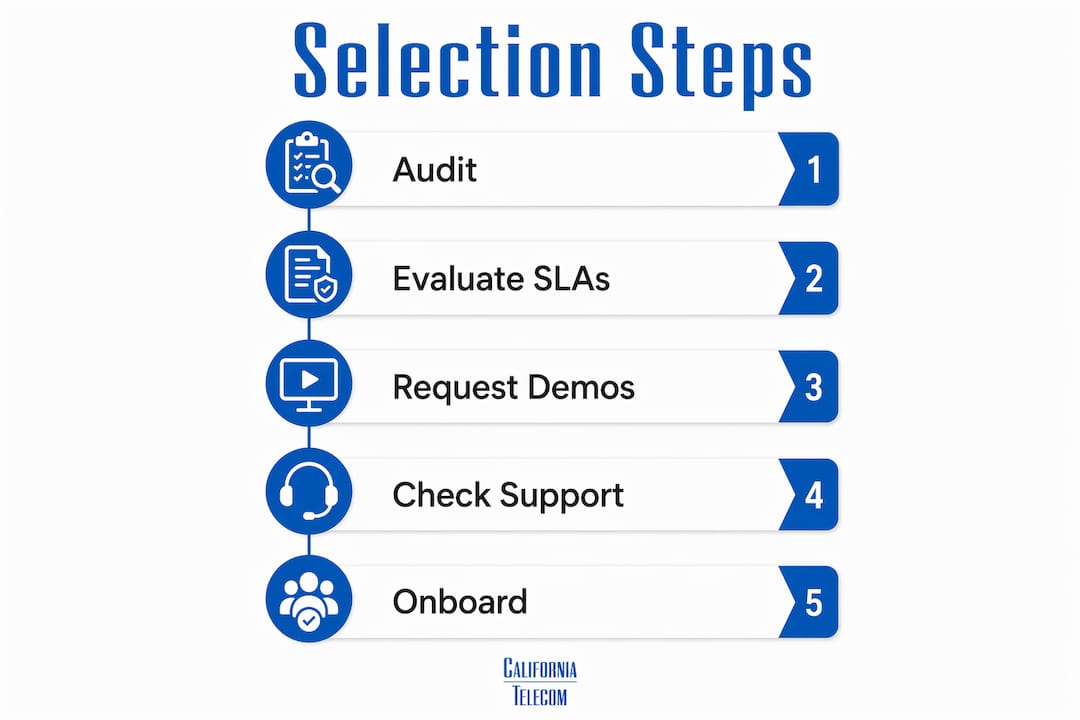
Selecting a managed network services provider without a structured process leads to contracts that look good on paper and underperform in practice. Follow these five steps to avoid that outcome.
-
Audit your current network complexity. Document every site, its current connectivity type, bandwidth usage, and recurring issues. This baseline tells you what the provider must match or improve, and it gives you a benchmark to measure against post-deployment.
-
Build a shortlist based on centralized capability. Filter candidates by whether they offer a single NOC, a unified monitoring platform, and documented multi-site deployment experience. Providers that manage each site as a standalone engagement will not deliver consistent service. Review the advantages of a single-provider approach to understand what unified management actually delivers operationally.
-
Request SLA samples and negotiate terms. Do not accept a standard contract without reviewing the remedy clauses, exclusion lists, and P1 clock definitions. Push for credits that trigger automatically, not on request. A provider confident in their uptime will agree to automatic remedies.
-
Plan a phased rollout. Start with two or three sites to validate the provider's deployment methodology before committing all locations. Deployment stages should include site survey, baseline configuration, and centralized monitoring setup. A provider that skips the survey stage will miss site-specific requirements.
-
Verify centralized visibility post-deployment. After the first sites go live, confirm that your team can see real-time alerts, per-site performance data, and incident history from the provider's portal. If visibility is limited at this stage, it will not improve later.
| Step | Key action | Success indicator |
|---|---|---|
| Audit | Document all sites and current issues | Complete site inventory with bandwidth data |
| Shortlist | Filter by centralized NOC and SLA quality | Three or fewer qualified candidates |
| Negotiate | Review remedy clauses and P1 definitions | Automatic credits, defined clock start |
| Phased rollout | Deploy two to three pilot sites first | Clean deployment with no improvised steps |
| Verify | Confirm portal access and alerting | Real-time per-site data visible to your team |
Common challenges in multi-site managed network services
Inconsistent service levels across locations are the most common failure mode in multi-site managed network deployments. Consistent service delivery across all business sites reduces friction more than slight technical superiority at headquarters only. A provider that treats your main office as a flagship and your branch offices as secondary accounts will create exactly the kind of uneven experience that forces your team to manage the gaps.
Watch for these specific pitfalls:
- Hidden costs in after-hours support. Some providers quote a low monthly fee but bill separately for any support outside business hours. For multi-site businesses with 24-hour operations, this can double the effective cost of the contract.
- Vague P1 response commitments. A provider may claim a 30-minute response SLA but define "response" as ticket acknowledgment rather than active troubleshooting. The gap between those two definitions can be hours of actual downtime.
- Dashboards that lack site-level detail. Some monitoring portals show aggregate network health but cannot isolate a problem to a specific site or circuit. That forces your team to do the diagnostic work the provider should be doing.
- Slow escalation paths. When a P1 incident at a branch office gets routed through a general help desk before reaching a network engineer, response times suffer. Confirm that the escalation path for every site goes directly to a NOC engineer, not a tier-one help desk.
"The SLA you sign is only as good as the clock definitions and remedy clauses inside it. A 99.99% uptime promise with no automatic remedy is a marketing claim, not a service commitment."
Key Takeaways
Choosing the right multi-site managed network provider requires evaluating centralized management, enforceable SLAs, and a repeatable deployment process before any other feature.
| Point | Details |
|---|---|
| Centralized management is non-negotiable | Providers must monitor and support every site from one NOC and one platform. |
| SLA details determine real reliability | Demand automatic remedies, defined P1 clock starts, and true 24/7 NOC coverage. |
| Deployment methodology predicts consistency | A repeatable, documented rollout process prevents site-to-site service gaps. |
| Local expertise reduces resolution time | California-based providers with carrier relationships resolve issues faster than remote desks. |
| Phased rollout reduces contract risk | Pilot two to three sites before committing all locations to validate provider performance. |
What I have learned selecting providers for multi-location California businesses
The most common mistake I see California multi-location businesses make is treating provider selection as a technology decision. It is not. It is an operational decision. The question is not which provider has the best SD-WAN feature set. The question is which provider delivers the same quality of support at your Bakersfield distribution center as at your Irvine corporate office.
Uniform service delivery beats technical superiority at one site every time. I have seen businesses choose a technically impressive provider only to discover that their branch offices were serviced by subcontractors with different escalation paths and slower response times. That inconsistency costs more in lost productivity than any feature advantage is worth.
The SLA conversation is where most businesses give up too early. Providers push back on automatic remedy clauses because those clauses create real financial accountability. That pushback is a signal, not a negotiating tactic to ignore. A provider that will not commit to automatic credits for missed uptime targets is telling you something important about their confidence in their own infrastructure.
California businesses also have a specific advantage worth using. The state has a dense carrier ecosystem, and providers with established relationships across that ecosystem can source redundant circuits faster and at better pricing than national providers without local roots. Californiatelecom sources from more than 50 carriers, which means your multi-site network is not dependent on a single carrier's coverage map or pricing structure.
My practical advice: run a phased pilot, read every SLA exclusion clause, and confirm that the monitoring portal gives your team direct visibility. If a provider resists any of those three requests, move to the next candidate on your list.
— Jim
Californiatelecom's multi-site managed network services
Multi-location businesses in California need a provider that handles every site with the same standard, not just the flagship location.Californiatelecom delivers nationwide managed network services built specifically for distributed businesses. The company sources circuits from more than 50 carriers, deploys every site through its own engineers, and backs each connection with a 99.99% uptime SLA on data and 99.999% on voice. Every customer gets a single bill, a 24/7 U.S.-based NOC, and one engineer's direct number. For businesses that want to see what centralized managed network services look like in practice, Californiatelecom offers a free consultation to assess your current multi-site network and identify gaps before you sign anything.
FAQ
What is a managed network provider for multi-site businesses?
A managed network provider for multi-site businesses is a vendor that designs, deploys, monitors, and supports your network across all locations under a single contract. The key differentiator is centralized management from one NOC rather than separate vendors per site.
How do I compare uptime SLAs between network providers?
Compare the actual downtime each uptime percentage allows per month. A 99.99% SLA allows roughly 4 minutes 23 seconds of downtime monthly, while 99.9% allows about 43 minutes. Also verify whether remedy credits are automatic or require a customer-initiated claim.
What is Zero Touch Provisioning and why does it matter for multi-site deployments?
Zero Touch Provisioning (ZTP) allows a provider to ship a preconfigured device to a new location and bring it online without sending an engineer on-site. For businesses opening multiple locations, ZTP cuts deployment time from days to hours.
Why does local support matter for California multi-location businesses?
California-based providers have established carrier relationships and familiarity with state-specific telecommunications and data compliance requirements. That local knowledge reduces circuit sourcing time and speeds up incident resolution compared to providers without regional presence.
What should I look for in a provider's deployment methodology?
Look for a documented, repeatable process that includes site survey, baseline configuration, and centralized monitoring setup. Providers without a structured deployment lifecycle will improvise at each new site, which creates inconsistent performance and more support issues over time.