

How Managed Network Onboarding Works for Multi-Site ITManaged network onboarding is the systematic process by which a managed service provider integrates a business's network locations into a centralized, secure, and efficiently managed IT environment. For IT managers overseeing multiple sites, understanding how managed network onboarding works is the difference between a controlled transition and months of reactive firefighting. The industry term for this process is "managed services onboarding," and it follows a documented, phased structure covering discovery, security baseline establishment, tool deployment, and go-live stabilization. Standard onboarding spans 2–8 weeks, with structured frameworks enabling multiple sites to run in parallel. Getting this right from day one determines whether your network runs predictably or becomes a source of constant operational drag.
How managed network onboarding works: the core phases
The managed network setup process follows five distinct phases. Each phase builds on the last, and skipping any one of them creates problems that compound over time.

Phase 1: Kickoff and discovery
The process begins with a kickoff meeting, typically within 3–5 business days of contract signing. During this meeting, the MSP collects network topology diagrams, asset inventories, vendor contracts, and authentication credentials. This is not a formality. The quality of information gathered here directly determines how accurate the deployment plan will be. IT managers should treat this meeting as a technical audit, not an introduction call.
Phase 2: Security baseline establishment
After discovery, the MSP establishes a security baseline across all sites. This includes verifying multi-factor authentication (MFA) status, checking endpoint detection and response (EDR) coverage, auditing patch levels, and confirming that backups are functional and tested. Any gaps found here get logged into a formal risk register. That register becomes the foundation for the remediation roadmap that follows onboarding.
Phase 3: Tool deployment and monitoring configuration
Automated agent deployment using tools like Group Policy or Microsoft Intune replaces manual installation across devices. This matters because manual deployment at scale introduces configuration errors and delays. Remote monitoring and management (RMM) agents go out first, followed by professional services automation (PSA) integrations. Centralized monitoring policy application means new devices automatically inherit baseline patching and alerting configurations, which cuts technician hours and reduces human error.

Pro Tip: Request a deployment report after Phase 3 that lists every device, its agent status, and its patch compliance score. If your MSP cannot produce this, your environment is not fully under management.
Phase 4: Documentation handoff
The documentation deliverable belongs to you, not the MSP. Client-owned documentation should include network diagrams, a credential vault, escalation contact lists, and a living runbook that captures every configuration decision made during onboarding. This protects you if you ever change providers and gives your internal team visibility into how the network actually runs.
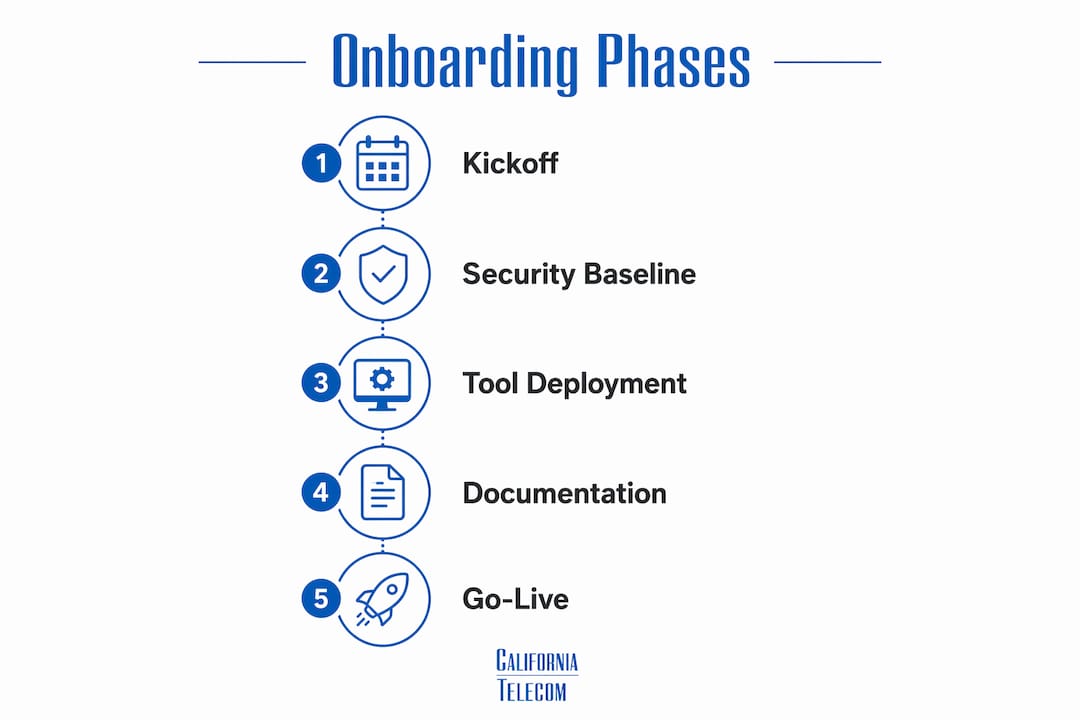
Phase 5: Go-live and the 90-day QBR
Go-live marks the point where the MSP assumes full operational responsibility. A stabilization period follows, during which the team monitors for anomalies and resolves any issues surfaced by the new tooling. At 90 days, a Quarterly Business Review (QBR) aligns the technology state with your business goals and sets the roadmap for the next quarter.
How does managed network onboarding benefit multi-location businesses?
Multi-location businesses gain the most from a structured onboarding process because the efficiency gains multiply across every site. The core mechanism is templated configuration.
SD-WAN centralized platforms can push configuration changes simultaneously across 50+ sites. That means a new location can be live within days of circuit availability, not weeks of manual setup. Californiatelecom uses this approach to apply pre-configured "golden" baseline templates across client sites, removing the need to rebuild configurations from scratch at each location. You can read more about how SD-WAN accelerates multi-site deployment and what that looks like in practice.
The operational benefits for multi-location IT managers include:
- Consistent security posture across all sites, with policies enforced centrally rather than configured manually per location
- Uniform guest and BYOD network experiences, so employees and visitors get the same access controls whether they are in your Chicago office or your San Diego warehouse
- Centralized policy management that lets you update firewall rules, VPN configurations, or access controls once and propagate them everywhere
- Predictable network behavior that makes troubleshooting faster because every site runs the same baseline
Managed network onboarding shifts IT from reactive break-fix to a proactive model that normalizes configurations and establishes baselines to detect anomalies before they cause outages. For a 20-location business, that shift translates directly into fewer emergency calls and more predictable operational costs.
Pro Tip: Before onboarding begins, ask your MSP to show you the "golden template" they plan to apply to your sites. If they cannot produce one, they are building your network from scratch each time, which costs you time and consistency.
What are common challenges during network onboarding and how to avoid them?
Most onboarding failures trace back to the same root causes. Recognizing them early gives IT managers the leverage to prevent them.
The documentation gap is the most dangerous onboarding risk. When a business transitions from a prior provider or from self-managed infrastructure, inherited problems like shared admin accounts, unverified backups, and undocumented firewall rules become the new MSP's liability. Creating a formal risk register at the start of onboarding forces these issues into the open, where they can be addressed on a defined schedule rather than discovered during an outage.
The most common onboarding pitfalls and how to address them:
- Rushed discovery: Allocate at least one full week to discovery. Incomplete asset inventories lead to unmanaged devices that become security blind spots.
- Communication gaps: Shared onboarding trackers with strict SLAs for client cooperation keep projects on schedule. Defined response times from both sides prevent delays from accumulating.
- Unrealistic timelines: Industry experts caution against promising network perfection within 30 days. A phased remediation plan that acknowledges historical technical debt produces sustainable results. Set a 90-day stabilization window, not a 30-day fix.
- Manual agent deployment: Automating deployment through Group Policy or Intune eliminates the configuration errors that come with technician-by-technician installation.
- Incomplete credential handover: Every admin account, vendor portal login, and device credential must transfer at kickoff. Partial handovers leave gaps that surface at the worst possible moments.
For guidance on selecting a provider with a proven onboarding process, the managed network provider selection guide covers what to look for before you sign a contract. Security practices during onboarding also deserve attention. AI cybersecurity best practices for IT teams outlines how modern threat detection integrates with the baseline security work done during managed services onboarding steps.
How does a co-managed approach give IT managers more control?
A co-managed onboarding model gives IT managers strategic control while the MSP handles provisioning, monitoring, and maintenance. This model supports scalability without loss of control, which is the primary concern for IT leaders who have built institutional knowledge about their environments.
In a co-managed setup, the division of responsibility looks like this:
- IT manager retains: policy decisions, vendor relationship oversight, compliance requirements, and approval authority for major configuration changes
- MSP handles: device monitoring, patch deployment, incident response, circuit management, and routine configuration updates
- Shared: QBR agenda setting, roadmap planning, and escalation protocols
This structure works particularly well for multi-location businesses where the internal IT team knows the business context but lacks the bandwidth to manage 20 or 50 sites operationally. The MSP provides the operational depth. The IT manager provides the strategic direction. QBRs held every 90 days keep both sides aligned on priorities, upcoming projects, and performance against SLAs. Californiatelecom structures its engagements this way, with a dedicated engineer contact for each client rather than a rotating support queue.
For IT managers with small internal teams, the managed network services provider guide explains how to evaluate co-managed arrangements and what contractual protections to request.
Key Takeaways
Managed network onboarding works best when it follows a documented, phased structure that covers discovery, security baselining, automated tool deployment, client-owned documentation, and a 90-day stabilization period with QBR alignment.
| Point | Details |
|---|---|
| Phased structure is non-negotiable | Onboarding spans 2–8 weeks across discovery, security, deployment, and go-live phases. |
| Documentation belongs to the client | Network diagrams, credentials, and runbooks must be owned by your organization, not the MSP. |
| Automation accelerates deployment | Group Policy and Intune-based agent rollouts eliminate manual errors across multi-site environments. |
| Co-managed models preserve IT control | IT managers retain policy authority while the MSP handles provisioning and monitoring. |
| QBRs sustain long-term alignment | A 90-day review connects network performance to business outcomes and sets the next roadmap. |
What I have learned from watching onboarding go wrong
The most expensive onboarding mistakes I have seen share one trait: the business treated the kickoff as a handoff rather than a collaboration. IT managers who step back entirely during onboarding end up with a network that works technically but does not reflect how the business actually operates. The MSP does not know that your warehouse in Fresno runs a time-sensitive inventory sync at 2:00 AM, or that your guest network in the retail locations needs to be completely isolated from POS systems. That context only comes from you.
The second pattern I keep seeing is underestimating technical debt. Every environment has it. Shared admin passwords, end-of-life switches still carrying production traffic, firewall rules nobody can explain. The temptation is to defer these issues and focus on getting the new tooling live. That approach works until it does not, usually at the worst possible time. A phased remediation plan built into the onboarding roadmap addresses debt on a schedule instead of in a crisis.
The third thing I would tell any IT manager starting this process: own your documentation from day one. The runbook, the network diagrams, the credential vault. These are yours. An MSP that resists handing over documentation is not a partner. They are a dependency. The best onboarding outcomes I have seen happen when the client treats documentation as a deliverable they are actively building alongside the MSP, not something they receive at the end.
— Jim
Californiatelecom's approach to multi-site network onboarding
Californiatelecom designs and deploys managed networks for multi-location businesses across the country, with its own engineers handling every site from kickoff through go-live.Every engagement includes a structured onboarding process with fixed timelines, a dedicated project engineer, and full documentation delivery at handoff. Californiatelecom sources circuits from 50+ carriers, applies centralized SD-WAN templates to bring new locations live within days of circuit availability, and backs every deployment with a 24/7 U.S.-based NOC and a 99.99% uptime SLA on data. For businesses managing multiple locations, that means one provider, one bill, and one engineer's number. Explore nationwide managed network services or contact Californiatelecom directly to discuss your onboarding timeline and requirements.
FAQ
What is network onboarding in managed services?
Network onboarding in managed services is the structured process by which an MSP integrates a client's network infrastructure into centralized monitoring, management, and security systems. It covers discovery, security baselining, tool deployment, and documentation handoff.
How long does managed network onboarding take?
A standard managed network onboarding process spans 2–8 weeks, depending on the number of locations and the complexity of the existing environment. Multi-site businesses using SD-WAN templating can bring individual locations live within days of circuit availability.
What should be included in onboarding documentation?
Client-owned onboarding documentation should include network topology diagrams, a credential vault, escalation contacts, vendor contracts, and a living runbook. This documentation protects the business if the MSP relationship changes and gives internal IT teams full visibility into the environment.
What is a co-managed network onboarding model?
A co-managed model lets IT managers retain strategic policy control while the MSP handles provisioning, monitoring, and incident response. This approach works well for multi-location businesses where internal teams have business context but limited operational bandwidth.
How do you avoid onboarding delays at multiple locations?
Automated agent deployment, shared onboarding trackers with defined SLAs, and complete credential handover at kickoff are the three practices that most reliably prevent delays. Communication lapses are a leading cause of onboarding failure, and structured tracking tools keep both sides accountable throughout the process.
Recommended
- How to Choose a Managed Network Provider for Multi-Site | California Telecom
- How to Onboard a New Business Location to Your Network | California Telecom
- Managed network guide for California multi-location IT | California Telecom
- Picking a Managed Network Services Provider When Your IT Team Is Small | California Telecom