

How to Onboard a New Business Location to Your NetworkOnboarding a new business location to a network is defined as the process of deploying standardized hardware, policies, and connectivity to a new site so it operates as a fully integrated node in your managed infrastructure. For multi-location businesses, this process directly determines how fast a new branch generates revenue and how consistently it meets security standards. Modern overlay networks like SD-WAN have changed the equation entirely. Deployment time per site can decrease by up to 90% when using a centralized overlay approach. That means the difference between a four-week ordeal and a two-day activation. Californiatelecom engineers this process for multi-location businesses every day, and the steps below reflect what actually works at scale.
What does it take to onboard a new business location to your network?
The single most common mistake IT managers make is treating a new site as a blank slate. Most organizations find outdated circuit and device documentation during pre-deployment audits. That gap between what is documented and what is actually installed creates design errors that surface during activation, not before.
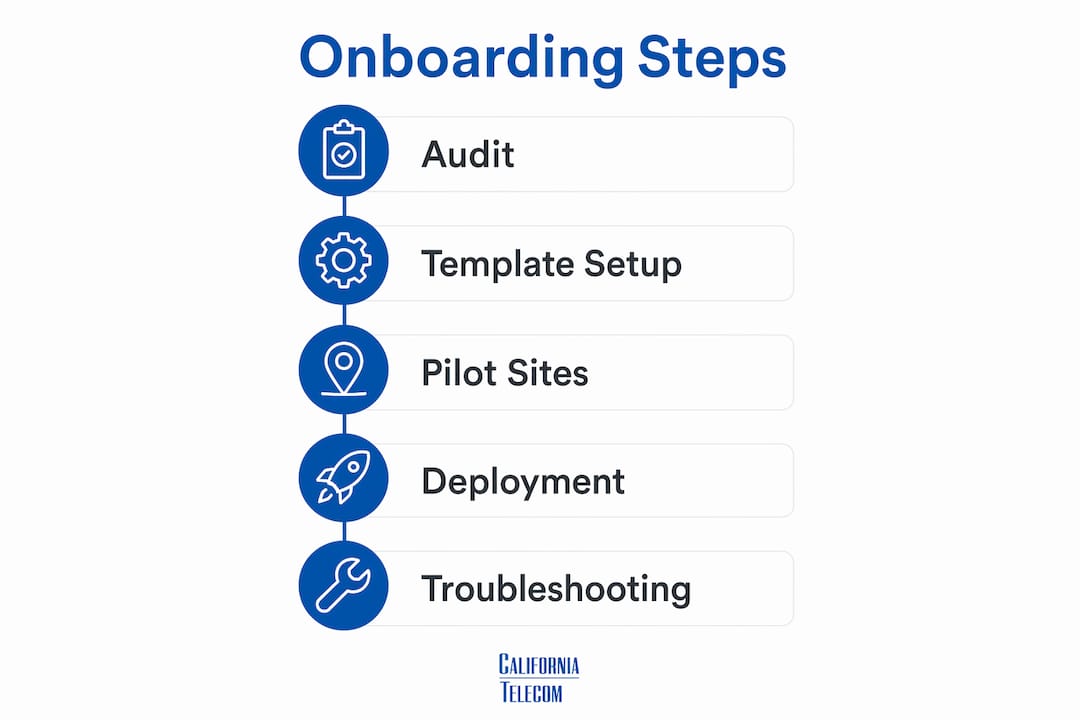
Start with a full WAN audit. Map every active circuit, device, and IP range across your existing locations before you touch the new site. This audit reveals subnet conflicts, carrier gaps, and hardware inconsistencies that will block the new site from connecting cleanly.

Physical readiness is equally critical. Retrofitting network cabling after office construction is 3–5 times more expensive than installing during the initial build-out. Coordinate with your facilities team and general contractor before walls close. The TIA-568 structured cabling standard defines the physical layer requirements for commercial office networks and gives your cabling contractor a clear specification to follow.
Before the first technician arrives at the new site, confirm these items are complete:
- IP schema defined: Assign a unique subnet to the new site using a standardized 10.x.x.x range. Document it in your central IPAM system before deployment begins.
- Configuration templates ready: Build site templates in your centralized management plane that encode firewall rules, VLAN assignments, QoS policies, and routing preferences.
- Equipment staged and tested: Pre-stage overlay appliances, managed switches, and wireless access points at your depot. Confirm firmware versions match your standard before shipping.
- Site access confirmed: Verify physical access, power availability, rack space, and any building permits or landlord approvals needed for cabling work.
- Carrier circuit ordered: Order the WAN circuit at least 30 days before your target activation date. Carrier provisioning is the most common schedule killer.
Pro Tip: Run 2–3 pilot site installations before your first full rollout wave. Pilot sites expose gaps in your templates and checklists that no amount of lab testing will catch.
Step-by-step process to integrate a new business site
A repeatable workflow is what separates a two-day activation from a two-week firefight. The steps below reflect a centralized overlay model, which is the architecture Californiatelecom uses to connect new business locations across the country.
-
Build the site profile centrally. In your management plane, create a new site object. Assign the IP subnet, site name, and policy group. Apply your standard configuration template. This step happens entirely in your NOC or IT operations center, before anyone travels to the site.
-
Ship pre-staged equipment. Send the overlay appliance, managed switch, and wireless access points to the site contact. Include a labeled diagram showing exactly where each cable connects. Zero-touch provisioning means the appliance calls home to your management plane on first boot and pulls its configuration automatically.
-
Complete physical installation. The on-site technician connects the WAN circuit to the overlay appliance, runs patch cables to the switch, and mounts wireless access points per your coverage plan. Physical work at a properly prepared site takes two to four hours for a standard branch.
-
Verify overlay tunnel establishment. From your central dashboard, confirm the site-to-site tunnel is up, latency is within acceptable range, and the site appears in your asset inventory. Test application traffic across the tunnel before declaring the site live.
-
Push security and access policies. A centralized policy engine enforces uniform role-based access controls across all distributed enforcement points. Apply your standard policy group to the new site and verify that guest, corporate, and IoT VLANs behave as expected.
-
Document and hand off. Update your IPAM, asset register, and network diagram. Send the site manager a one-page reference card with support contacts, SSID credentials, and escalation procedures.
The table below shows how this centralized model compares to traditional manual deployment on the metrics that matter most to IT managers.
| Metric | Traditional manual deployment | Centralized overlay model |
|---|---|---|
| On-site deployment time | 4–6 weeks | 1–2 days |
| Configuration consistency | Variable, technician-dependent | Uniform, template-driven |
| Policy enforcement | Manual per-device | Centralized, automatic |
| Rollback capability | Complex, manual | Single policy revert |
| Scalability | Linear cost increase | Near-flat marginal cost |
Pro Tip: Configure your SD-WAN overlay independently of the underlay topology. This means your policies stay consistent whether the WAN circuit is fiber, cable, or LTE failover.
How do you troubleshoot connectivity issues at a newly onboarded location?
Most connectivity failures at new sites are configuration problems, not hardware failures. VPN issues such as intermittent connectivity are typically caused by MTU mismatches, asymmetric routing, and firewall misconfigurations, not by faulty equipment. Knowing this saves hours of unnecessary hardware swaps.
"VPN problems typically stem from configuration mismatches rather than VPN product faults. Addressing network-level issues improves stability far faster than replacing hardware. Check your MTU settings, firewall rules for ESP and AH protocols, and routing tables before you touch a single cable."
Work through these common failure categories in order:
- Subnet conflicts: Overlapping private IP subnets between sites cause routing failures. If the new site shares a subnet with an existing location, traffic will route incorrectly or drop entirely. Check your IPAM record against the actual device configuration at the new site.
- MTU mismatches: VPN encapsulation adds overhead to every packet. If your MTU is set to 1500 on the overlay but the underlay path cannot support that size, packets fragment or drop silently. Set overlay MTU to 1400 or lower and test with large file transfers.
- Firewall rule gaps: Confirm that ESP (protocol 50) and IKE (UDP port 500 and 4500) are permitted in both directions on any firewall sitting between the overlay appliance and the internet.
- Asymmetric routing: When traffic enters through one path and returns through another, stateful firewalls drop the return packets. Verify that routing is symmetric from both ends of the tunnel.
- DNS resolution failures: A site that connects at the network layer but fails at the application layer often has a DNS misconfiguration. Confirm the new site's DNS servers are reachable and returning correct records.
Centralized logging is the fastest diagnostic tool available. Every event from every site should feed into a single logging platform so your NOC can correlate events across locations without calling the site manager.
Best practices for managing and scaling as you add new locations
Scaling from five locations to fifty exposes every weakness in your process. The organizations that scale without chaos share one characteristic: they treat their network as a product with a defined standard, not a collection of one-off installations.
Maintain a living site readiness checklist and require sign-off from facilities, IT, and the site manager 48–72 hours before technician arrival. This single practice eliminates the most common cause of delayed activations. When a technician arrives to find no power in the comms room or a locked building, the delay costs more than the entire checklist would have taken to complete.
Use pilot sites to test configuration updates before pushing them to your full estate. Two to five pilot locations give you real-world feedback on how a new policy or firmware version behaves under production traffic. A bad update pushed to 50 sites simultaneously is a major incident. The same update pushed to three pilot sites first is a learning opportunity.
Additional practices that separate well-run multi-site networks from chaotic ones:
- Label everything physically. Every patch cable, switch port, and access point should carry a label that matches your documentation. Future technicians and your own team will thank you.
- Plan transport diversity per site. High-priority locations warrant dual WAN circuits from separate carriers. Lower-priority sites can run primary fiber with LTE failover. Define these tiers in your network design standards before deployment, not after an outage.
- Monitor proactively, not reactively. A centralized dashboard that shows circuit health, tunnel status, and device uptime across all sites lets your NOC catch degradation before users notice. Reactive support at a distributed network is expensive and slow.
- Review your IP schema annually. As you add locations, your 10.x.x.x addressing plan needs room to grow. Reserve address space for future sites when you design the schema, not when you run out.
Pro Tip: When expanding into new markets, treat each new region as a pilot wave. Activate two or three sites, measure the process, refine your templates, then scale.
Key Takeaways
Connecting new business locations to a managed network reliably requires a standardized IP schema, centralized policy templates, and zero-touch provisioning to cut deployment time from weeks to days.
| Point | Details |
|---|---|
| Audit before you deploy | Map all existing circuits and IP ranges to prevent subnet conflicts at the new site. |
| Centralize configuration | Use policy templates and a management plane to push consistent settings to every location. |
| Coordinate physical readiness early | Confirm cabling, power, and access 48–72 hours before technician arrival to avoid costly delays. |
| Troubleshoot configuration first | MTU mismatches, firewall gaps, and subnet overlaps cause most VPN failures, not hardware faults. |
| Scale with pilot sites | Test every new template or firmware update on 2–5 pilot locations before a full rollout. |
What I have learned from deploying networks across dozens of locations
The first time I watched a four-week site activation collapse into two days because of a properly configured SD-WAN overlay, I understood why so many IT managers resist changing their process. The old way feels controllable. You send a technician, they configure everything manually, and you know exactly what happened because one person did it. The problem is that one person also introduces one person's habits, shortcuts, and interpretations of your standards.
Centralized management planes remove that variability. When I see a private network connection built on a template-driven overlay, I can predict exactly what the site will look like before anyone arrives. That predictability is worth more than any individual technician's expertise.
The mistake I see most often is skipping the IP schema conversation until it becomes a crisis. A business adds its tenth location and discovers that three sites share the same 192.168.1.0/24 subnet. Fixing that retroactively means touching every affected site, which means scheduled maintenance windows, potential downtime, and a lot of explaining to operations leadership. Plan your addressing scheme for 200% of your current footprint on day one.
Site readiness coordination is the other place where I have seen projects fall apart. The network team does everything right and then waits two weeks because the building landlord has not approved the cabling contractor. Build your readiness checklist to include facilities, legal, and building management sign-offs, not just IT items.
The organizations that onboard new locations cleanly treat it as a repeatable manufacturing process, not a custom project. Every site gets the same checklist, the same template, the same verification steps. The result is a network that scales without proportionally scaling your headcount.
— Jim
How Californiatelecom handles multi-location network onboarding
Multi-location businesses that work with Californiatelecom get a single point of contact, a single bill, and a 24/7 U.S.-based NOC watching every site. Californiatelecom sources circuits from 50+ carriers, designs each site through its own engineers, and backs data connectivity with a 99.99% uptime SLA.For businesses adding locations across the country, Californiatelecom's nationwide managed network services cover the full activation lifecycle: circuit procurement, equipment staging, zero-touch provisioning, and ongoing monitoring. The managed LAN/WAN solutions handle both the physical layer and the overlay, so your IT team manages outcomes instead of vendor relationships. Contact Californiatelecom for a consultation on your next site activation.
FAQ
What is the fastest way to onboard a new business location to a network?
Zero-touch provisioning through a centralized SD-WAN overlay is the fastest method. It reduces on-site deployment from 4–6 weeks to 1–2 days by pushing configuration remotely the moment the appliance connects to the internet.
Why do VPN tunnels fail when connecting new business locations?
VPN tunnel failures at new sites are most commonly caused by MTU mismatches, firewall rules that block ESP or IKE traffic, and overlapping IP subnets. Check configuration before replacing any hardware.
How do I prevent IP address conflicts when adding new locations?
Assign each site a unique subnet from a standardized 10.x.x.x addressing plan before deployment begins. Document every assignment in a central IPAM system and reserve address space for future growth.
How many pilot sites should I use before a full network rollout?
Two to five pilot sites provide enough real-world feedback to validate configuration templates and identify deployment gaps before you scale to your full location estate.
What should a site readiness checklist include for network setup?
A complete checklist covers WAN circuit status, structured cabling completion per TIA-568, power availability in the comms room, physical access confirmation, and building or landlord approvals, all verified 48–72 hours before technician arrival.