
Hotel Guest WiFi Network Deployment Guide 2026A hotel guest WiFi network is defined as a purpose-built wireless infrastructure that separates guest internet access from staff, point-of-sale, and IoT systems while delivering consistent, high-speed connectivity across every room and public space. This hotel guest wifi network deployment guide covers everything from RF site surveys and WiFi 6E/WiFi 7 hardware selection to VLAN segmentation, captive portal design, and ongoing monitoring. The stakes are high: a poorly planned deployment creates dead zones, security vulnerabilities, and guest complaints that directly damage reviews and revenue. Getting it right requires 5 to 10 Mbps per guest room and a minimum of 1 Gbps backhaul per floor, plus the architectural discipline to keep every traffic type on its own network segment.
What does a hotel guest wifi network deployment guide cover?
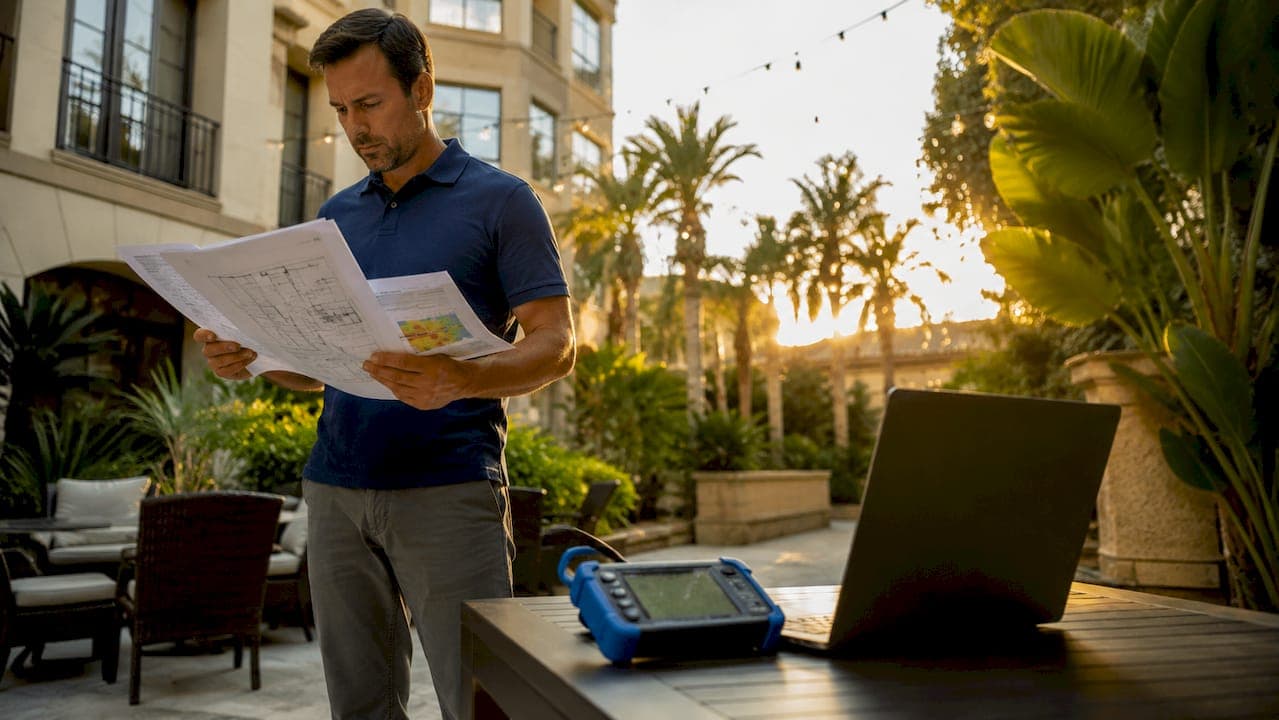
A professional hotel wifi setup guide starts with a site survey, not a shopping cart. Before you order a single access point, you need a clear picture of your building's RF environment, structural obstacles, and expected device density.
Why physical surveys matter more than software models
Predictive modeling and on-site RF surveys are the foundation of any deployment that avoids coverage gaps. Concrete walls, steel elevator shafts, and metal-framed windows each attenuate signal differently. A predictive model built in tools like Ekahau or iBwave gives you a heat map before installation. The on-site walk confirms what the model missed, including HVAC equipment, laundry rooms, and neighboring networks on overlapping channels.
Building material matters more than most IT teams expect. Drywall loses roughly 3 dB per wall. Concrete can lose 12 to 15 dB. That difference determines whether you need one AP per room or one AP per 1.5 to 2 rooms in a standard corridor layout.
Key survey deliverables you need before ordering hardware:
- A floor-by-floor RF heat map showing predicted signal strength and coverage overlap
- A channel allocation plan that minimizes co-channel interference across 2.4 GHz, 5 GHz, and 6 GHz bands
- A list of structural interference sources: elevators, mechanical rooms, and neighboring SSIDs
- An AP placement diagram with mounting height and orientation for each unit
- A cabling path assessment confirming conduit routes and switch room locations
Pro Tip: Run the on-site survey during peak occupancy if possible. Guest devices, microwaves in pantries, and Bluetooth speakers all add real-world interference that an empty-building survey will miss.
How do you choose the right WiFi standard and hardware for hotels?
WiFi 6E is the current minimum standard for high-density hotel environments. WiFi 7 delivers up to 46 Gbps capacity compared to WiFi 6's 9.6 Gbps, making it the right choice for conference centers, lobbies, and any zone where dozens of devices compete simultaneously. The gap between those two numbers is not theoretical. It translates directly to whether your network holds up during a sold-out conference weekend.
In-room APs vs. corridor APs
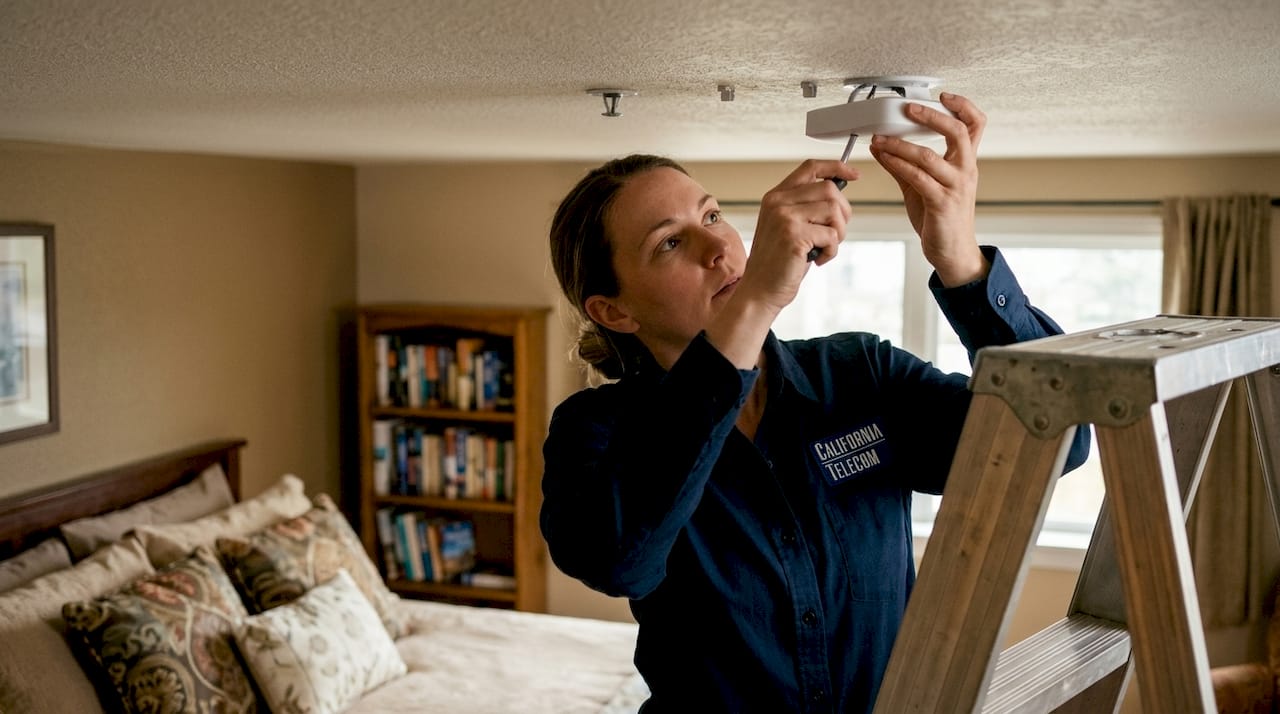
Corridor AP placement is an outdated method. Current best practice favors in-room AP deployment for consistent signal strength and zero dead zones inside guest rooms. A corridor AP must punch through two walls to reach a guest on the far side of the room. An in-room AP, typically mounted behind the TV or inside a furniture unit, delivers a clean signal at close range with no wall penetration loss.
| Deployment type | Best use case | Key tradeoff |
|---|---|---|
| In-room AP (WiFi 6E) | Standard guest rooms, suites | Higher AP count, lower per-room interference |
| Corridor AP (WiFi 6E) | Budget retrofits, open-plan floors | Fewer APs, higher wall attenuation risk |
| In-room AP (WiFi 7) | High-density zones, conference floors | Higher hardware cost, future-ready capacity |
| Outdoor AP (WiFi 6E) | Pool decks, courtyards, parking | Weather-rated enclosures required |
Power over Ethernet budgeting is where many deployments fail silently. PoE planning requires 15 to 20 watts per AP plus 20% headroom to prevent switch-level power shortages. A WiFi 7 AP drawing 20W on a switch with no headroom will brown out under load. Use 802.3bt (PoE++) switches for WiFi 7 deployments and audit every port's power allocation before installation.
Pro Tip: Do not let a vendor quote you AP count without also quoting switch wattage and uplink capacity. Vendors often oversell AP speed while ignoring PoE switch limits, which causes intermittent failures that are frustrating to diagnose after the fact.
Backbone infrastructure is the other hardware decision that determines long-term performance. Fiber cabling with 10 Gbps uplinks is required for public zones running WiFi 7 APs. A gigabit uplink feeding a bank of WiFi 7 APs creates a bottleneck that no amount of AP tuning will fix. If your property still runs Cat5e to the IDF closets, that upgrade belongs in the deployment budget, not a future phase. For a deeper look at what WiFi 7 delivers at the business level, the WiFi 7 business case is worth reviewing before finalizing your hardware spec.
What network architecture keeps guest, staff, and IoT traffic secure?
Network segmentation is non-negotiable in 2026. VLAN segmentation, WPA3 encryption, and client device isolation are mandatory under current PCI DSS compliance requirements for any property handling card payments over the network. Running guest traffic on the same segment as your POS terminals is a compliance violation and a security liability.
A properly segmented hotel network uses at least four VLANs:
- Guest VLAN — internet access only, client isolation enabled, WPA3 or open network with captive portal authentication
- Staff VLAN — access to property management systems, email, and internal resources with role-based access control
- POS VLAN — isolated payment terminal traffic meeting PCI DSS scope requirements, no cross-VLAN routing to guest or IoT segments
- IoT VLAN — smart locks, thermostats, IPTV systems, and building automation on a firewalled segment with no guest-facing access
Client isolation on the guest VLAN prevents one guest's device from communicating with another guest's device on the same network. This matters because a guest laptop with an open file share becomes an attack surface for every other device on the segment without isolation enabled.
Captive portal placement is a decision that affects both security and scalability. Hosting the captive portal at the gateway rather than at individual APs allows you to update splash pages, authentication rules, and terms of service at 2 AM without rebooting a single access point. Gateway-hosted portals also centralize logging, which is required for GDPR and CCPA compliance documentation.
Pro Tip: For properties operating across multiple buildings or brands, review guest WiFi management strategies before finalizing your VLAN design. Multi-location segmentation has nuances that a single-property architecture will not anticipate.
What are the deployment best practices for implementation and monitoring?
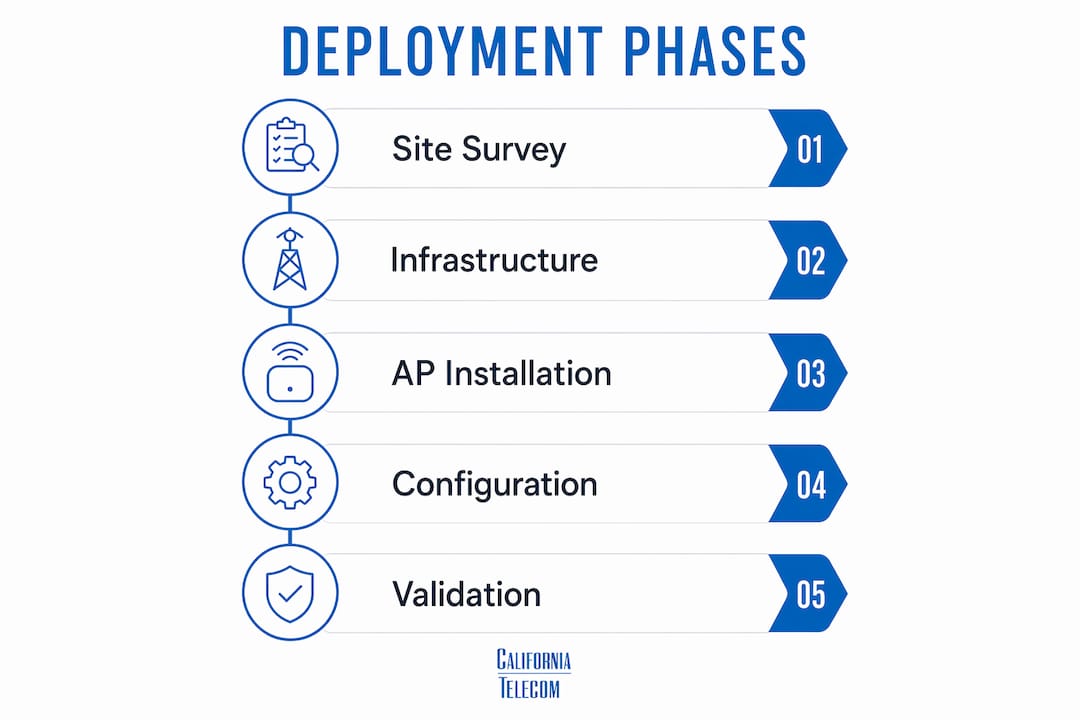
A phased deployment approach prevents the most common failures in hotel wifi setup. The sequence below reflects current wifi deployment best practices for properties of 50 rooms or more.
Phase 1: Infrastructure Run all structured cabling before mounting a single AP. Terminate and test every run to TIA-568 standards. Commission PoE switches and verify per-port power allocation against your AP wattage budget.
Phase 2: AP installation and configuration Mount APs per the survey placement diagram. Configure SSIDs, VLANs, and WPA3 settings from a central controller, whether that is Cisco Catalyst Center, Aruba Central, or a cloud-managed platform like Meraki. Push identical configurations to all APs in a zone before testing individually.
Phase 3: Validation and load testing Walk every room with a spectrum analyzer and confirm signal strength meets your design targets. Simulate peak load using tools like iPerf3 to stress-test uplinks before guests arrive.
Phase 4: Monitoring and ongoing management Cloud-based monitoring platforms like Cisco DNA Center provide real-time dashboards showing signal strength, channel utilization, and client counts by zone. This data lets you identify congestion before guests notice it.
Common pitfalls that derail otherwise solid deployments:
- Uplink saturation caused by underspecified fiber runs or gigabit switches feeding WiFi 7 APs
- Over-complex SSID schemes with five or more visible networks that confuse guests and fragment airtime
- Missing Wireless Intrusion Prevention System (WIPS) configuration, leaving rogue AP detection disabled
- Expired SSL certificates on captive portals that trigger browser security warnings and block guest logins
- No bandwidth shaping policy, allowing one guest's 4K download to saturate shared uplink capacity
Bandwidth shaping belongs in the initial configuration, not as a fix after complaints arrive. Set per-device download and upload limits at the controller level and apply fair-use policies that throttle sustained heavy users without affecting normal browsing or streaming.
How do you design a guest portal that captures data and respects privacy?
The guest captive portal is both an authentication gate and a data asset. Guest portals now serve as CRM data sources by capturing explicit consent and marketing permissions in compliance with GDPR and CCPA. Every login event should log a timestamp, IP address, device MAC, and the specific consent options the guest selected.
Authentication methods should prioritize speed and familiarity. Room number plus last name is the standard for hotel properties because it requires no app download, no social account, and no password to remember. Social login via Google or Facebook works for extended-stay and lifestyle brands where guests expect a more digital experience. Avoid requiring email verification before granting access. The friction kills completion rates.
Marketing consent must appear as a separate, unchecked checkbox below the terms of service. Pre-checked consent boxes violate GDPR. The consent record, including what was offered and when the guest accepted, must be stored and retrievable for audit purposes. Integrating the portal with platforms like Salesforce, HubSpot, or your property management system turns each login into a guest profile update without manual data entry.
Returning guests should re-authenticate automatically using MAC address recognition or a persistent token. Forcing a loyal guest to log in every morning is a friction point that generates front-desk calls and negative reviews. Most enterprise-grade captive portal platforms, including IronWiFi and Cloudessa, support automatic re-authentication within a configurable session window.
Pro Tip: If your property uses digital signage alongside the guest portal, coordinating both as a unified guest communication layer pays dividends. The multi-venue screen network practices used by hospitality operators show how portal data and screen content can reinforce each other without adding operational complexity.
Key takeaways
A successful hotel guest WiFi deployment requires a professional site survey, modern WiFi 6E or WiFi 7 hardware, strict VLAN segmentation, and continuous cloud-based monitoring to deliver consistent performance and meet security compliance requirements.
| Point | Details |
|---|---|
| Capacity planning baseline | Provision 5 to 10 Mbps per guest room and 1 Gbps minimum backhaul per floor. |
| Hardware standard in 2026 | WiFi 6E is the minimum; deploy WiFi 7 in high-density zones for 46 Gbps capacity. |
| Security segmentation | Separate guest, staff, POS, and IoT traffic into distinct VLANs with WPA3 and client isolation. |
| Captive portal placement | Host the portal at the gateway, not at APs, for centralized control and compliance logging. |
| Ongoing monitoring | Use cloud dashboards to detect congestion, rogue APs, and uplink saturation before guests report issues. |
What I've learned from hotel WiFi deployments that most guides won't tell you
The single most expensive mistake I see in hotel WiFi projects is treating the site survey as optional or rushing it to save a few thousand dollars. The survey is not a formality. It is the document that determines whether your AP count is 40 or 80, whether your switch budget is $15,000 or $30,000, and whether your deployment passes validation on the first walk or requires three rounds of remediation. Skipping it is not a shortcut. It is a deferred cost with interest.
The second pattern I keep seeing is properties that invest in excellent APs and then connect them to a backbone that was designed for 2015 traffic volumes. WiFi 7 APs feeding into gigabit uplinks are a waste of hardware budget. The backbone bottleneck problem is well documented, and yet it still shows up in new deployments because the cabling and switching budget gets cut when costs run over.
On the technology side, I would not wait for WiFi 7 device adoption to catch up before specifying it for conference floors and lobbies. The capacity headroom matters now, even if most guest devices are still WiFi 6. The enterprise vs. consumer WiFi distinction is real, and hospitality environments need enterprise-grade infrastructure regardless of what the hardware cost comparison looks like on a spreadsheet.
Finally, treat monitoring as a permanent operating expense, not a deployment phase that ends at go-live. Networks degrade. Channel conditions change. Guest device counts grow. A proactive monitoring posture catches problems before they become one-star reviews.
— Jim
How Californiatelecom supports your hotel WiFi deployment
Deploying a hotel-grade WiFi network involves more moving parts than most properties can manage with internal IT resources alone. Californiatelecom designs, deploys, and monitors managed WiFi solutions built specifically for hospitality environments, from the initial RF site survey through ongoing performance management.Every engagement starts with a professional WiFi site survey conducted by Californiatelecom's own engineers, not a third-party subcontractor. The team handles PoE budgeting, VLAN architecture, captive portal integration, and compliance documentation. After go-live, a 24/7 U.S.-based NOC monitors your network in real time against a 99.99% uptime SLA. For properties managing multiple locations, nationwide managed network services consolidate every site under one provider, one bill, and one engineer's contact. That is the operational model that removes the vendor-juggling problem entirely.
FAQ
What bandwidth should a hotel provision per guest room?
Plan for 5 to 10 Mbps per guest room and a minimum of 1 Gbps backhaul per floor to support 4K streaming and multiple simultaneous devices per room.
Is WiFi 6 still acceptable for new hotel deployments?
WiFi 6E is the current minimum for high-density hotel environments. WiFi 7 is recommended for conference zones and lobbies where it delivers up to 46 Gbps capacity versus WiFi 6's 9.6 Gbps.
How many VLANs does a hotel network need?
A properly segmented hotel network requires at least four VLANs: guest, staff, POS, and IoT. This separation meets PCI DSS requirements and prevents cross-traffic security risks.
Where should the captive portal be hosted?
Host the captive portal at the network gateway, not on individual access points. Gateway hosting allows centralized updates, compliance logging, and splash page changes without disrupting AP operation.
How often should hotel WiFi networks be audited?
Conduct a full RF validation and security audit at least once per year, and after any major renovation or significant increase in guest device density. Cloud monitoring platforms should run continuously between formal audits.