

Upgrade Business Internet for Your California OfficeUpgrading your business internet in a California office means replacing consumer-grade connections with dedicated, symmetrical circuits that carry SLA-backed uptime guarantees and the bandwidth your cloud applications, VoIP systems, and distributed teams actually require. Providers like Fireline Broadband and AT&T Business Fiber offer dedicated fiber at speeds from 100 Mbps to 10 Gbps or more, while California's Broadband for All program is actively expanding backbone capacity into underserved areas in 2026. The right upgrade delivers measurable performance gains, not just a faster speed test.
What types of business internet connections are available in California offices?
Dedicated symmetrical fiber is the gold standard for office connectivity. Providers like Fireline Broadband deliver speeds up to 10 Gbps on qualifying fiber routes, with standard plans starting at 100 Mbps symmetrical. Symmetrical bandwidth matters because business workloads, including video conferencing, cloud backups, and VoIP, push as much data upstream as they pull downstream.
Fixed wireless is the second major option, and it is more capable than most IT managers expect. Carrier-grade microwave technology provides dedicated, low-latency links in areas where fiber buildout lags. It works well as a primary connection in dense urban corridors or as a diversity path alongside fiber. The constraint is line-of-sight: a rooftop obstruction or a building with no clear path to a tower eliminates the option before you even request a quote.
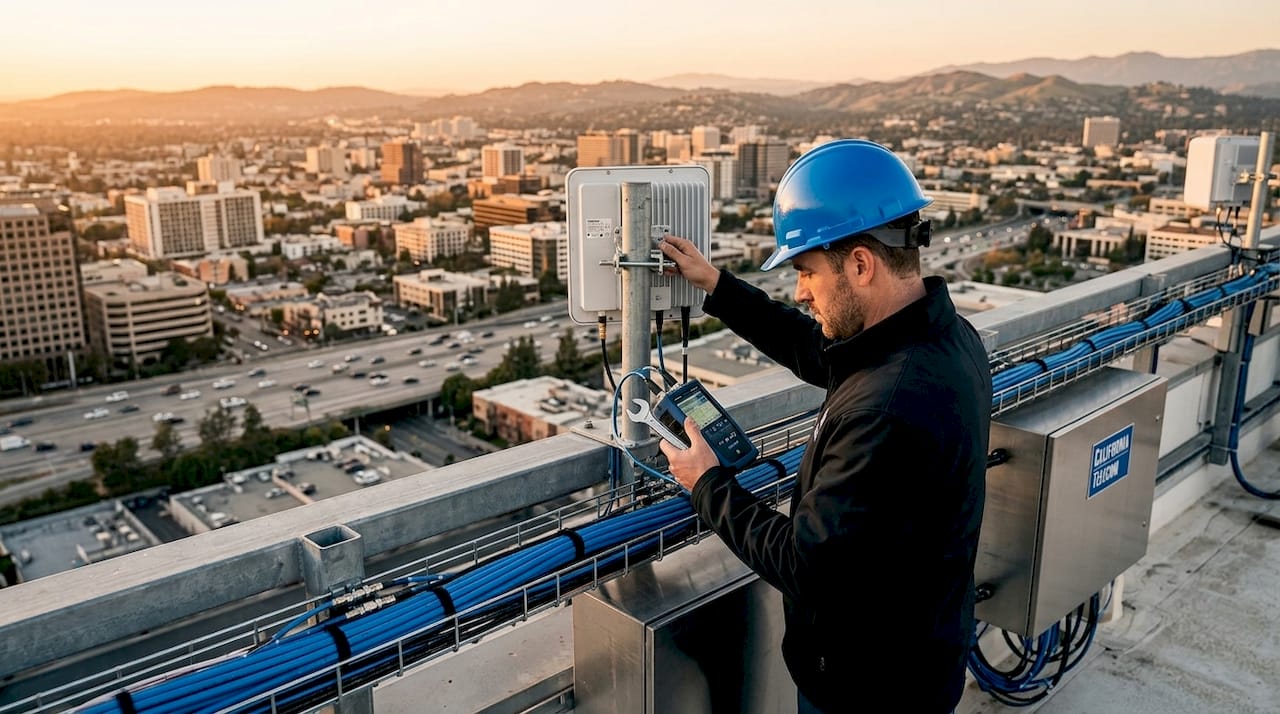
Hybrid solutions combine fiber and fixed wireless on a single managed platform, with automatic failover between paths. For multi-location California businesses, this architecture provides the resilience of two physically separate circuits without doubling the cost of a full fiber build at every site. The tradeoff is complexity in design and vendor coordination, which is why many organizations use a managed network provider rather than sourcing each path independently.
Consumer-grade cable or DSL connections are not a viable substitute for business operations. VoIP, cloud apps, and Wi-Fi degrade on shared consumer circuits because there is no SLA, no prioritized routing, and no guaranteed bandwidth during peak hours. The difference is not just speed. It is contractual accountability.
Pro Tip: Fiber availability maps show coverage areas, not building-level access. Always confirm address-level feasibility with the provider directly, because building-level access can require infrastructure extensions that add weeks to your lead time.
| Connection type | Best use case | Speed range | Key limitation |
|---|---|---|---|
| Dedicated fiber | Primary circuit, all office sizes | 100 Mbps to 10 Gbps+ | Building access required |
| Fixed wireless | Primary or backup, urban/suburban | 100 Mbps to 1 Gbps | Line-of-sight required |
| Hybrid fiber + wireless | Multi-location, high availability | Varies by design | Requires managed coordination |
| Consumer cable/DSL | Not recommended for business | Variable | No SLA, shared bandwidth |
How to assess and prepare your office for a high-speed internet upgrade
Preparation determines whether your upgrade goes smoothly or drags on for months. Most installation delays trace back to skipped steps in the assessment phase, not provider failures. Here is the sequence that works for California offices of any size.
-
Request a site survey and feasibility assessment. Ask every provider you are evaluating to confirm building-level access, not just area coverage. This step surfaces conduit availability, riser access, and whether the provider needs to extend infrastructure to your address.
-
Audit your internal network infrastructure. A 1 Gbps fiber circuit delivered to a building with aging switches and unmanaged Wi-Fi access points will not perform like a 1 Gbps circuit. Identify bottlenecks inside the office before the new circuit arrives.
-
Map your installation timeline realistically. Small offices can often complete fiber installation in a few days, but larger or complex buildings take weeks due to permits, building management coordination, and internal cabling work. Factor in nights and weekends if you need to minimize business disruption.
-
Coordinate building access early. Multi-tenant buildings require approval from property management for any work in common areas, risers, or mechanical rooms. Start this conversation the same week you request a provider feasibility assessment. Waiting until the installation date is scheduled is the single most common cause of delays.
-
Confirm permit requirements. Some California municipalities require permits for conduit work or exterior antenna installations. Your provider should handle this, but confirm it in writing before signing a contract.
-
Schedule the cutover date with buffer time. Circuit testing should begin weeks before your planned cutover, not the day before. Running the new circuit in parallel with your existing connection lets you catch instability before it affects operations.
Pro Tip: Order your new circuit at least 30 to 60 days before your intended go-live date. Lead times for dedicated fiber in California vary by location and building complexity, and a missed installation window can push your cutover back by weeks.
For large facilities with multiple floors or distributed equipment rooms, treat the upgrade as a project with a formal scope, not a service call. Assign an internal owner, document every dependency, and get written confirmation from the provider on each milestone date.
What are best practices for ensuring resilient and redundant internet in California business offices?
Redundancy is not optional for mission-critical operations. A single fiber circuit, regardless of its speed, is a single point of failure. Power outages, fiber cuts, and carrier network events all happen, and California's seismic and wildfire risk makes physical infrastructure vulnerability a real operational concern.
The California Public Utilities Commission is evolving network resiliency rules that include backup power requirements and outage reporting obligations for providers. IT teams should ask prospective providers directly about their compliance posture and what resilience features are built into the service, not bolted on as an add-on.
Key practices for building a resilient office internet architecture:
- Use physically diverse paths. Two fiber circuits from the same provider entering the building through the same conduit are not redundant. Require path diversity documentation from any provider claiming to offer a redundant solution.
- Add fixed wireless as a backup to fiber. Fixed wireless as a diversity path provides fast, dedicated performance where wired fiber buildout lags, but requires careful design based on line-of-sight and performance targets. It is a proven backup strategy for California urban and suburban offices.
- Evaluate SLAs on measurable terms. Advertised uptime percentages mean little without defined remedies. Look for SLAs that specify mean time to repair, credit structures for outages, and escalation procedures.
- Require documented design assumptions. Before any circuit is ordered, get the provider to document their design assumptions in writing, including expected latency, jitter, and packet loss targets. This protects you if performance falls short after installation.
- Plan for backup power at the network edge. UPS units at your router and switch layer keep your network running during brief power interruptions. For longer outages, generator integration at the building level is the next tier.
A UCR report published in early 2026 argues that California may regulate broadband as a utility, which would require providers to disclose actual performance metrics rather than advertised speeds. For IT managers selecting providers today, this is a signal to prioritize vendors who already publish real-world performance data.
Pro Tip: When evaluating any provider's redundancy claim, ask one question: "If your fiber is cut at the street, what happens to my connection?" The answer tells you everything about whether their redundancy is real or just a marketing term.
Step-by-step process to upgrade your business internet across multiple California locations
Multi-site upgrades require a structured process. Improvising across five or ten locations creates inconsistent configurations, mismatched SLAs, and support nightmares. Here is the sequence that produces consistent results.
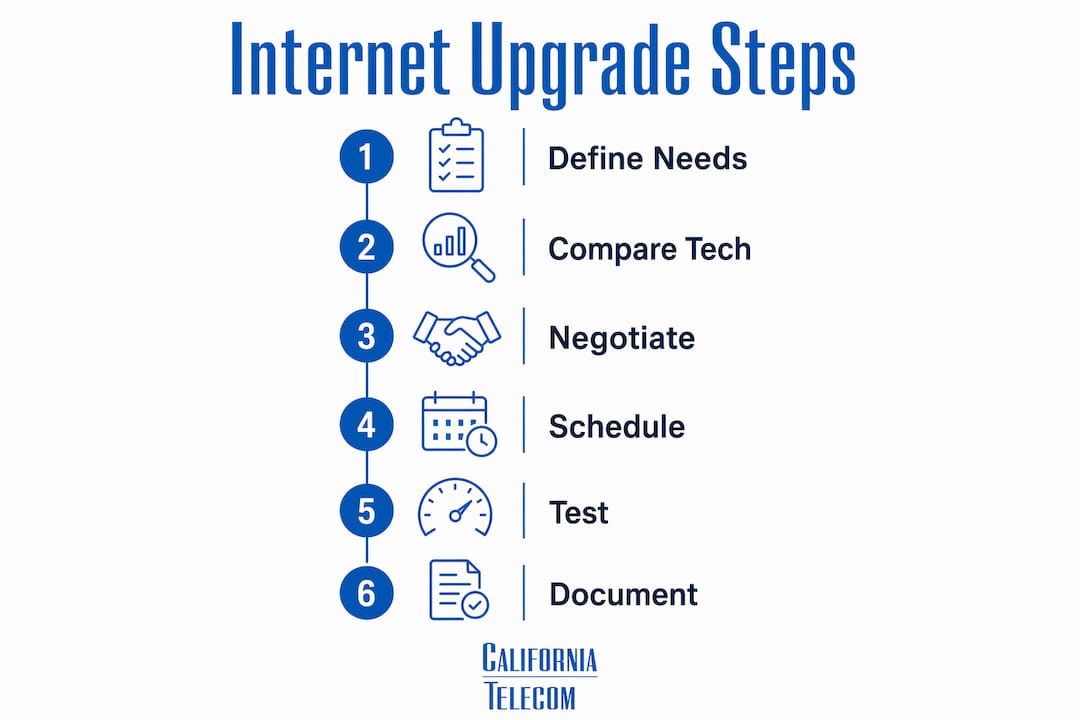
Step 1: Define requirements per location. Bandwidth needs vary by site. A headquarters with 150 employees running unified communications needs a different circuit than a three-person satellite office. Document user count, application mix, and peak usage windows for each location before contacting any provider.
Step 2: Compare providers and technologies. Use the California business internet options available in 2026 as your starting point. Not every provider serves every address, and technology availability varies significantly between Los Angeles, the Central Valley, and rural counties. Request quotes for fiber, fixed wireless, and hybrid options at each address.
Step 3: Negotiate contracts with precision. Pay attention to installation timelines, SLA terms, and early termination clauses. A provider who cannot commit to a written installation date is a provider who will delay your project. Get every commitment in the contract, not just in the sales conversation.
Step 4: Stagger installation schedules. Attempting to upgrade all locations simultaneously creates coordination chaos. Sequence installations by priority, starting with your highest-traffic locations. Use each completed site as a reference for the next.
Step 5: Run parallel circuits before cutover. Keep your existing connection active while the new circuit is tested. Early testing catches instability and prevents surprises during the migration window. Test VoIP call quality, video conferencing, and cloud application response times under realistic load.
Step 6: Document and standardize post-installation. After each site goes live, document the final configuration, circuit IDs, provider contacts, and SLA terms in a single system of record. This documentation becomes critical when troubleshooting or renegotiating contracts.
| Phase | Key action | Common pitfall |
|---|---|---|
| Requirements | Document per-site bandwidth needs | Using one-size-fits-all specs |
| Provider selection | Verify address-level availability | Trusting coverage maps alone |
| Contract | Lock in installation dates and SLAs | Accepting verbal commitments |
| Installation | Run parallel circuits before cutover | Cutting over without testing |
| Post-install | Standardize documentation across sites | Inconsistent configs per location |
Key takeaways
Upgrading business internet across California offices requires address-level verification, structured installation planning, and SLA-backed redundancy to deliver reliable performance at every location.
| Point | Details |
|---|---|
| Verify building access first | Coverage maps are optimistic; confirm fiber or wireless feasibility at the address level before committing. |
| Order circuits 30 to 60 days early | Lead times for dedicated circuits in California vary widely; early ordering prevents cutover delays. |
| Require physically diverse redundancy | Two circuits entering through the same conduit are not redundant; document path diversity in writing. |
| Test before you cut over | Run new and existing circuits in parallel for weeks to catch instability before it affects operations. |
| Prioritize measurable SLAs | Uptime percentages without defined remedies and repair times are not enforceable commitments. |
What I've learned from managing California office internet upgrades
The most expensive mistake I see California IT managers make is treating the internet upgrade as a procurement task rather than a project. They get quotes, pick a provider, and wait. Then the installation misses its date, the building manager never got the access request, and the cutover gets pushed back six weeks. By that point, the old circuit contract has expired and the office is running on a month-to-month rate that costs 40% more.
The fix is not complicated, but it requires discipline. Start the building access conversation the same day you start the provider conversation. Assign one internal owner who is accountable for every dependency, not just the technical ones. And never, under any circumstances, cancel your existing circuit before the new one has been tested under real load for at least two weeks.
For multi-location upgrades, the sequencing decision matters more than most teams realize. I recommend starting with your most complex location, not your easiest one. If you can execute a clean upgrade at a 200-person headquarters with a difficult building management situation, every subsequent site will feel straightforward by comparison. Starting with the easy sites builds false confidence and leaves the hard problems for last.
The other thing I would push every IT manager to do is read the redundant internet setup guide before finalizing any provider contract. Most teams do not think about the backup path until after the primary circuit fails. That is the wrong order of operations. Design for failure first, then optimize for performance.
— Jim
How Californiatelecom simplifies your office internet upgrade
Californiatelecom designs and deploys managed network services for multi-location California businesses, sourcing from over 50 carriers to find the right fiber, fixed wireless, or hybrid solution at each address. Every site is engineered and installed by Californiatelecom's own team, backed by a 24/7 U.S.-based NOC and a 99.99% uptime SLA on data circuits.You work with one provider, one bill, and one engineer's direct number instead of managing separate carrier relationships across every location. For businesses upgrading dedicated fiber internet across California offices, Californiatelecom handles the site surveys, building coordination, circuit testing, and cutover planning so your team stays focused on operations. Contact Californiatelecom to get a site-specific assessment for your California locations.
FAQ
What is the fastest business internet available in California offices?
Dedicated fiber connections from providers like Fireline Broadband reach speeds up to 10 Gbps on qualifying routes, with standard business plans starting at 100 Mbps symmetrical. Availability depends on building-level infrastructure, not just area coverage.
How long does a business fiber installation take in California?
Small offices typically complete installation in a few days, while larger or complex buildings take several weeks due to permits, building access coordination, and internal cabling requirements. Plan for 30 to 60 days from order to cutover for most California office upgrades.
Do I need redundant internet for my California office?
Any office running VoIP, cloud applications, or real-time data systems needs a backup circuit. California's evolving CPUC resiliency rules are increasing provider accountability, but the backup path design remains the customer's responsibility.
What is the difference between business and residential internet for office use?
Business-grade circuits include symmetrical bandwidth, SLA-backed uptime, and dedicated support. Consumer-grade connections share bandwidth with residential users, carry no uptime guarantees, and are not designed for the latency sensitivity of VoIP or cloud platforms.
How do I compare business internet providers across multiple California locations?
Verify address-level availability at each site, compare SLA terms and installation commitments in writing, and evaluate whether each provider can support your full location footprint or only select markets. A managed network provider sourcing from multiple carriers simplifies this process significantly.