

How Business ISP Contracts Work: What You Must KnowMost business owners sign ISP contracts the same way they accept software terms of service: quickly, without reading much. Understanding how business ISP contracts work before you sign can save you thousands of dollars and prevent operational disruptions that no one budgeted for. These agreements dictate your uptime protections, termination costs, equipment obligations, and legal remedies. The clauses that matter most are often buried on page four. This guide breaks down what every business owner and decision-maker needs to know, from SLA structures to negotiation tactics that actually move the needle.
Table of Contents
- Key takeaways
- How business ISP contracts work
- How SLAs work and their real limitations
- Hidden costs and practical obligations in ISP contracts
- How to evaluate and negotiate your ISP contract
- ISP contract decision checklist
- My take on what businesses get wrong with ISP contracts
- How Californiatelecom helps you get better contracts
- FAQ
Key takeaways
| Point | Details |
|---|---|
| SLAs define your actual protection | Uptime percentages mean little without understanding exclusions, credit caps, and claim deadlines. |
| ETFs can be substantial | Early termination fees often equal your monthly rate multiplied by remaining contract months. |
| Claims rarely happen automatically | Most ISPs require you to file written credit requests within 30 days or you forfeit the remedy. |
| Auto-renewal traps are common | Some contracts auto-renew annually and require 90 days written notice to cancel. |
| Negotiation is expected | Fix time guarantees, credit terms, and termination rights are all legitimate negotiation targets. |
How business ISP contracts work
A business ISP agreement is a legal contract between your company and an internet service provider that sets out the service you will receive, the price you will pay, and what happens when things go wrong. Unlike residential contracts, business ISP agreements carry more complex obligations on both sides. The stakes are higher too.
Here are the core elements you will find in almost every contract:
- Service Level Agreement (SLA): The SLA defines uptime guarantees and remedies as well as the exclusions that limit your recourse. This is the most critical document inside your contract package.
- Minimum contract term: Most business agreements run 12, 24, or 36 months. Shorter terms often carry higher monthly rates. Month-to-month options exist but cost more.
- Early Termination Fee (ETF): If you leave before the term ends, you pay. Many ISPs calculate ETFs as monthly rate times the number of months remaining.
- Equipment terms: The ISP-owned modem, router, or ONT on your premises usually belongs to the provider. You are responsible for returning it when service ends, or you face replacement fees upon cancellation.
- Billing and payment terms: Most contracts specify billing cycles, accepted payment methods, and auto-pay requirements. Some charge a processing fee for manual payments.
- Notice and claim windows: SLA credits require written requests, typically within 30 calendar days of the incident. Miss the window and you lose the credit, regardless of how severe the outage was.
Pro Tip: Before you sign anything, ask the ISP to send you the full SLA and equipment addendum as separate documents. Sales representatives often share only a summary sheet during the presale process.
How SLAs work and their real limitations
The SLA is the section most business owners skip and the one that matters most when something goes wrong. Understanding it clearly is the difference between recovering costs during an outage and absorbing them entirely.

Most commercial SLAs express uptime as a percentage. A 99.9% uptime guarantee sounds strong, but that figure translates to roughly 8.7 hours of allowable downtime per year. For a business processing transactions around the clock, that is not a small number.
What the credits actually look like
The Google Fiber Business SLA is a useful reference point. It guarantees 99.9% uptime and offers credits up to 25% of your monthly charges when downtime falls below that threshold. That credit does not compensate you for lost revenue, missed payroll runs, or idle staff. It offsets a portion of your internet bill.

Here is a comparison of two SLA structures to illustrate how differently providers approach this:
| SLA Feature | Google Fiber Business | Empire Access |
|---|---|---|
| Uptime guarantee | 99.9% | Varies by tier |
| Credit cap | Up to 25% of monthly charge | Prorated service credits |
| Claim deadline | Per SLA terms | 30 calendar days after issue month |
| Automatic credit | No, customer must request | No, customer must request |
| Exclusions | Scheduled maintenance, customer-caused issues | Scheduled maintenance, force majeure |
The exclusions that narrow your protection
SLA exclusions like scheduled maintenance windows and customer-caused outages can remove significant chunks of downtime from the credit calculation. More critically, downtime measurement often does not begin at the moment your service drops. It begins when you open a trouble ticket. If your staff does not notice the outage for two hours and then takes another hour to call it in, you have lost three hours of qualifying downtime before the clock even starts.
Fix time guarantees are the other lever worth examining. These create a contractual deadline for service restoration, shifting the ISP from a "best effort" posture to a committed obligation. Without a fix time guarantee, your ISP can take as long as it needs without triggering any remedy at all.
Pro Tip: Negotiate for automatic credit application rather than requiring a manual claim. Fewer ISPs push back on this than you would expect, and it eliminates the risk of missing a filing deadline during a chaotic recovery period.
Hidden costs and practical obligations in ISP contracts
The headline price and the uptime percentage get all the attention during sales calls. The clauses below get almost none, and they can cost you more than the base service price over a multi-year term.
- Auto-renewal timing: Many contracts auto-renew annually unless you provide written notice 90 days in advance. If you are unhappy with service and want to switch providers at the end of your term, that 90-day window is your only exit without fees.
- Equipment replacement costs: If you lose or damage ISP-owned equipment, replacement charges apply. Some providers assess these fees even for normal wear and tear if the equipment is not returned in original condition.
- Liability limitations: Indemnification and liability clauses are standard in ISP contracts and cap the provider's financial exposure, often to the value of one month's service fees. Your business carries the rest of the risk.
- Chronic service failure clauses: Some contracts allow you to terminate without penalty if the ISP fails to meet SLA thresholds over a consecutive period, typically three to six months. Many contracts do not include this provision by default, but it is negotiable.
- Payment failure penalties: Contracts that require auto-pay may charge processing fees or late fees if a payment fails, even due to a bank error. Review the penalty structure before agreeing to auto-pay terms.
One point about multi-location operations specifically: if you are managing connectivity for multiple sites, these hidden costs multiply quickly. A missing 90-day cancellation notice at five locations can lock you into an extra year of service at each one. For more on what business-grade broadband means in a multi-site context, the obligations in each contract matter as much as the speed tier you select.
How to evaluate and negotiate your ISP contract
Negotiation is not reserved for enterprise clients with lawyers on staff. Mid-sized and smaller businesses negotiate ISP contracts regularly, and the terms that move most easily are often the ones that cost the ISP the least to change.
Follow this sequence before signing any business internet service agreement:
- Assess your actual connectivity requirements. Know your bandwidth needs, failover requirements, and how much downtime you can realistically absorb before it costs you money. That number determines how hard you should push on SLA terms.
- Read every exclusion in the SLA. Focus on what qualifies as downtime, when the clock starts, and what the ISP can exclude from the calculation. Many businesses discover the practical protection is narrower than the headline percentage suggests.
- Request automatic credit application. Replacing manual claim submission with automatic credits is one of the most valuable contract changes you can make. Missed filing deadlines are the most common reason businesses never collect credits they are owed.
- Negotiate fix time guarantees explicitly. Ask for a guaranteed restoration time in writing. If the ISP will not commit to a specific window, ask what triggers escalation and what happens if those escalation steps fail.
- Push for termination rights tied to chronic failures. If your ISP misses SLA thresholds for three consecutive months, you should have the right to exit without ETF. Many ISPs will accept this clause when framed reasonably.
- Use competitor quotes as leverage. Bring a competing offer to the table. ISPs with high churn rates are particularly receptive to retaining signed customers, and even a modest competing quote gives you grounds to request better terms.
Pro Tip: Assign internal ownership for SLA claims before you sign, not after an outage. Designate someone to maintain a log of outage timestamps and trouble ticket IDs. That evidence collection process is what makes credit claims enforceable.
ISP contract decision checklist
Before you finalize any business ISP agreement, run through the following questions. If you cannot answer them, you are not ready to sign.
- What is the exact uptime guarantee and how is downtime defined and measured in the contract?
- What is the credit cap and does it apply automatically or require a manual claim within a specific window?
- What is the ETF calculation and what are the conditions under which it is waived?
- Does the contract include a fix time guarantee, and what remedy triggers if that deadline is missed?
- What are the equipment return requirements and what fees apply for damage or non-return?
- When does the contract auto-renew and how much advance notice is required to cancel?
- What does the liability limitation clause cap provider responsibility at, and does that cap match your risk exposure?
Red flags worth flagging immediately: SLAs with no stated fix time guarantee, credit caps below 10% of monthly charges, claim windows shorter than 30 days, and auto-renewal clauses with notice periods longer than 60 days. When contract language starts entering territory your team cannot parse, bringing in legal contract guidance is worth the cost. A two-hour legal review is almost always cheaper than a year locked into a bad contract.
My take on what businesses get wrong with ISP contracts
I have watched businesses spend weeks comparing bandwidth tiers and monthly pricing, then sign contracts without ever reading the SLA. The irony is that the price usually is not the problem. It is the terms around what happens when the service fails.
The biggest mistake I see is treating the uptime percentage as the whole story. A 99.9% uptime guarantee with a 25% credit cap, manual claim requirements, and a 30-day filing window is dramatically less valuable than it appears. By the time you account for exclusions and the operational overhead of filing a compliant claim during a recovery, most businesses just absorb the loss and move on.
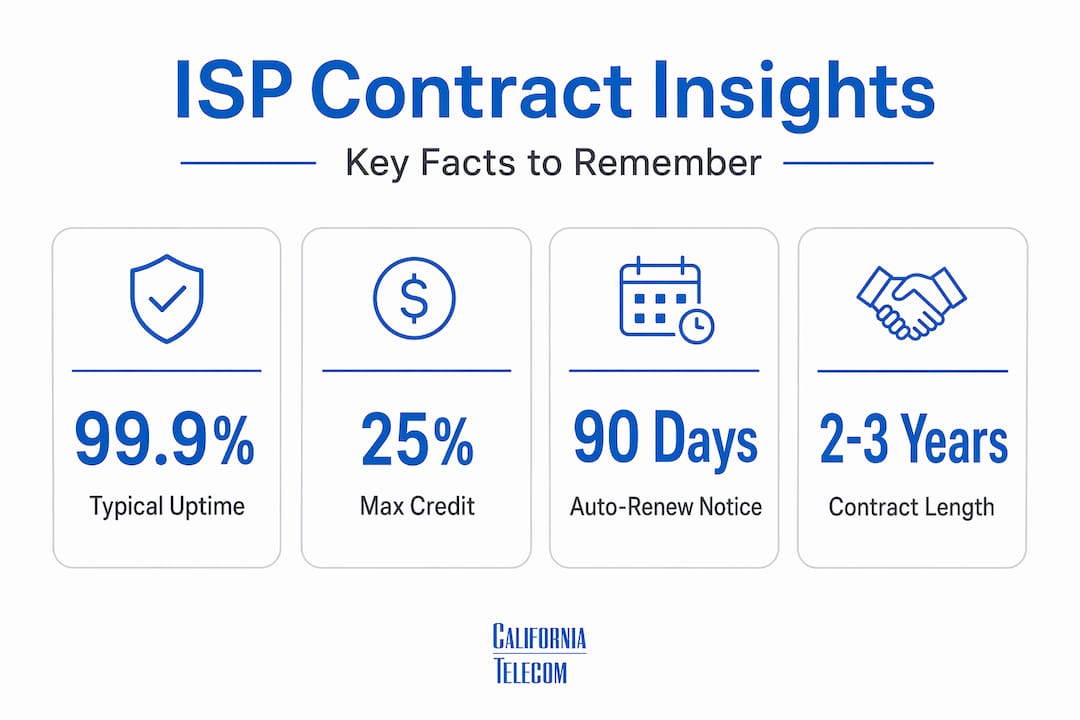
The second mistake is ignoring auto-renewal mechanics. Contracts that auto-renew with 90 days' notice required mean your real decision window is not at contract expiration. It is three months earlier. I have seen businesses miss that window by two weeks and get locked in for another full year.
What actually works is treating ISP contract management as an ongoing operational function, not a one-time procurement decision. Assign someone to own the relationship, track outages, and calendar renewal dates the moment you sign. For businesses with multiple locations, this is especially worth the discipline, because the single-provider model often simplifies contract obligations considerably compared to managing separate agreements site by site.
My advice: stop negotiating price first. Start by negotiating fix times, credit automation, and chronic failure termination rights. Those terms protect you where it matters most.
— Jim
How Californiatelecom helps you get better contracts
When you are managing internet connectivity across multiple locations, understanding ISP contract terms is only half the challenge. The other half is finding a provider structure that removes the operational burden of tracking five contracts, three SLA deadlines, and two equipment return windows simultaneously.Californiatelecom sources from 50+ carriers and manages every site through its own engineers, backed by a 24/7 U.S.-based NOC and a 99.99% uptime SLA on data. Instead of negotiating separately with each carrier, you work with one provider, one bill, and one point of accountability. Explore nationwide managed network services or review managed LAN/WAN solutions built for multi-location businesses. If you want help evaluating your current contracts or designing a better connectivity structure, request a free consultation and talk to an engineer directly.
FAQ
What is an SLA in a business ISP contract?
An SLA, or Service Level Agreement, defines uptime guarantees, credit remedies, and exclusions that determine your rights when service fails. It is the most important section in any business internet agreement.
How are early termination fees calculated in ISP contracts?
Most ISP contracts calculate ETFs as monthly rate multiplied by the number of months remaining in the minimum term. Month-to-month agreements typically allow termination with 30 days' notice and no penalty.
Do ISPs apply SLA credits automatically?
Most do not. Providers like Empire Access require customers to submit written credit requests within 30 days of the incident. If you miss the deadline, you forfeit the credit regardless of how severe the outage was.
What should I negotiate in a business ISP contract?
Focus on fix time guarantees, automatic credit application, and termination rights tied to chronic service failures. These terms protect your business operationally and are often negotiable without additional cost.
How long do typical business ISP contracts last?
Most business internet contracts run 12 to 36 months with annual auto-renewal provisions. Month-to-month options are available from many providers but typically carry higher monthly rates.
Recommended
- Why Dedicated Fiber Beats Broadband: Save Your Business from $9,000 Per Minute Downtime | California Telecom
- Business Fiber — Internet Services | California Telecom
- Fixed Wireless for Business: Fast Internet When Fiber Isn't an Option | California Telecom
- What is business-grade broadband for multi-location IT | California Telecom