

Stop Rule Sprawl With Firewall as a Service for Multi Site IT TeamsFirewall as a service is a cloud-delivered next-generation firewall that inspects and enforces security policy from the provider's infrastructure instead of a box in your server closet. The main payoff is centralized control: one policy engine governs every location, so you stop reconfiguring appliances site by site and start pushing rules once, everywhere. It fits organizations with multiple locations, remote employees, or a heavy cloud footprint, where hauling traffic back to a data center firewall no longer makes sense.
TL;DR:
- FWaaS provides elastic, cloud-based inspection that scales with traffic volume, making it more suitable for distributed, cloud-first organizations than fixed-capacity appliances.
- True FWaaS platforms include full next-generation firewall features like deep packet inspection, application awareness, and SSL/TLS decryption, unlike basic cloud filtering solutions.
- Migration to FWaaS requires phased deployment, starting with inventory, pilot testing, and automated policy deployment to prevent rule drift and ensure compliance.
- FWaaS works best with SD-WAN by enabling direct internet breakout at the branch while maintaining centralized policy control and integration with identity-based controls.
- Managed FWaaS providers should ensure clear policy ownership, rapid rule propagation, ongoing support, and comprehensive SLA terms to avoid operational risks during multi-site deployment.
Table of Contents
- What Is Firewall as a Service (FWaaS)?
- How Does Firewall as a Service Work?
- What Features Should You Expect From FWaaS?
- What Are the Benefits of Firewall as a Service?
- Firewall as a Service vs. Hardware Firewall: What's the Real Trade-Off?
- How Does FWaaS Pair With SD-WAN and SASE?
- How Do Multi-Site Teams Operate FWaaS Without Losing Control?
- When Should You Choose a Managed FWaaS Provider?
- Where Is FWaaS Headed Next?
- How Californiatelecom Helps You Deploy and Run FWaaS
- Sources
- FAQ
What Is Firewall as a Service (FWaaS)?
Firewall as a service, sometimes shortened to FWaaS or called a cloud firewall, moves next-generation firewall functions off physical appliances and into the provider's cloud infrastructure. Instead of buying a box for every branch, you route traffic to the provider's network, where policy enforcement, threat inspection, and logging happen before traffic ever reaches its destination.
The terminology gets used loosely. Some vendors market "cloud firewall solutions" as basic packet filtering with a cloud label slapped on. True FWaaS carries the full next-generation firewall feature set, deep packet inspection, intrusion prevention, application awareness, delivered as a subscription rather than a capital purchase. If you're evaluating firewall service providers, ask specifically whether the platform includes NGFW capabilities or just perimeter filtering. That distinction determines whether you're buying a security platform or a thinner substitute.
Three forces pushed this model from niche to mainstream. Cloud adoption meant more traffic never touched a corporate data center at all, so a firewall sitting there stopped being useful for a growing share of sessions. Remote and hybrid work scattered users across home networks, coffee shops, and co-working spaces, none of which route through a central appliance. And SD-WAN adoption gave branches direct internet breakouts, which is efficient for performance but leaves a security gap unless something inspects that traffic close to where it originates.
Where does FWaaS sit in a broader security stack? It typically anchors the network security layer within a Secure Access Service Edge (SASE) architecture, working alongside a secure web gateway, cloud access security broker, and zero trust network access. It's worth being precise about one common point of confusion: a secure web gateway vs. firewall isn't an either/or question. A secure web gateway filters web and cloud application traffic based on category and reputation. A firewall, cloud-delivered or not, inspects traffic at a lower level and enforces broader network policy including non-web protocols. Many FWaaS platforms include SWG functionality, but the two serve different primary purposes even when bundled together.
What you should expect from a genuine FWaaS platform:
- Cloud-hosted enforcement points that inspect traffic without requiring a physical appliance at every site
- A centralized console for writing and pushing policy across all locations simultaneously
- Subscription-based pricing tied to usage or seats rather than a hardware purchase
- Native integration points for SD-WAN and identity providers
- Elastic capacity that scales with traffic volume instead of a fixed appliance ceiling
Adoption is accelerating fast. FWaaS made up under 5% of new branch-office firewall deployments in 2020; SentinelOne projects that figure will exceed 30% by 2026 as distributed organizations look for simpler, cloud-native security management.
How Does Firewall as a Service Work?
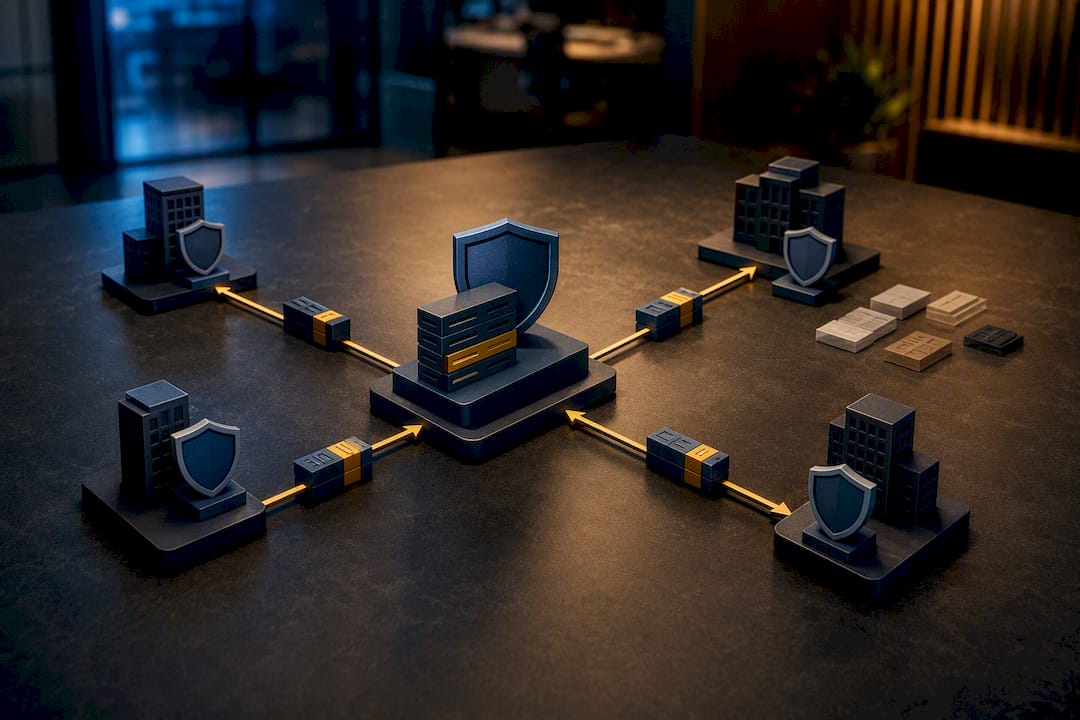
FWaaS architecture replaces the "one box per site" model with a distributed network of cloud points of presence (PoPs) that your traffic routes through for inspection. Each PoP runs virtualized firewall instances, and your organization gets a logically isolated tenant within that shared infrastructure. You're not sharing rules or visibility with other customers, but you are sharing the underlying compute that makes the economics work.

The centralized policy engine is the real architectural shift. You define a rule once, tag it to the right group of sites or users, and the system propagates it to every relevant PoP automatically. Compare that to legacy appliance management, where a firewall change at 40 branches meant 40 separate configuration pushes, each one a chance for a typo or a missed site. TechTarget's technical breakdown of FWaaS notes that this PoP-based model lets inspection happen close to the traffic's origin rather than backhauling everything to a central data center, which cuts latency and removes the single choke point that a hub-and-spoke design creates.
Traffic gets to those PoPs through one of three general patterns:
- Direct-to-cloud routing. Branch internet traffic breaks out locally and routes directly to the nearest cloud PoP for inspection, then continues to its destination. This is the lowest-latency option and pairs naturally with SD-WAN's local breakout capability.
- Tunneled routing. Traffic gets encapsulated in a tunnel (often IPsec or GRE) from the site or endpoint to the cloud PoP. This works well for sites without SD-WAN or for remote users connecting through a client.
- Hybrid routing. Some traffic classes route direct-to-cloud while sensitive or regulated traffic still passes through an on-premises control point before or after cloud inspection. This is common during migration and in organizations with strict data residency rules.
Migrating onto FWaaS is rarely a single cutover weekend, and it shouldn't be treated as one. A practical phased approach starts with an inventory and baseline: document every existing firewall rule, its owner if known, and which sites depend on it. From there, pilot the new platform on a small, low-risk set of branches, ideally locations with similar traffic profiles so you can validate policy templates before scaling. Once the pilot proves stable, expand using those same templates and automated provisioning rather than manual rule-by-rule rebuilding, which is where drift creeps back in. Final cutover happens in waves, not all at once, with a tested rollback plan for each wave so a bad policy push at site 12 doesn't take down site 13 through 40 with it. That staged pattern mirrors how Trout Software describes scaling zero trust architecture across dozens of locations: a central management plane paired with lightweight local enforcement, which cuts per-site deployment time from weeks down to days once the template library is built.
What Features Should You Expect From FWaaS?
A firewall security as a service platform worth paying for carries the same inspection depth as a high-end physical NGFW appliance, just delivered differently. If a vendor's feature list reads thinner than what you'd get from a comparable on-premises box, you're looking at a lightweight cloud proxy wearing a firewall label.
Deep packet inspection (DPI) and intrusion prevention (IPS) form the core. DPI examines packet contents, not just headers, to identify what's actually inside the traffic. IPS then matches that traffic against known attack signatures and behavioral patterns to block exploits in real time. Application awareness goes a layer further, identifying specific applications (not just ports and protocols) so you can allow Salesforce while blocking an unsanctioned file-sharing tool riding the same port.
URL and DNS filtering with SSL/TLS inspection handle the encrypted-traffic problem. Most web traffic today is encrypted, which means a firewall that can't decrypt and inspect TLS sessions is effectively blind to a large share of what's moving across your network. DNS filtering adds an earlier layer of defense, blocking lookups to known malicious domains before a connection even gets established.
Centralized logging, analytics, and SIEM integration turn raw traffic events into something your security team can act on. Every PoP feeds a unified log stream, and that stream should export cleanly into whatever SIEM your security operations already runs. This is also where AI and machine learning are earning their place in the category: Cloud Security Alliance's analysis of AI in cybersecurity points to ML-driven prioritization as a way to cut through alert fatigue, surfacing the handful of high-fidelity threats out of thousands of daily log entries instead of leaving analysts to triage everything manually.
Identity-aware controls and open APIs round out a mature platform. Policy tied to user and device identity, not just IP address, matters enormously once your workforce is remote or hybrid. APIs matter just as much for automation: provisioning new sites, pulling logs into external tooling, or syncing policy changes from a change-management system without manual console clicks.
Rounding out the list, expect these capabilities as standard rather than premium add-ons:
- Granular application-layer visibility and control
- Encrypted traffic inspection at scale without a noticeable performance penalty
- Threat intelligence feeds updated continuously rather than on a patch schedule
- Role-based access to the management console for delegated administration
- Exportable, audit-ready logs formatted for compliance reporting
Statistic worth sitting with: studies on enterprise firewall configurations found a majority fail high-severity compliance checks on review, and many firewall rules have no identifiable owner. Feature depth doesn't fix that problem by itself. It just means the platform is capable of enforcing good policy once your team actually writes and owns one.
What Are the Benefits of Firewall as a Service?
The technical capabilities matter, but decision-makers usually care about what changes operationally. FWaaS collapses the number of vendor relationships you're managing. Instead of a firewall vendor, a separate patching schedule, and a hardware refresh cycle for every site, you're managing one platform and one contract, with the provider handling patching and capacity behind the scenes.
Capacity itself becomes elastic instead of fixed. A physical appliance is sized for a traffic ceiling you guessed at during procurement. Cloud enforcement scales with actual demand, so a traffic spike from a seasonal sales push or an unplanned office expansion doesn't require an emergency hardware order.
Policy rollout speeds up dramatically because you're pushing one rule set instead of reconfiguring dozens of individual boxes, which also shrinks the window for configuration drift. That drift is exactly what Carrier Management's analysis of firewall rule ownership flags as a systemic risk: rules nobody remembers writing, exceptions nobody closed out, and policies that quietly diverge from site to site until an audit finds the gap.
The billing model shifts too, from capital expenditure on hardware refreshes every three to five years to an operating expense that scales with your footprint. That's easier to forecast and easier to justify to finance, since it tracks headcount and site count rather than a lump depreciation schedule.
Quick summary of what changes when you move to FWaaS:
- Fewer vendors and contracts to manage across your security stack
- Capacity that flexes with real traffic instead of a hardware ceiling
- Faster, more consistent policy rollout across every site
- Predictable subscription billing instead of periodic capital spend
- Lower risk of the rule sprawl that plagues multi-location businesses that have outgrown ad hoc firewall management
Pro Tip: Before you sign anything, ask a prospective provider to show you their policy propagation time, how long it actually takes for a rule change to reach every site after you hit save. Some platforms claim "centralized" management but still take hours to fully sync, which matters a lot during an active incident.
Firewall as a Service vs. Hardware Firewall: What's the Real Trade-Off?
The firewall as a service vs. hardware firewall decision isn't really about which one is "better" in the abstract. It's about where your traffic lives and what constraints your industry imposes. FWaaS wins on centralized management, elastic scale, and consistency across sites. A traditional appliance still wins in a few specific scenarios worth naming honestly.
Low-latency, high-throughput environments, think manufacturing floors with real-time control systems or trading floors with microsecond sensitivity, sometimes can't tolerate the extra hop to a cloud PoP, even a nearby one. Isolated data centers with no meaningful cloud traffic gain little from cloud-based inspection since there's nothing to offload. And certain regulatory environments impose data residency or air-gap requirements that make routing traffic through third-party cloud infrastructure a compliance problem rather than a convenience.
Key differences worth weighing side by side:
- Ownership model: appliances are capital assets you patch and refresh; FWaaS is a subscription the provider maintains
- Scaling: appliance capacity is fixed at purchase; FWaaS capacity flexes with demand
- Latency: appliances win for hyper-local, low-latency workloads; FWaaS wins for distributed and cloud-first traffic
- Policy consistency: appliances require per-site configuration; FWaaS pushes policy centrally
- Data residency: appliances keep inspection entirely on-premises; FWaaS routes traffic through provider infrastructure
Most real deployments end up hybrid rather than all-in on either model. A regulated data center might keep a physical appliance for compliance-sensitive traffic while every branch office and remote worker routes through FWaaS. Before migrating, validate a short list of questions: does your compliance framework permit third-party traffic routing, what's the actual latency added by the nearest PoP, and does the provider support the mixed routing pattern your environment needs during the transition rather than forcing an immediate all-or-nothing switch.
How Does FWaaS Pair With SD-WAN and SASE?
SD-WAN and FWaaS solve complementary problems, which is why they show up together so often in modern network designs. SD-WAN gives branches smart, cost-efficient routing and direct internet breakout instead of forcing every packet back through a central hub. But that efficiency creates a security gap: once a branch can reach the internet directly, something has to inspect that traffic close to where it leaves the network, and that's exactly the job FWaaS is built for.
TechTarget's explanation of FWaaS architecture makes the connection explicit: distributing inspection to cloud PoPs and pairing that with SD-WAN's local breakout removes the backhaul requirement entirely, eliminating the chokepoint that a traditional hub-and-spoke design creates. A branch office with an SD-WAN edge device forwards internet-bound traffic straight to the nearest cloud PoP instead of tunneling it hundreds of miles to a data center firewall first.
SASE takes that pairing a step further by folding in identity. Where FWaaS-plus-SD-WAN handles the network path and inspection, a full SASE architecture adds identity-aware policy, so access decisions factor in who the user is and what device they're on, not just where the traffic is coming from. Californiatelecom's approach to managed SASE frames this as the natural next step once SD-WAN and FWaaS are already in place: the network and security layers converge around identity rather than location.
A few practical patterns to plan around:
- Route general internet-bound branch traffic direct-to-cloud through the nearest PoP for lowest latency
- Tunnel sensitive or regulated traffic through a defined inspection path even when local breakout is available elsewhere
- Layer identity-based access decisions on top of network-level firewall policy rather than replacing one with the other
- Budget for inspected traffic volume specifically. Providers often price by throughput, and a jump in encrypted or video-heavy traffic can move that number more than expected
Cost planning deserves its own line item here. SSL/TLS inspection at scale is compute-intensive, and providers price accordingly. Get a clear answer on whether inspected throughput is metered separately from raw bandwidth before you sign anything.
How Do Multi-Site Teams Operate FWaaS Without Losing Control?
Centralizing your firewall doesn't eliminate governance work, it just relocates it. The same rule-ownership problem flagged in enterprise firewall audits, where more than 60% of rules have no identifiable owner, can happen just as easily in a cloud console as it did on forty separate appliances if nobody assigns accountability.
A workable operational program for multi-site FWaaS looks something like this:
- Assign named ownership to every rule. Every policy entry should map to a specific person or team responsible for justifying its existence at the next review, and temporary exceptions need a hard expiration date, not an indefinite "we'll remove it later."
- Run periodic policy reviews on a fixed schedule. Quarterly is a reasonable default for most mid-market environments; monthly for anything handling regulated data.
- Back up configurations before every change and test rollback regularly. A policy push that breaks connectivity at 3 a.m. needs a rollback path your team has actually tested, not one that's theoretical.
- Wire monitoring and alerting into your SIEM, and report meaningfully to leadership. CISA's guidance on incident detection and response is a solid baseline for building the detection and escalation runbooks that sit on top of FWaaS logging.
- Verify SLA terms and NOC coverage before you need them, not during an incident. Confirm what uptime guarantee you're actually getting and whether support is staffed around the clock or only during business hours.
That "define-once, apply-everywhere" governance model is exactly what industry guidance on managed firewall coverage for multi-site teams recommends as the antidote to configuration drift, and it's worth building into your operating rhythm from day one rather than retrofitting it after an audit finds the gaps.
Pro Tip: Put a calendar reminder on every temporary firewall exception the day you create it, set 30 days out, not "someday." Exceptions that outlive their original justification are the single most common source of rule sprawl auditors find.
When Should You Choose a Managed FWaaS Provider?
Running FWaaS well requires skills a lot of internal IT teams don't have dedicated headcount for, tuning IPS signatures, managing SSL inspection certificates, keeping policy templates current across sites, and staying audit-ready year round. That skills gap, more than the technology itself, is usually what pushes organizations toward a managed provider.
If you're evaluating firewall service providers for a managed engagement, a few criteria separate serious operators from thin resellers:
- Centralized policy governance with named ownership baked into the platform, not just promised in a sales deck
- Multi-carrier sourcing so your connectivity isn't tied to a single upstream provider's outages
- A 24/7 U.S.-based network operations center, not an overseas help desk reading from a script
- Documented runbooks and regularly tested high-availability failover, not a plan that only exists on paper
- Clear SLA terms with real financial or service accountability behind them
Californiatelecom's approach to managed firewall services is built around exactly this list: policy governance handled by named engineers, connectivity sourced across 50-plus carriers so no single vendor outage takes down a site, and a 24/7 U.S.-based NOC backing a 99.99% uptime SLA on data services.
Before signing with any provider, ask them directly: who owns policy changes on my account, how fast does a rule change propagate to every site, what does your failover testing schedule actually look like, and what happens to my configuration backups if we part ways. Answers that are vague on any of those four should give you pause.
Where Is FWaaS Headed Next?
The next phase of firewall as a service looks a lot like the shift software already went through toward infrastructure as code. Policy is heading toward version-controlled, auditable definitions that live in a repository and deploy through the same pipelines as everything else in a modern IT stack. Manual console clicks won't disappear entirely, but they'll stop being how serious operators manage security at scale.
I'd tell any IT leader planning a migration to resist the urge to treat it as a lift-and-shift. Rebuilding every legacy rule verbatim in a new platform just imports years of accumulated cruft into a shinier interface. Use the migration as the forcing function to actually clean house, assign owners, kill dead rules, and set expiration dates that stick.
The adoption curve backs up the urgency here: FWaaS is on track to exceed 30% of new branch deployments by 2026, up from under 5% just a few years earlier. Organizations that treat this as a strategic infrastructure decision, not just a procurement swap, will be the ones still standing when the next audit cycle comes around.
— Jim
How Californiatelecom Helps You Deploy and Run FWaaS
Californiatelecom exists for exactly the problem this article just walked through: distributed businesses that need one throat to choke instead of a pile of vendor contracts, appliance refresh cycles, and unowned firewall rules nobody remembers writing. You get multi-carrier sourcing across 50-plus providers, engineers who design and deploy every site directly, and a 24/7 U.S.-based NOC backing a 99.99% uptime SLA on data.A typical engagement starts with an inventory of your current firewall footprint and rule set, moves into a pilot at a small group of sites to validate policy templates, expands through staged rollouts once that pilot proves stable, and finishes with a documented SLA handover so your team knows exactly who owns what going forward. This pairs naturally with managed SD-WAN for sites that need direct-to-cloud breakout and with managed LAN/WAN for the connectivity layer underneath it all.
If your current setup means chasing three vendors every time a rule needs to change across your locations, that's the exact gap Californiatelecom's firewall services are built to close. Request a network assessment and get a straight answer on what a managed migration would look like for your specific footprint.
Sources
- Firewall as a service — SentinelOne Cybersecurity 101
- Carrier Management — analysis on firewall compliance and rule ownership
- TechTarget — Firewall as a service (FWaaS) definition and explanation
FAQ
Is Palo Alto a WAF?
No. Palo Alto Networks makes next-generation firewalls and cloud-delivered security platforms, but a web application firewall (WAF) is a distinct product category focused specifically on protecting web applications from attacks like SQL injection and cross-site scripting. Some vendors, including Palo Alto, offer WAF capabilities as a separate module alongside their firewall products, but the two aren't the same thing.
Do You Really Need a Firewall?
Yes, for any organization connected to the internet or running internal network traffic across multiple sites. A firewall is the layer that enforces which traffic is allowed to move between networks, and without one, nothing stands between your systems and unrestricted external access.
What Are the Four Types of Firewalls?
The commonly cited categories are packet-filtering firewalls, stateful inspection firewalls, proxy firewalls, and next-generation firewalls (NGFW), with the last adding deep packet inspection, intrusion prevention, and application awareness on top of basic filtering. FWaaS delivers NGFW-level capability through a cloud-hosted service rather than a physical appliance.
Where Do I Find My Firewall Settings?
That depends entirely on the platform. On a consumer router or a single appliance, settings usually live in a local admin interface accessed through a browser. On a managed FWaaS platform, policy and settings live in a centralized cloud console that governs every site from one place instead of requiring you to log into each device separately.
How Does Firewall as a Service Differ From a Secure Web Gateway?
FWaaS inspects and enforces policy across all network traffic, including non-web protocols, while a secure web gateway focuses specifically on filtering web and cloud application traffic by category and reputation. Many modern platforms bundle both, but they address different layers of the same security stack.