
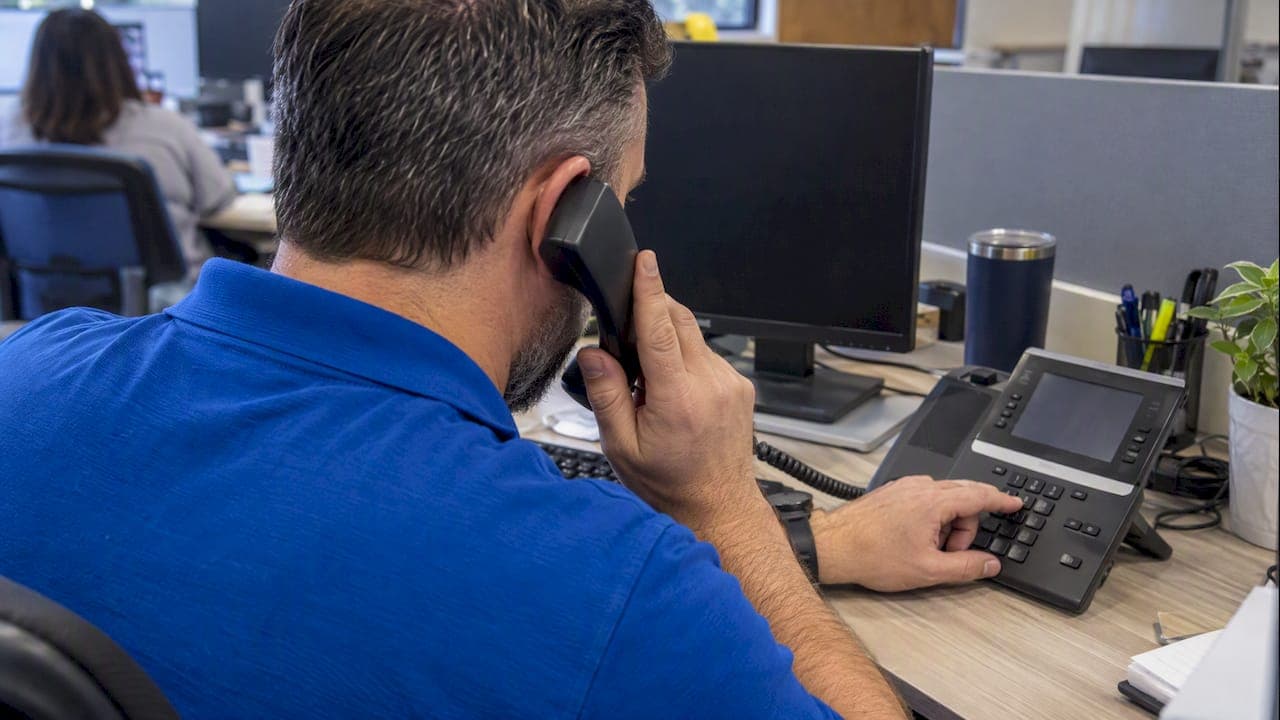
E911 Compliance: 5 Checks to Catch Gaps in U.S. OfficesMost U.S. offices running a multi-line telephone system (MLTS) must support direct 911 dialing, automatic notification, and dispatchable location under Kari's Law and RAY BAUM'S Act. The first thing to check is simple: pick up a desk phone, dial 911 without any prefix, and confirm that a monitored notification actually fires somewhere in the building.
TL;DR:
- Kari’s Law covers systems manufactured, installed, or leased on or after February 16, 2020, and manufacturers must ship them configured for direct 911 dialing.
- Emergency alerts must reach a staffed, monitored location as the call goes out without delaying connection; include callback and location details where feasible.
- Offices with multiple floors need a validated street address plus suite, floor, or room details, while mobile softphones require location mapping to network identifiers.
- Test representative devices quarterly and after moves or system changes; contact the local emergency call center before any procedure that could place a live call.
- Use location coordinates only when automated dispatchable location is technically infeasible; document the reason and confirm state rules and local emergency call center procedures.
Table of Contents
- What Federal Law Requires Now: Kari's Law and RAY BAUM'S Act
- Who and What Is Covered: MLTS Definition and Responsible Parties
- Technical Requirements Explained: Dialing, Notification, and Location
- Practical Compliance Checklist for Offices
- How Modern Platforms and Network Design Affect E911
- Testing, Verification, and Ongoing Compliance
- State and Local Considerations Worth Confirming
- Why This Matters Beyond the Checklist
- How We Help Offices Close the E911 Gap
- FAQ
- Sources
- Quick Authoritative Resources
What Federal Law Requires Now: Kari's Law and RAY BAUM'S Act
Kari's Law covers any MLTS manufactured, installed, or leased on or after February 16, 2020. It requires two things: every station must be able to dial 911 directly, with no "9" or other prefix needed to get an outside line, and the system must trigger a notification when a 911 call goes out, typically an alert to a front desk, security office, or other staffed location, as detailed in the FCC's MLTS rules.
Section 506 of RAY BAUM'S Act adds the location piece. The FCC's implementing rules, adopted August 1, 2019, require that 911 calls from fixed telephony, interconnected VoIP, and other covered services carry a dispatchable location, meaning a validated street address plus the suite, floor, or room number a dispatcher needs to find someone in a large building.
Together, these rules answer the two questions a 911 dispatcher actually has: where is the caller, and who already knows this call was placed. For offices, that means:
- Direct-dial capability on every phone, with no workaround required
- A working notification path to a person who can act immediately
- Location data specific enough to send responders to the right floor or suite
Who and What Is Covered: MLTS Definition and Responsible Parties
An MLTS is any system that serves multiple lines and stations, which covers traditional office PBXs, hosted UC platforms, and hybrid VoIP deployments alike. The FCC's own guidance treats campus, hotel, and office phone networks the same way: if it routes calls across multiple extensions, it is an MLTS for compliance purposes.
Responsibility is split across three roles. Manufacturers must pre-configure systems to allow direct 911 dialing out of the box. Installers and operators, meaning whoever manages the office phone system day to day, must configure notification and dispatchable location whenever it is technically feasible, per the FCC's direct dialing and notification requirements.
A few quick questions tell you where you stand:
- Was the system installed or significantly modified on or after February 16, 2020?
- Did the manufacturer ship it pre-configured for direct 911 dialing?
- Would enabling notification or location data require new hardware or software, or just a configuration change?
Technical Requirements Explained: Dialing, Notification, and Location
Direct-dial means exactly that: any station with dialing facilities must reach 911 without an extra digit. There is no exception for trunk access codes or legacy "dial 9 for an outside line" setups, as the FCC's MLTS requirements make clear.
Notification has to be contemporaneous with the call itself. It cannot delay call setup, and it needs to land somewhere a person is likely to see or hear it, whether that is a security desk, a building manager's phone, or an email distribution list. Where feasible, the notification should also include a callback number and location details.
Dispatchable location means a validated civic address, plus suite, floor, or room identifiers for complex buildings. The FCC's dispatchable location rules allow alternative coordinate-based location data when automated dispatchable location is not technically feasible, but that exception has to be documented, not assumed.

One rule change drove most of this: the FCC adopted its consolidated 911 rules on August 1, 2019, setting phased deadlines for fixed and non-fixed devices that pushed offices to finally close the "dial 9" gap.
Common technical approaches include:
- Emergency Location Identification Numbers (ELINs) tied to specific extensions or network segments
- Automatic Location Information (ALI) database records updated whenever a location changes
- Network-identifier mapping that ties Wi-Fi access points and subnets to a physical address
Practical Compliance Checklist for Offices
A compliance check does not need to be complicated, but it does need to be documented. Walk through this in order:
- Dial 911 from a sample of fixed desk phones and any cordless or softphone extensions, and log the results for each device type.
- Confirm who receives the MLTS notification, how fast it arrives, and whether it includes a callback number and location detail.
- Validate dispatchable location for fixed devices and map network identifiers (Wi-Fi access points, subnets, VLANs) for laptops and softphones that move around the building.
- Save vendor confirmations, configuration screenshots, and test logs in one place, and schedule repeat tests regularly or after any major system change.
- Loop in the local Public Safety Answering Point (PSAP) before running tests that might generate a live call attempt or require coordination.
Pro Tip: Treat every office move, phone system upgrade, or carrier change as a trigger for a fresh 911 test, not just an annual calendar reminder.
For a deeper walkthrough of UCaaS-specific gaps, our UCaaS migration checklist covers the porting and security issues that tend to surface alongside E911 problems.
How Modern Platforms and Network Design Affect E911
A single address registered at the account level rarely satisfies dispatchable-location rules for a UCaaS or Microsoft Teams deployment spread across multiple floors or buildings. Each extension or device needs an emergency address tied to a specific network identifier, not just the company's mailing address, as Texas Tech's IT guidance on Teams emergency calling explains.
Session Border Controllers (SBCs) and ELIN records handle the routing piece: they supply a callback number and direct the call to the correct PSAP based on where the extension is registered. Direct Routing configurations in Teams, or any managed UCaaS deployment, depend on these records being current.
For hybrid offices, mapping matters as much as configuration:
- Tie every Wi-Fi access point and subnet to a validated civic address
- Decide between a Registered Location model, where users confirm their location, and an automated dispatchable-location model for devices that do not move
- Keep network, security, and voice teams in the same conversation during any UCaaS rollout, and require written vendor confirmation that dispatchable-location data was actually uploaded
Our guide to VoIP system types for large businesses breaks down how these platform choices affect E911 obligations differently depending on the deployment model.
Testing, Verification, and Ongoing Compliance
A one-time test proves nothing six months later. Build a cadence:
- Test a representative sample of sites and devices regularly, including non-fixed devices where feasible, and log both the outcome and any vendor confirmation received.
- Use non-emergency test procedures, never a live 911 call, and re-test immediately after a site move, a UCaaS migration, or a firmware or network change.
- Keep a standard test-report template: test steps, outcomes, timestamps, screenshots, and PSAP or vendor sign-off.
Pro Tip: Store test records for an appropriate period. If a PSAP or regulator ever asks for proof of due diligence, a dated log beats a memory of "we checked that."
Our breakdown of quarterly E911 testing for VoIP walks through the specific proof points auditors tend to ask for across multi-site deployments.
State and Local Considerations Worth Confirming
Some states passed Kari's Law-style requirements before the federal rule took effect, so check state statutes in addition to the FCC baseline. Local PSAPs also vary in how they expect ELIN and ALI records to be submitted and updated.
Contact the PSAP before running any test that might generate a call attempt or before making major routing changes. Document every technical-feasibility decision, especially any case where automated dispatchable location was not possible, along with the vendor's written justification for why.
Why This Matters Beyond the Checklist
Most offices treat E911 as a box to check during a phone system upgrade, then forget about it until something breaks. That is backward. The dispatchable location rules exist because dispatchers lose critical minutes when a caller cannot say exactly where they are, and that gap tends to widen, not shrink, as offices add hybrid work, shared desks, and softphones that move between buildings.
The harder truth is that compliance is never really "done." A new floor added to a UCaaS deployment, a swapped SBC, a Wi-Fi access point moved to cover a dead zone: any of these can quietly break a dispatchable-location mapping that worked fine the week before. Offices that treat E911 as a one-time project during installation are the ones that fail an audit or, worse, fail a real emergency.
— Jim
How We Help Offices Close the E911 Gap
We help multi-site offices assess their phone systems and network needs. Because we design and deploy through our own engineers rather than handing you off to a call center, you get a point of contact who understands your network layout and phone system together.What that looks like in practice:
- One provider and one engineer's number instead of separate calls to your carrier, your UCaaS vendor, and your network team
- A U.S.-based NOC backing an uptime SLA on voice services
- Ongoing monitoring for your network
If you want to know where your office stands today, our UCaaS (Hosted PBX) team can run a compliance assessment alongside your existing phone system and show you exactly what needs to change. Reach out through our free consultation page to get started.
FAQ
Is E911 mandatory for office phone systems?
Yes, for any MLTS manufactured, installed, or leased on or after February 16, 2020, direct 911 dialing and notification are mandatory under Kari's Law. Dispatchable location requirements apply on a phased basis depending on the type of service and device.
What does E911 compliance actually mean for a business?
It means every phone in the building can dial 911 directly, a designated person gets notified the moment that call happens, and the dispatcher receives a validated address specific enough to find the caller. The FCC's MLTS rules and dispatchable location guidance define each piece separately.
Will AI replace 911 dispatchers?
There is no indication that AI is replacing human 911 dispatchers; current federal rules focus on improving call routing, notification, and location accuracy rather than automating dispatch decisions. Offices are better served focusing on meeting the direct-dial and location requirements already in place.
What is Kari's Law?
Kari's Law is the federal requirement that any multi-line telephone system manufactured, installed, or leased on or after February 16, 2020 must allow direct 911 dialing without a prefix and must send a notification when a 911 call is made, as described in the FCC's rules. It was named after a domestic violence victim whose daughter could not reach 911 because the hotel phone required dialing 9 first.
How often should an office test its E911 setup?
A quarterly test of representative phones and devices, plus a re-test after any site move or system change, is a reasonable baseline for most offices. Keep dated logs and vendor confirmations so you have evidence of ongoing compliance if a PSAP or regulator ever asks.
Quick Authoritative Resources
For primary source text, start with the FCC's MLTS requirements, the dispatchable location rules, and 911 for NG911 background. For notification channels that ensure building staff actually see an MLTS alert, this campus-wide emergency alert display guide is a useful reference for visual notification setups.